
Ever built something nobody wanted? It’s a founder’s worst nightmare. You pour months of your life into a product, only to launch to the sound of crickets. The Double Diamond design process is your best defence against that exact scenario. It’s a simple but powerful framework that forces you to figure out the right problem before you even think about building the right solution.
Unpacking the Double Diamond Framework
At its heart, the Double Diamond is a visual roadmap that guides you from a fuzzy idea to a tangible product. It was created by the British Design Council, and its name comes from the two diamond shapes that make up its structure. Each diamond has two distinct stages of thinking:
- Divergent Thinking: This is your “go wide” phase. You’re brainstorming, exploring every possible angle, pain point, and idea you can think of. No judgement, no filtering. Just cast the net as wide as possible to see what you can catch.
- Convergent Thinking: Now it’s time to get focused. You take everything you gathered during the divergent phase and start to analyse, filter, and synthesise. This is where you narrow your options and make clear, informed decisions to move forward.
This constant rhythm of expanding your thinking and then contracting it is the engine that drives great problem-solving. It stops you from falling into the classic trap of jumping on the first solution that pops into your head. Instead, it makes you pause and really get to grips with your customer’s world first. This philosophy is the bedrock of a user-centred design approach, which we cover in more detail in our guide.
The Four Key Phases
The entire model is broken down into four clear, sequential phases—often called the “4 Ds”—that give the whole process its structure.
This is what it looks like in action:
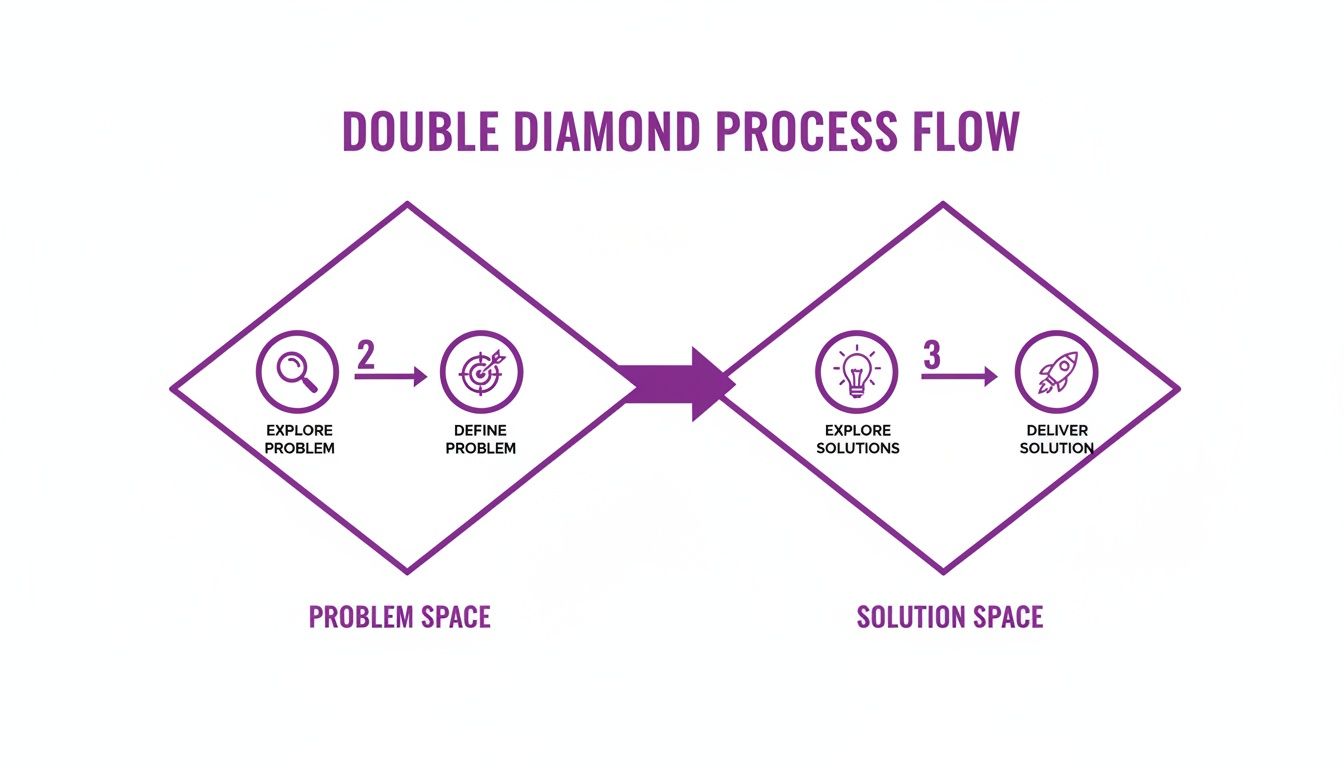
See how it keeps the “problem space” (the first diamond) completely separate from the “solution space” (the second)? That separation is crucial. It’s what stops you from building features in a vacuum.
The genius of the Double Diamond isn’t its complexity; it’s its simplicity. It provides a shared language and a clear path for teams to follow, ensuring that every design decision is rooted in a genuine user need.
For bootstrapped founders, this isn’t just some fancy design process; it’s a risk-mitigation strategy. It helps you pour your most valuable resources—time and money—into solving problems people will actually open their wallets for. To see how this fits into the bigger picture, you can check out these general product design process steps.
Now, let’s break down each of these four phases with some practical, SaaS-specific examples to show you how to put this model to work.
Phase 1: Discover Your Customer’s Real Problem
Alright, let’s dive into the first diamond. This is where it all begins, and there’s one simple, non-negotiable rule: you must fall in love with the problem, not your solution. This is the Discover phase, a time for divergent thinking. In other words, you’re going to go as wide as possible, challenge every assumption you have, and gather as many raw, unfiltered customer insights as you can get your hands on.
Think of yourself as a detective arriving at a crime scene. You wouldn’t just slap the cuffs on the first person you see. No, you’d cordon off the area, bag every piece of evidence, and talk to every single witness. That’s exactly what the double diamond design process is all about in this first phase—collecting clues without jumping to conclusions.
For a bootstrapped founder, this stage is your best defence against a classic startup killer: building a beautiful product that absolutely no one wants. This is where you brutally separate what you think your customers need from what they actually need.
Going Wide on a Lean Budget
Don’t panic. You don’t need a massive research budget to nail this. The real focus here is on empathy and observation, not on commissioning expensive reports that will just gather dust. Your goal is to weave together a rich tapestry of qualitative data—the kind that gives you a genuine feel for your users’ daily headaches and hidden goals.
Here are a few practical, low-cost ways to get started right now:
- Customer Interviews: Seriously, just talk to your users. It’s the single most valuable thing you can do. Aim for open-ended conversations, not a rigid checklist of questions. Keep asking “why” until you sound like a curious toddler—that’s how you get to the root of their problems.
- Simple Surveys: Tools like Typeform or even good old Google Forms are your best friends here. Focus on asking about their past behaviour and experiences, not what they think they might do in the future. Humans are terrible at predicting their own actions.
- Competitor Analysis: Don’t just look at what your competitors are doing well; dig into what they’re doing poorly. Scour their reviews, lurk in their support forums, and hunt for customer complaints. These are free, high-value signals pointing you directly to unsolved problems.
Learning how to run these conversations is a foundational skill. If you’re new to this, checking out a guide on conducting user interviews effectively will pay dividends for years to come.
Integrating Feedback from the Start
This is the perfect time to build a system for continuous learning, not just a one-off research project. You want to create a pipeline that constantly feeds fresh insights into your decision-making. This is where a unified feedback tool becomes a game-changer.
The goal of the Discover phase isn’t to find answers. It’s to find better questions. You’re building a foundation of empathy that will prop up every single decision you make from here on out.
With a platform like HappyPanda, for example, you can automate a huge chunk of this initial insight gathering. Imagine setting up a simple pop-up survey for new users that asks, “What’s the main problem you’re hoping our product will solve for you?” The raw, verbatim responses you’ll get are pure gold for the Discover phase.
Practical Activities and Deliverables
Let’s be clear: the output of this phase isn’t a polished feature list or a slick prototype. It’s an organised collection of insights—your evidence board, basically—that will fuel the next phase.
Key Activities:
- Observational Research: Go out and watch how users interact with similar products or try to complete the tasks you want to improve. It’s often called “contextual inquiry,” but really, it’s just about being a fly on the wall.
- Stakeholder Workshops: If you have a team, get everyone in a room. Use a whiteboard to map out every single assumption you all hold about your users and their problems. You’ll be surprised at what surfaces.
- Data Analysis: Look at any data you already have. Are there patterns in your support tickets? What are your website analytics telling you about where people get stuck?
Primary Deliverables:
- Interview Notes & Recordings: The raw, messy transcripts and recordings from your customer chats.
- Survey Responses: A clean collection of all the answers from your targeted surveys.
- User Personas (Draft): Start sketching out your ideal customer profiles based on what you’re learning. For more on this, check out our guide to understanding customer needs identification.
By the end of this phase, you won’t have a solution. And that’s exactly the point. What you will have is a rich, messy, and incredibly valuable understanding of the problem space. You’ve successfully diverged, opening up the aperture to see the full picture before you start the critical work of focusing in the next phase.
Phase 2: Define the Right Problem to Solve
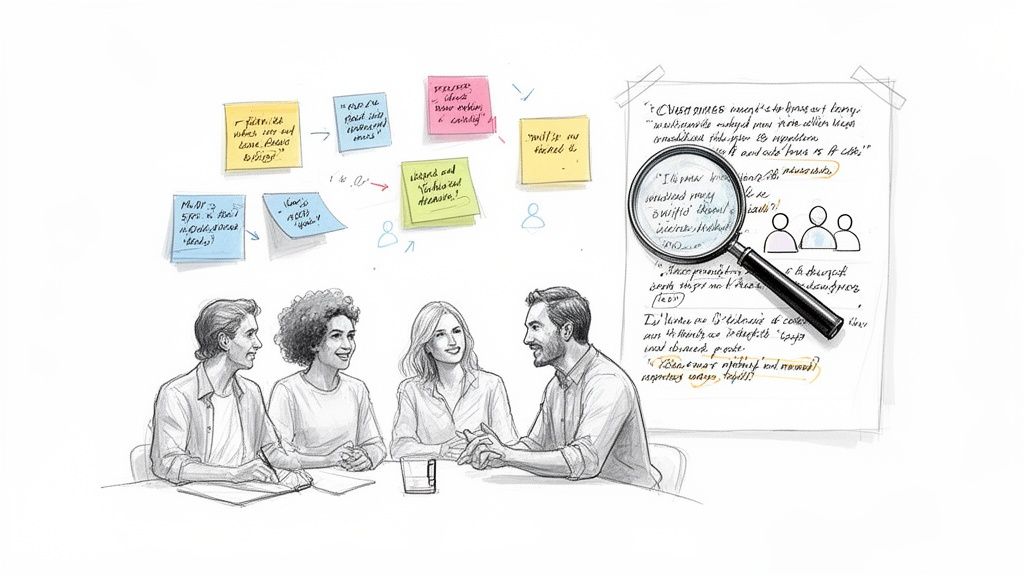
After the wild, wide-ranging exploration of the Discover phase, you’re probably sitting on a mountain of raw data—interview transcripts, survey results, random notes, and a deep dive into your competitors. Welcome to the Define phase, your first moment of convergence. It’s time to sift through all that noise and distill it into a single, crystal-clear problem statement.
Think of it this way: Discover was about collecting every possible puzzle piece you could find, even the ones that didn’t look like they belonged. Define is where you find the edges and start piecing them together to see what picture emerges. This is arguably the most critical step in the entire double diamond design process. Nail this, and you’re aiming at the right target.
A poorly defined problem leads you down a rabbit hole, building a solution nobody actually needs. But get it right, and that well-defined problem becomes a guiding light for your entire team, fending off the dreaded scope creep that sinks even the most promising projects.
From Chaos to Clarity
The whole point here is to make sense of everything you’ve just learned. You need to analyse and synthesise all your research to pinpoint the real, core user needs. This isn’t about throwing darts in the dark; it’s about systematically organising your data and letting the patterns speak for themselves.
The biggest challenge at this stage? Information overload. It’s easy to get lost in pages of notes and hundreds of survey responses. The key is to find practical ways to manage this volume without going stir-crazy.
Here are a couple of lean techniques perfect for bootstrapped founders who don’t have time to waste:
- Affinity Mapping: This is a ridiculously simple but powerful exercise. Grab a stack of sticky notes and write every single user insight, pain point, and observation on a separate note. Now, stick them on a wall and start grouping them into logical clusters. You’ll quickly see which problems keep popping up again and again.
- “How Might We” Statements: This little trick reframes problems into opportunities. Instead of stating, “Users can’t find the export button,” you’d ask, “How might we make exporting more intuitive?” That simple shift cracks open the door to creative solutions for the next phase.
Creating a Clear Problem Statement
Once you’ve wrestled your insights into neat little piles, the final step is to boil it all down into a concise, actionable problem statement. This statement becomes the North Star for your entire project.
A great problem statement usually has three key ingredients:
- The User: Who, specifically, are you helping?
- Their Need: What’s the fundamental goal they’re trying to achieve?
- The Insight: Why is this a problem for them right now? What’s the real frustration?
SaaS Example: Let’s say you’re building a project management tool. After your research, you might land on a problem statement like this: “A busy freelance designer needs a simple way to track project profitability because existing tools are too complex and time-consuming, making it hard to see which clients are actually making them money.”
This statement is specific, user-focused, and laser-focused on a clear pain point. It gives you a rock-solid foundation to start brainstorming solutions in the next phase. While hard statistics on framework adoption are tricky to find, the principles behind a clear problem statement are a core tenet of building products that people actually want to use. You can find more perspectives on the double diamond approach on Splunk.com.
Integrating Customer Feedback in the Define Phase
Everything you do in the Define phase is a direct result of the feedback you gathered earlier. This is where a tool like HappyPanda becomes your secret weapon. You can use its analytics dashboard to tag and categorise all that incoming feedback from surveys and in-app widgets.
For instance, you could create tags like “onboarding-confusion,” “pricing-unclear,” or “feature-request-export.” By filtering your feedback, you can instantly see which problems are generating the most noise. This data-driven approach helps you prioritise which “How Might We” statement to tackle first, making sure you’re focused on solving the problems that have the biggest impact on user happiness and retention.
Phase 3: Develop Potential Solutions Creatively
Alright, you’ve got a crystal-clear problem statement in hand. Now we’re moving into the second diamond of the design process. Welcome to the Develop phase, where you throw the doors of creativity wide open.
This is another period of thinking big. You’re shifting gears from understanding the problem to exploring every possible solution you can dream up.
Think of it like moving from the detective’s evidence board to the inventor’s workshop. You’ve identified the culprit; now it’s time to brainstorm every gadget, tool, and wild method to solve the case. This isn’t about finding the perfect idea just yet. It’s about generating lots of ideas to increase the odds of stumbling upon a truly great one.
The mantra here is quantity over quality, at least at the start. You want to encourage wild ideas and explore different angles without getting prematurely attached to a single concept. This is a core part of the double diamond design process because it stops you from settling for the first mediocre solution that pops into your head.
Lean Methods for Rapid Ideation
As a bootstrapped founder, you live and breathe speed and efficiency. You don’t have months for endless brainstorming sessions. The goal is to build and test ideas in small, quick cycles, learning fast without pouring resources into something that’s dead on arrival.
Here are a few practical, low-cost ways to get that creative engine firing:
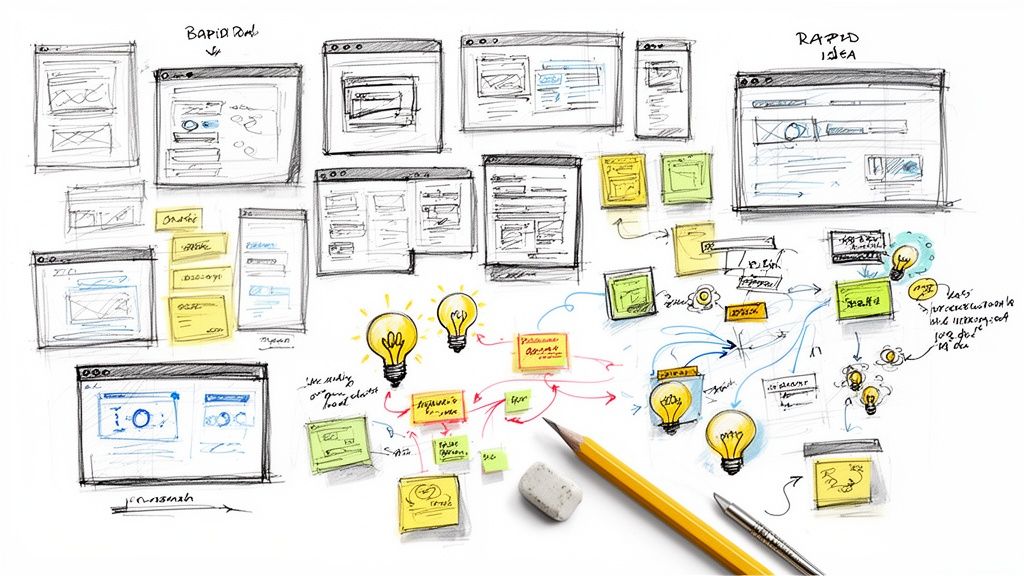
- Rapid Sketching: Seriously, just grab a pen and paper. Set a timer for five minutes and sketch as many different interface ideas as you can for solving the problem. Don’t sweat your artistic skills—this is about getting ideas out of your head and onto paper, fast.
- Crazy 8s: This is a popular workshop technique. Fold a piece of paper into eight sections. You get eight minutes total—one minute per section—to sketch eight different ideas. It forces you to move past your obvious first thought and explore alternatives.
- Low-Fidelity Wireframing: Use free tools like Figma or Balsamiq to create simple, blocky layouts. These aren’t about looks; they’re about mapping out user flow and function. They’re quick to make and even quicker to scrap if they don’t work.
The Develop phase is a playground for your ideas. The more you build, break, and combine concepts, the stronger your final solution will be. It’s about creative exploration, not perfect execution.
By focusing on these lean methods, you create a low-stakes environment where you can test multiple hypotheses without writing a single line of code. It’s the perfect time to explore the differences between various UX and UI approaches to see what actually fits your user’s needs.
From Ideas to Tangible Prototypes
Once you’ve got a handful of promising sketches or wireframes, it’s time to create simple, testable prototypes. A prototype is just anything a user can interact with, whether that’s a clickable wireframe or a slightly more detailed mockup.
The key is to keep it low-fidelity. You’re aiming for something just good enough to test the core concept. Studies have shown that even simple paper prototypes can uncover major usability flaws, saving you countless hours of development down the line.
Actionable Prototyping Tips for Founders:
- Focus on One Core Flow: Don’t try to prototype the entire app. Just build out the single most important user journey that solves the problem you defined.
- Use Realistic Content: Ditch the “Lorem Ipsum.” Use text that your users would actually see in the wild. This makes the prototype feel more real and gets you much more genuine feedback.
- Collaborate with Your Team: Pull your developers and any other stakeholders in at this stage. They can give you immediate feedback on what’s technically feasible, stopping you from designing something that’s impossible to build.
How HappyPanda Streamlines Solution Development
This phase is all about co-creation and iteration. Once you’ve got a rough prototype ready, you can use a tool like HappyPanda to gather feedback in a flash.
For example, you could shoot an email to a small segment of your users with a link to your clickable prototype. In that email, ask a simple, open-ended question like, “We’re exploring a new way to solve [the problem]. What are your initial thoughts on this approach?”
The qualitative feedback you get back is pure gold. You can tag these responses in HappyPanda to see which prototype concepts resonate most with your target audience. This creates a tight feedback loop that helps you refine your ideas before you commit to a final direction.
Phase 4: Deliver and Test the Winning Solution
You’ve done the exploring, defining, and developing. Welcome to the final, convergent phase of the double diamond design process: Deliver. This is where your best-performing prototype gets the final polish, goes through rigorous testing, and is prepped for its big debut. It’s the moment you trade wide-eyed exploration for sharp, focused execution.
Think of the previous stages as designing the perfect race car engine on paper, then building a functional model. The Deliver phase is where you drop that engine into the chassis, fine-tune every component, and finally take it to the track for some real-world laps. The goal isn’t just to cross the finish line; it’s to gather hard data to make the car even faster for the next race.
For a SaaS founder, this phase is all about turning your strongest concept into a Minimum Lovable Product (MLP). It’s that critical final step where you validate everything with real users and pave the way for continuous, feedback-fuelled growth.
Refining and Finalising Your Solution
First things first: take the prototype that came out on top during user testing and start refining it. This means moving away from rough, low-fidelity wireframes and creating high-fidelity, polished designs that look and feel like the real deal.
Now’s the time to sweat the small stuff that makes for a great user experience—think micro-interactions, crystal-clear copy, and a consistent visual style. You’ll want to work closely with your developers here to make sure what you’ve designed is not only technically possible but also performs like a dream.
Key Activities in This Stage:
- High-Fidelity Prototyping: Build detailed, interactive mockups in tools like Figma that are almost indistinguishable from the final product.
- Usability Testing: Run a few more rounds of testing with your shiny new prototype to iron out any last-minute wrinkles or confusing bits before launch.
- Design Handoff: Package up all the necessary assets, documentation, and specs for your development team to ensure a buttery-smooth transition from design to code.
The Deliver phase isn’t the finish line; it’s the starting pistol for a new feedback loop. Your launch isn’t the final answer—it’s just the first version of your best guess, ready to be tested at scale.
Launching Lean and Gathering Real-World Feedback
Once the first version is built, it’s time to get it in front of your users. As a bootstrapped founder, a huge “big bang” launch is usually too risky and completely unnecessary. A lean, phased rollout is a much smarter play.
Try launching to a small slice of your audience first—maybe a beta group or your most loyal users. This lets you collect real-world performance data and feedback in a controlled environment, which dramatically lowers the risk of any major mishaps.
While hard stats on the adoption of specific design frameworks are tricky to pin down, the core principle of iterative, user-centred launches is a universally accepted best practice for reducing risk. For those curious about regional business approaches, you can find more insights into design and innovation in Southeast Asia at The South East Asian Journal of Management.
Creating a System for Continuous Improvement
Your launch is just day one. The feedback you collect from this point on is the fuel for your next trip through the Double Diamond. This is where having a unified communication tool becomes a non-negotiable for turning your product into a learning engine.
With a tool like HappyPanda, you can automate feedback collection from the very first moment a user tries your new feature.
- Set Up a Post-Launch Survey: Trigger a simple CSAT (Customer Satisfaction) survey to pop up after a user engages with the new feature for the first time.
- Monitor Feedback in Real-Time: As the responses come in, you can tag and analyse them to quickly spot what’s causing friction or delight.
- Close the Loop: Use these insights to kickstart your next Discover phase, creating a virtuous cycle of continuous improvement.
By linking the end of one design cycle to the start of the next, you turn the double diamond design process from a one-off project plan into a sustainable engine for growth. You’re no longer just shipping features; you’re building a system that consistently delivers more and more value to your customers.
Common Questions About the Double Diamond Process
Even the clearest roadmap can spark practical questions—especially when every hour matters for bootstrapped founders. Understanding how the Double Diamond Design Process plays out in real life is what makes it truly valuable.
Below are some of the most common concerns founders raise before they jump in.
Is This Process Too Complex For A Solo Founder
Actually, the Double Diamond is a mindset you can tailor to a one-person team. You don’t need marathon workshops—just a few focused activities that keep you honest.
For example, a solo founder might run through the phases like this:
- Discover: Schedule 5 short customer calls over a couple of mornings.
- Define: Spend 1 hour clustering insights on a virtual whiteboard.
- Develop: Sketch ideas on paper or mock up quick wireframes.
- Deliver: Pick the strongest concept, build a simple version, then test.
This disciplined approach makes you explore the problem before diving into solutions—saving both time and cash.
How Long Should Each Phase Of The Double Diamond Take
There’s no one-size-fits-all timeline; it hinges on your project’s scale and complexity. The trick is to timebox each phase so you keep moving forward.
- For a small feature tweak, you might finish the full cycle in 1 week.
- For a brand-new product, allow 4+ weeks.
- Always set clear deadlines—say, 7 days for Discover, 5 days for Define—to maintain momentum.
The goal is rapid, iterative learning, not an endless academic exercise.
Can I Use This Framework For An Existing Product
Absolutely. The Double Diamond shines when you need ongoing tweaks or to tackle a nagging issue in an established product.
Imagine your dashboard widget isn’t getting any love. You’d run a fresh cycle:
- Discover: Interview users to uncover why they’re skipping the widget.
- Define: Identify the real obstacle—perhaps it’s buried in the layout or unclear in purpose.
- Develop: Brainstorm fixes like clearer labels or a better onboarding tooltip.
- Deliver: Implement the top candidate, then measure how adoption changes.
This makes the framework a repeatable engine for continuous improvement.
What If Customer Feedback Contradicts My Idea
That’s actually a win. Client pushback at the start saves you from building something nobody wants. Treat unexpected feedback as a gift.
Here’s how to handle it:
- Ask follow-up questions to dig into the root need.
- Adjust your assumptions rather than defending them.
- Iterate fast, using evidence to guide your next move.
By embracing what you learn in the first diamond, you keep pivots cheap and insights rich.
Stop juggling multiple tools and paying hundreds per month. HappyPanda combines feedback collection, email sequences, onboarding checklists, and more into one simple platform for bootstrapped founders. Start your free 14-day trial today.