
Think of a content management software system (CMS) as the digital command centre for your website. It’s the tool that lets you create, manage, and publish content like blog posts, product pages, and tutorials without having to write a single line of code.
Your Startup’s Digital Workshop Explained
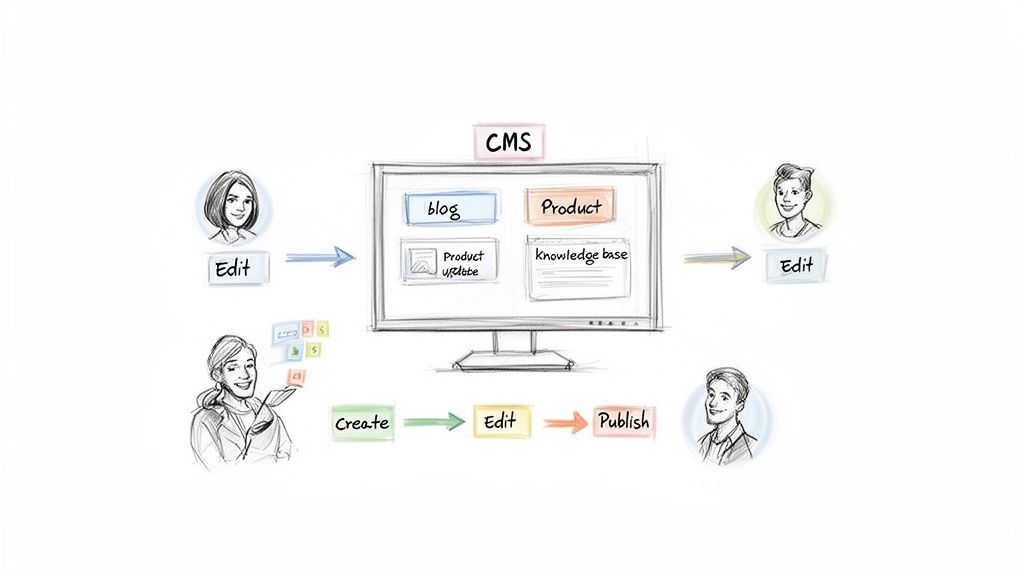
Imagine your website is a high-street shop. Without a CMS, every time you want to change a price tag or put up a new promotional poster, you’d have to call in a specialist contractor. It’s slow, expensive, and a massive bottleneck when you’re trying to grow.
A good CMS, on the other hand, hands you the keys to the shop. It gives you a user-friendly interface—think of something familiar like a word processor—where your team can draft articles, upload images, and schedule announcements. The software then handles all the complicated, behind-the-scenes work of storing that information and making sure it looks right for your visitors.
The Core Principle: Separation of Concerns
At its heart, a great CMS works on a simple but powerful principle: it separates what your content is from how it looks. This means your marketing team can focus entirely on writing brilliant copy and finding the perfect images, without ever having to worry about HTML, CSS, or server configurations.
This separation is the key to staying agile as a bootstrapped founder. It empowers non-technical team members to drive marketing and customer education, freeing up your precious developer time to focus on improving the actual product.
Instead of your website being one rigid block of code, it becomes two distinct parts working in perfect harmony.
- The Content Management Application (CMA): This is the dashboard you log into. It’s where you write blog posts, set up user roles for your team, and organise your media library. It’s your creative studio.
- The Content Delivery Application (CDA): This is the engine working in the background. It grabs the content you’ve created in the CMA, pulls it from a database, and uses templates to assemble it into the beautiful, functional webpages your customers see.
Why This Matters for Your SaaS
For a SaaS founder, a CMS is so much more than just a blogging tool. It’s a critical piece of your growth engine. It’s the platform you’ll use to publish case studies that prove your product’s value, create a knowledge base that cuts down on support tickets, and launch landing pages for new marketing campaigns.
By pulling all these activities into one place, a CMS keeps your brand consistent and your operations efficient. No more chaos of managing content across random documents and spreadsheets. This organised approach lets you build a powerful online presence and a scalable content strategy from day one, turning your website from a simple brochure into a machine for customer acquisition and retention.
Must-Have CMS Features for SaaS Founders
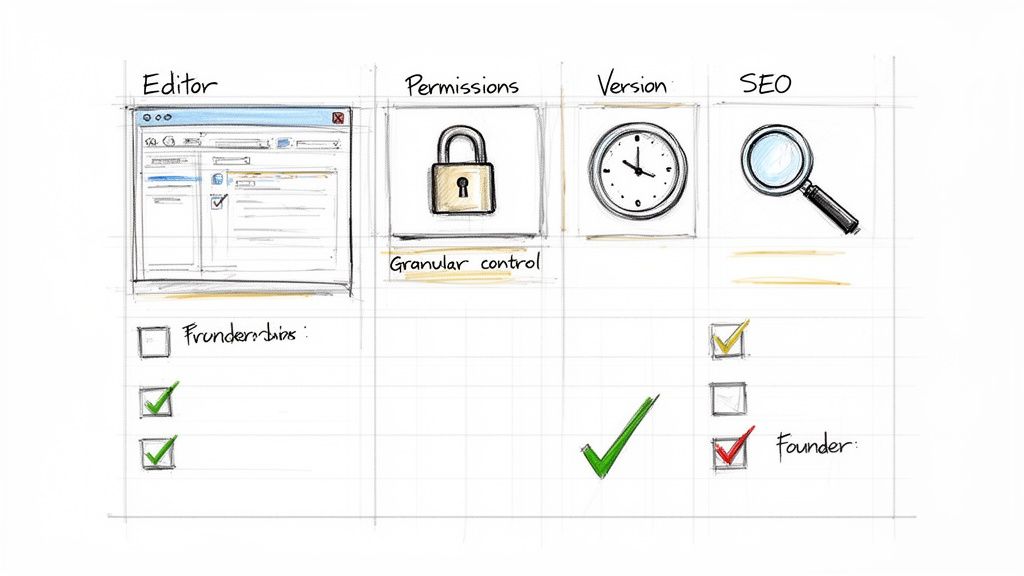
Picking a content management software system isn’t like choosing a new office chair; it’s more like hiring your first employee. For a scrappy SaaS startup, the right CMS can be the difference between hitting your growth targets and getting stuck in a technical swamp.
It’s easy to get distracted by flashy features. But for a lean team, the focus should be on tools that let you move fast and punch above your weight without needing a developer on speed dial. Think less about bells and whistles, more about what saves you time, protects your brand, and actually helps bring in customers.
A Flexible and Intuitive Content Editor
Let’s be honest: if creating a blog post feels like wrestling with a moody photocopier from the 90s, your team just won’t do it. Your content marketing will grind to a halt before it even gets going. That’s why a modern, intuitive editor is absolutely non-negotiable.
You need a “What You See Is What You Get” (WYSIWYG) interface. It lets anyone—from the marketing intern to the co-founder—jump in, format text, drop in images, and build a page visually. It removes friction and means you can get ideas out the door in minutes, not days.
Granular User Roles and Permissions
As your team expands, you’ll inevitably bring in freelancers, guest writers, and new marketers. Giving everyone full admin access is like handing out keys to the office—a recipe for chaos. This is where granular user permissions save the day.
A solid content management software system lets you create custom roles with specific guardrails. For instance:
- Contributor: Can write and save drafts, but can’t hit the publish button.
- Editor: Can edit and publish their own work and anything from contributors.
- Administrator: Holds the keys to the entire kingdom, managing settings and users.
This level of control keeps your brand consistent, prevents someone from accidentally deleting the homepage, and builds a secure workflow you can scale with.
Reliable Version Control and History
Mistakes are inevitable. A crucial page gets deleted by accident, or a well-meaning update breaks something. Without a safety net, a small slip-up can quickly turn into a four-alarm fire.
Version control is basically an “undo” button for your entire website. It keeps a running log of every change, showing who did what and when. If something goes wrong, you can rewind to a previous version with a single click.
It’s an absolute lifesaver in a collaborative environment, giving you the confidence to let your team create without worrying about losing precious work.
Built-in SEO Tools and Optimisation
As a bootstrapped founder, you can’t just throw money at paid ads and hope for the best. Organic traffic from search engines is your lifeblood. A good CMS should be your partner in this, not another hurdle.
Look for a platform with foundational SEO tools baked right in. We’re talking about the ability to easily tweak title tags, write meta descriptions, set canonical URLs, and generate an XML sitemap automatically. Having these features built-in means you’re less reliant on clunky plugins or expensive agencies, giving you direct command over your search performance.
And this isn’t just a local trend. The enterprise content management market in Southeast Asia is expected to jump from USD 2.8 million to USD 9.1 million by 2033, driven by small and medium businesses trying to compete online. This just shows how critical it is for founders everywhere to have a powerful, accessible CMS. You can dig into the numbers in the full enterprise content management market research.
Ultimately, you need a content management software system that’s a true growth asset. And while you’re at it, check out other useful HappyPanda integrations that can help tie your marketing and operational workflows together.
Choosing Between Traditional and Headless CMS
Picking your content management system is one of those foundational decisions that can either supercharge your growth or become a technical headache down the road. It’s all about how you want to deliver content now, and more importantly, how you’ll need to deliver it in the future.
Let’s ditch the jargon and use an analogy.
Think of a traditional CMS like one of those all-in-one TV and DVD player combos from back in the day. The screen (your website’s front-end) and the player (the back-end where you manage content) are bolted together into a single unit. It’s simple, self-contained, and does its one job perfectly: showing content on that specific screen.
A headless CMS, on the other hand, is more like a modern media streamer—think Chromecast or Apple TV. It’s a slick little box that handles all your content but doesn’t have a screen of its own—it’s “headless.” Its entire purpose is to push that content to any screen you want, whether that’s your living room TV, your phone, a tablet, or even that smart fridge you’ve been eyeing.
The All-in-One Simplicity of a Traditional CMS
For a lot of bootstrapped SaaS founders, especially in the early stages, the traditional model is the most sensible starting point. Platforms like WordPress practically defined this all-in-one, or “coupled,” architecture. Everything you need is right there in the box.
The biggest win here is speed and simplicity. You install it, grab a theme, and you can be publishing content for your marketing site or blog in a matter of hours. This approach is perfect when your main goal is getting a digital presence up and running, fast.
- Pro: It’s incredibly user-friendly for non-technical folks. Your marketing team can manage both the content and the basic look-and-feel all in one place.
- Con: That tight coupling can be rigid. If you want to heavily customise the design or send your content to other places (like a mobile app), things can get messy and complicated, fast.
The Unmatched Flexibility of a Headless CMS
A headless architecture completely separates the content repository (the “body”) from the presentation layer (the “head”). In practice, this means you use the CMS to create and organise your content, but you have total freedom to decide how and where it gets displayed, all thanks to APIs.
This unlocks some serious flexibility. Your dev team can build a lightning-fast, completely custom front-end using whatever modern tech they love, like React or Vue.js. But even better, you can reuse the exact same piece of content across multiple platforms at the same time.
Imagine writing a new feature announcement just once in your headless CMS. With a single click, that update is instantly published on your website, pushed as a notification inside your mobile app, and even sent to a digital kiosk at your next trade show. That’s the “create once, publish everywhere” dream in action.
This multi-channel power is a game-changer for scaling. As your SaaS grows, you’ll need to keep your messaging consistent across your web app, marketing site, help docs, and email campaigns. A headless CMS makes that process streamlined and manageable. If you’re digging into the details, checking out a definitive comparison of CMS platforms is a great next step to see the full landscape.
To help you visualise the trade-offs, here’s a straightforward comparison table.
Comparing Traditional vs Headless CMS Architectures
Choosing the right architecture depends entirely on your immediate needs and long-term goals. Do you need a simple website now, or a flexible content engine for the future? This table breaks down the key differences to help you decide.
| Feature | Traditional CMS (e.g., WordPress) | Headless CMS (e.g., Contentful) |
|---|---|---|
| Architecture | Coupled: Back-end (content) and front-end (presentation) are tightly integrated into a single system. | Decoupled: Back-end is separate from the front-end. Content is delivered via an API to any device or channel. |
| Flexibility | Limited: Customisation is often restricted by themes and plugins. Difficult to push content to other platforms. | High: Complete freedom to build any front-end with any technology. “Create once, publish everywhere” is the norm. |
| Ease of Use | Very High: Great for non-technical users. All-in-one interface for managing content and basic design. | Moderate: Requires developer involvement to build and connect the front-end. Content editors have a simple interface. |
| Performance | Variable: Can be slow due to bloated themes, plugins, and monolithic codebases. | Excellent: Front-ends are built with modern, optimised technologies, leading to faster load times and better UX. |
| Ideal Use Case | Standard websites, blogs, and marketing sites where speed of launch is the top priority. | Multi-platform content delivery (web, mobile, IoT), highly customised user experiences, and future-proofing for scale. |
Ultimately, the choice isn’t about which is “better,” but which is the right fit for your business right now.
Making the Right Choice for Your Roadmap
So, which way do you go? Let your product roadmap and long-term vision be your guide. How you plan to grow and interact with your customers is a core part of your development lifecycle, and it ties directly into concepts like continuous product discovery—always understanding what your users truly need.
Here’s a simple breakdown to help you decide:
Choose a Traditional CMS if…
- Your main goal is launching a straightforward marketing site or blog as quickly as possible with minimal dev help.
- You want to empower a non-technical team to manage a standard website using pre-built themes and plugins.
Choose a Headless CMS if…
- You need to deliver content to multiple places beyond just a website, like a mobile app, IoT device, or in-app messages.
- Your goal is to build a highly customised, fast, and unique front-end experience using modern web tech.
In the end, it boils down to this: a traditional CMS is fantastic at building a website. A headless CMS excels at building a content engine that can power your entire digital world. Pick the one that not only solves today’s problem but also sets you up for where you’re headed tomorrow.
How to Select the Right CMS on a Bootstrapped Budget
When you’re a bootstrapped founder, every pound and penny counts. Picking a content management software system isn’t just about getting a tool; it’s a strategic bet that can either supercharge your growth or slowly burn through your runway. It’s so easy to get lured in by a low monthly fee, but you have to look beyond that and think about the total cost of ownership.
That means adding up all the sneaky expenses. Think about hosting fees, essential plugins you can’t live without, maintenance costs, and—this is the big one—the developer hours needed to keep the whole thing from falling apart. A “free,” open-source CMS might look like a no-brainer, but if it demands 20 hours of a developer’s time every month just for upkeep, it’s anything but free.
Prioritise Cost-Effective Operations
As a lean startup, your entire game is about maximising output while minimising manual work. Your CMS should be your partner in that mission, not just another item on your ever-growing to-do list. The trick is to find a platform with predictable costs and powerful features that genuinely save you time and money down the line.
Look for a system with a transparent pricing model—one that won’t hit you with surprise overage charges the moment your traffic starts to climb. Give extra points to platforms that bundle hosting, security, and updates into one simple monthly cost. This turns a wildly unpredictable expense into a boring, budgetable line item.
This decision tree can give you a clearer picture of whether a simple, all-in-one system or a more flexible platform makes sense for where your product is right now.
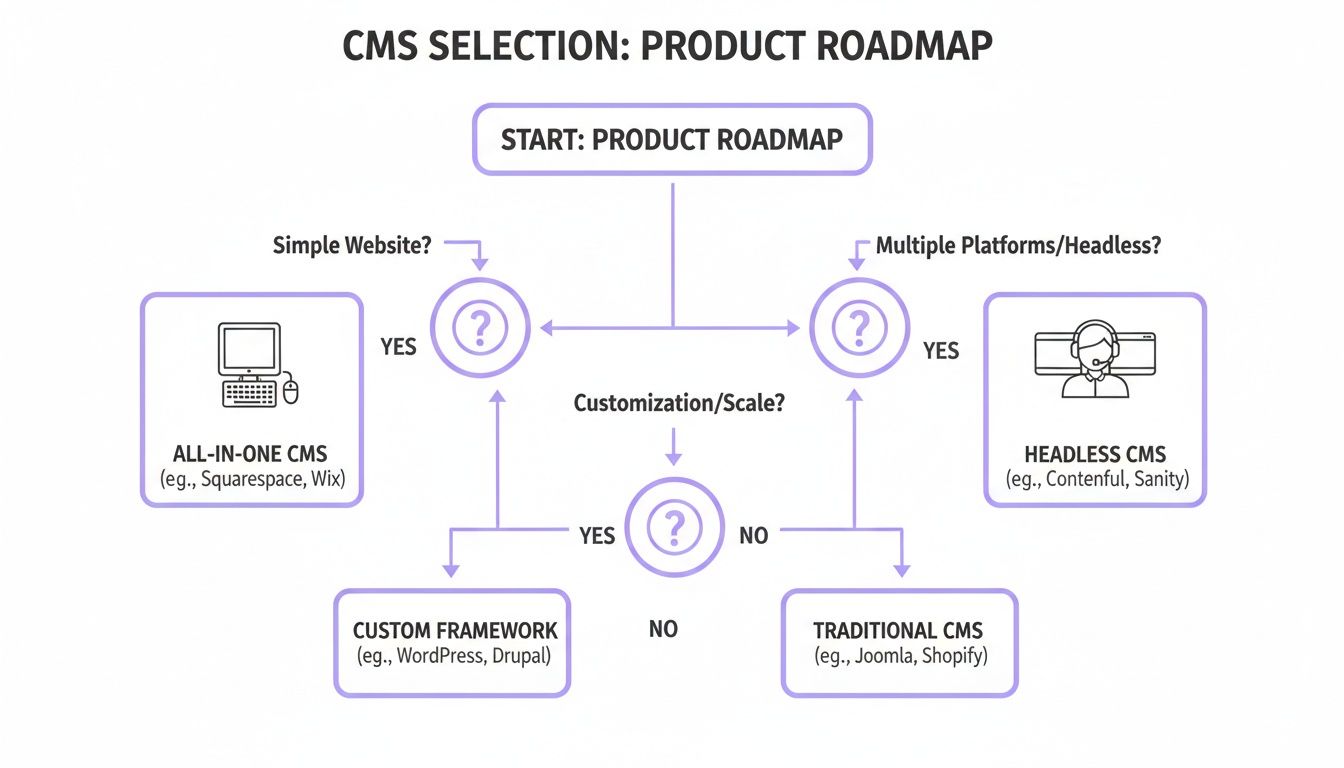
As the flowchart suggests, if you just need a straightforward website, an integrated solution is probably your best bet. But if you’re juggling content across multiple platforms, a more adaptable, headless architecture is the way to go.
Demand Seamless Integrations
Your CMS doesn’t live on an island. It needs to play nicely with all the other tools in your tech stack, from your email marketing platform to your analytics software. A system that needs complicated, custom-coded integrations to talk to your other tools is a massive resource drain for a bootstrapped company.
Before you commit, make a list of your must-have tools and check for native, one-click integrations. A well-connected CMS creates a smooth workflow, letting you sync data and automate tasks without calling in a developer every five minutes. This kind of connectivity is the bedrock of a scalable, low-cost operation.
For bootstrapped founders, an integration isn’t a “nice-to-have”; it’s a force multiplier. Every automated connection between your CMS and another tool saves you hours of manual work, freeing you to focus on product development and customer acquisition.
The massive shift to cloud-based software really drives this point home. In Southeast Asia, for example, cloud deployments are dominating the software market, holding a massive 63.53% market share in the CRM space alone. This trend is being pushed by small and medium-sized businesses—which make up 42.31% of the market—that are quickly adopting cloud tools, often encouraged by government programmes like Singapore’s SMEs Go Digital grants. This cloud-first world makes integrated, accessible platforms an absolute necessity. You can dive deeper into the rise of cloud software in Southeast Asia on MordorIntelligence.com.
Leverage Automation and Analytics
Time is your most precious resource. The right content management software system should actively give you more of it back through smart automation. Hunt for features that can take repetitive tasks off your plate for good.
- Content Scheduling: Plan out and schedule your blog posts, case studies, and announcements weeks ahead of time. Set it and forget it.
- Automated Workflows: Set up simple rules, like automatically notifying your editor on Slack when a new draft is ready for a final look.
- Social Sharing: Automatically push new articles to all your social media channels the second they go live.
Finally, you can’t improve what you don’t measure. A CMS with solid, built-in analytics is essential for proving your content is actually worth the effort. You need to see which posts are bringing in traffic, which pages are converting visitors into customers, and where your audience is coming from. This data is pure gold for making smart decisions about where to spend your limited marketing budget. Without it, you’re just guessing.
Turning Content Into Customer Conversations
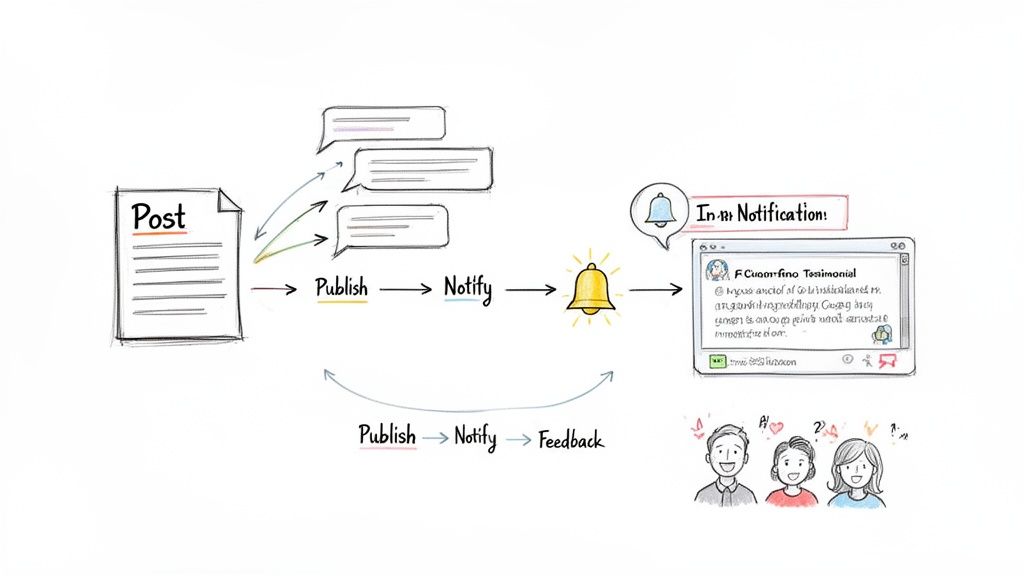
A great content management software system does more than just push articles out into the void. It starts conversations. For a bootstrapped SaaS, every blog post, case study, and knowledge base article is a chance to connect with a customer. But if your CMS is working in a silo, you’re missing out on most of that potential.
The real goal is to stop thinking of content as a one-way street and start seeing it as the beginning of a dialogue. When you link your CMS with a customer communication platform, you create powerful feedback loops that turn static web pages into buzzing hubs of engagement. It’s like opening a direct line between the content you create and what your users actually think about it.
Building Automated Engagement Workflows
Think about it. You’ve just published a huge blog post announcing a game-changing product update. In a disconnected world, you’d then have to switch gears, manually write an email, log into another tool to schedule an in-app announcement, and then post it all over social media. It’s slow, tedious, and a perfect recipe for mistakes.
Now, imagine a connected system. The moment you hit “publish” in your CMS, a whole series of actions kicks off automatically. That single content update becomes a perfectly coordinated, multi-channel customer touchpoint—all without you lifting another finger.
For example, a simple integration can power workflows like these:
- Product Update Synergy: A new blog post tagged “Product Update” automatically triggers a changelog announcement inside your app.
- Case Study Feedback Loop: A user finishes reading a case study, and a widget pops up asking them to share their own success story.
- Knowledge Base Improvement: Someone down-votes a help article. Instantly, a support ticket is created, or they’re prompted for specific feedback on what was missing.
This level of automation is a lifesaver for lean teams. It makes sure your content isn’t just published and forgotten. Instead, it’s actively working to engage users, gather feedback, and build stronger customer relationships.
From Static Pages to Interactive Hubs
This kind of integration changes your whole content game. Your website stops being a dusty library of information and becomes an active player in your customer’s journey. Every single piece of content becomes an opportunity to learn what your users truly need and value.
This shift is essential in a market where customer expectations are always climbing. The broader Southeast Asian software market is a perfect example, projected to hit USD 9.46 billion, while overall IT spending is set to grow by a massive USD 42.6 billion by 2029. This growth is all about digitalisation, making integrated communication tools a must-have to keep up. You can read more about the software spending boom in Southeast Asia at Statista.com.
Capturing the Voice of the Customer
Ultimately, connecting your CMS to your communication tools is about building a system that listens. By placing feedback prompts and surveys right where they make sense—within your content—you get much higher-quality insights.
These insights then fuel your next product updates and content ideas, creating a virtuous cycle of improvement. If you’re looking to build this kind of feedback system, our guide to the best voice of the customer software is a great place to start. A solid content management software system gives you the foundation, but its real power is unlocked when it helps you truly understand your audience.
A Founder’s Checklist for CMS Implementation
Picking a new content management software system is a big deal, but it’s a smooth implementation that really sets you up for success. Migrating all your content or even starting from scratch can feel like a mountain to climb, especially when you’re running a lean team.
But don’t worry. With a clear plan, it stops being this one huge, overwhelming project and becomes a series of small, manageable steps. This checklist breaks it all down into four phases. Tackle them one by one, and you’ll ensure a seamless transition, minimise downtime, and get your new system pulling its weight from day one.
Phase 1: Plan Your Content Strategy
Before you touch a single blog post, you need a strategy. Rushing this stage is a classic mistake, and it almost always leads to a messy, ineffective website. A huge part of a successful CMS implementation is mastering your content workflow management. This is your chance to get intentional about what you’re creating and why.
Start with a content audit. Go through every blog post, landing page, and help article you have. It’s time to ask some tough questions:
- Is it still accurate and relevant? Outdated info can kill your credibility.
- Does it align with our current goals? Your content needs to be working for you, not just sitting there.
- Is it actually performing? Dive into your analytics. Keep what works and be ruthless about cutting what doesn’t.
The point of an audit isn’t to save everything; it’s to curate your very best stuff. You’d be surprised how trimming just 10-20% of underperforming content can boost your SEO and make the migration itself a whole lot faster.
Phase 2: Prepare Your Data and Assets
Okay, so you know what content is making the move. Now it’s time to pack it up properly. This phase is all about organisation. Think of it like packing up your house before you move—labelling every box makes unpacking a million times easier.
First, standardise your content formats. Clean up any messy HTML from old posts and make sure every image is properly optimised for the web. You’ll want to create a clear inventory of everything from blog text to images and downloadable PDFs. A little structure now prevents a lot of chaos later.
A well-organised asset library is a gift to your future self. It not only simplifies the initial implementation but also makes day-to-day content management far more efficient for your entire team.
Next up: URL redirects. This is non-negotiable. If your page URLs are changing, you absolutely must set up 301 redirects from the old links to the new ones. Skipping this step is an SEO disaster waiting to happen. It basically tells search engines your valuable pages have vanished, which can erase years of hard-earned authority overnight.
Phase 3: Execute the Technical Migration
With your strategy locked in and your content prepped, it’s time for the technical heavy lifting. For a bootstrapped founder, the name of the game is de-risking the process. Whatever you do, don’t perform the migration on your live site.
Always, always work in a staging environment. This is just a private, identical copy of your website. It’s your sandbox. Here you can import content, tweak settings, and test everything without any risk to your live traffic. Get in there and thoroughly check everything—from contact forms to internal links—to make sure it all works perfectly before you even think about going live.
Phase 4: Launch and Monitor
After putting the staging site through its paces, you’re ready for the big moment. A phased rollout is often the safest play here. For instance, you could start by migrating just the blog, letting it run for a week while you monitor performance, and then move the main marketing pages over. This approach neatly contains any potential hiccups to a smaller part of your site.
Once you’re live, the job isn’t quite done. The first few weeks are critical for monitoring. Keep a close eye on your analytics, use tools like Google Search Console to watch for broken links, and gather feedback from your team and users. This final step ensures your new content management software system becomes the stable, powerful engine for growth you need it to be.
Your Questions About CMS for SaaS, Answered
Picking the right content management system can feel like you’re trying to solve a puzzle with a thousand moving parts. To cut through the noise, we’ve pulled together straight-up answers to the questions we hear most often from founders in your shoes.
How Much Should a Bootstrapped Founder Really Budget for a CMS?
This is the big one, isn’t it? The honest answer is: it depends, but you have to look past the sticker price. A “free,” open-source CMS can feel like a steal at first. But the total cost of ownership quickly adds up when you start factoring in hosting, essential plugins, security updates, and the developer hours needed to get it all running and keep it that way.
For a bootstrapped business, it’s much smarter to budget for a platform with predictable, all-in-one pricing. Most solid SaaS CMS options will run you somewhere between £25 to £200 per month. It might seem like a bigger upfront cost, but that price usually includes hosting, security, and support—turning a bunch of variable, headache-inducing expenses into one stable, manageable bill.
Your budget needs to account for the value of your time. If a slightly more expensive CMS saves you five hours of technical wrangling a month, it’s already paid for itself. Go for the solution that lets you focus on building your product, not patching servers.
Can a CMS Power More Than Just Our Company Blog?
Absolutely. Thinking a CMS is just for blogging is a common mistake that seriously limits its potential. A modern content management software system is more like a central command centre—a versatile engine that can drive a huge range of critical assets for your SaaS business from one organised place.
Think beyond the blog. Here’s what else you can run with it:
- Knowledge Bases: Build out a comprehensive help centre to slash support tickets and let users find their own answers, 24/7.
- Developer Documentation: Publish clear, well-structured API docs that are actually a pleasure for other developers to use.
- In-App Content: Use a headless CMS to push dynamic content like feature announcements, tips, or onboarding messages directly into your app’s UI.
- Marketing Landing Pages: Spin up and test new landing pages for campaigns in minutes, without needing a developer to deploy code.
What Is a Realistic Timeline for Implementing a New CMS?
The timeline really depends on how complex your project is and how much content you’re bringing over. But for a typical bootstrapped SaaS with a marketing site and a blog, you can realistically expect the whole process to take between two to six weeks.
Here’s a rough sketch of what that looks like:
- Week 1: Strategy and Planning. This is where you audit your current content, map out your new site structure, and lock in your design requirements.
- Weeks 2-3: Setup and Migration. Time to get technical. This phase involves setting up the new CMS, configuring templates, and actually moving all your content across.
- Week 4: Testing and Training. Your team gets their hands dirty on a staging server, making sure everything from forms to links works perfectly before the public sees it.
- Weeks 5-6: Launch and Monitoring. The final push to go live, followed by a period of watching analytics like a hawk and squashing any little post-launch bugs that pop up.
Trying to rush this is just asking for trouble. A methodical, planned approach ensures a smooth switch that won’t tank your SEO or disrupt your business.
Ready to turn your content into a powerful engine for customer engagement? HappyPanda combines feedback, email, onboarding, and more into a single platform built for founders. Start your free 14-day trial and get set up in minutes.