
An effective bug report is the first critical step towards a faster fix. Without a structured format, development teams waste valuable time chasing down missing information, trying to reproduce vague issues, and clarifying ambiguous descriptions. This guide eliminates that friction by providing a curated collection of the best bug report templates available today, designed specifically for busy SaaS teams and indie hackers. We’ve analysed templates from leading platforms like Jira, GitHub, and Asana, as well as flexible options from Notion and Airtable, to help you find the perfect fit for your workflow.
This listicle moves beyond simple descriptions. For each resource, you’ll find ready-to-use, copy-paste templates, clear examples of filled-out reports, and practical advice on which template to use for specific scenarios. We’ll show you how to map template fields directly to tools like Linear and Slack, and provide quick tips for automating capture with HappyPanda. Before diving into specific bug reports, it’s often beneficial to understand the broader testing context. A robust user acceptance testing template can provide a foundational framework, ensuring your defect management process is comprehensive from the start. This collection is your shortcut to creating a standardised, efficient, and organised bug tracking system.
1. Atlassian Jira
For teams already embedded in the Atlassian ecosystem, Jira offers a powerful, built-in solution. It provides a dedicated Bug Tracking project template that comes pre-configured with essential fields, workflows, and boards, significantly reducing the initial setup time. This makes it an enterprise-grade choice for organising and tracking bugs from discovery to resolution.
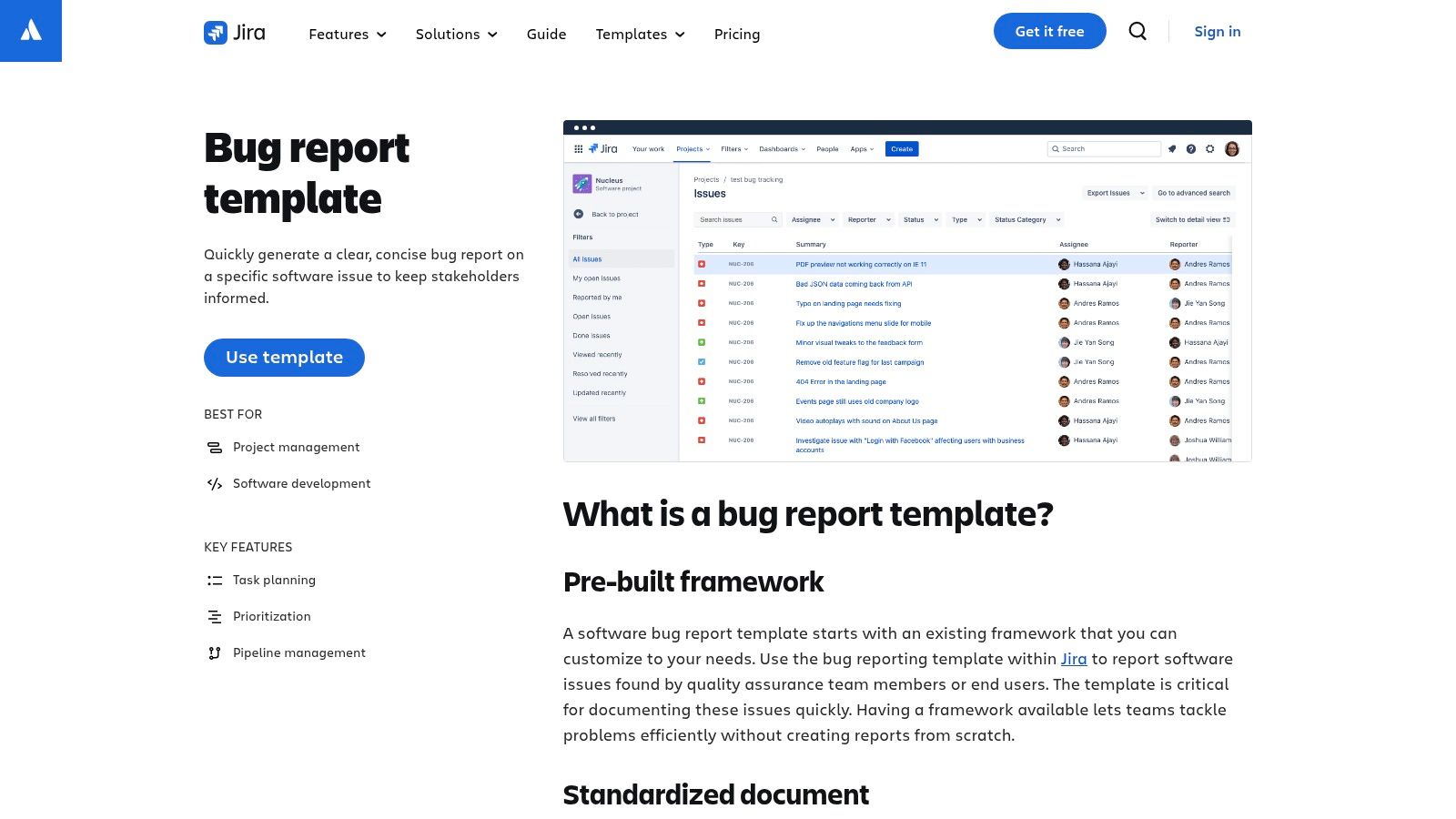
The platform’s strength lies in its deep customisation and integration capabilities. You can easily modify issue types, add custom fields, and tailor workflows to match your team’s specific process. Jira’s robust reporting and dashboard features provide clear visibility into bug trends and team performance. Learn more about how to structure a software bug report template on happypanda.ai for tools like Jira.
Key Features & Assessment
While its comprehensive nature can feel heavy for a solo founder, the free tier is generous for small teams. The prebuilt bug report templates are a massive timesaver, and its reliability is unmatched for growing SaaS products.
- Pros: Enterprise-grade reliability, extensive integrations, and clear templates that streamline setup.
- Cons: Can be overly complex for very small teams; advanced features require paid plans.
- Best For: Teams seeking a scalable, customisable, and reliable bug-tracking workflow.
Link: Atlassian Jira Bug Report Template
2. GitHub (Issue templates & Issue Forms)
For development teams whose codebase lives on GitHub, the platform offers a powerful, native solution for standardising bug reports. GitHub allows you to create configurable Markdown issue templates and structured Issue Forms using YAML, eliminating the need for external tools. This ensures every bug report submitted within your repository is consistent, complete, and actionable from the moment it’s created.
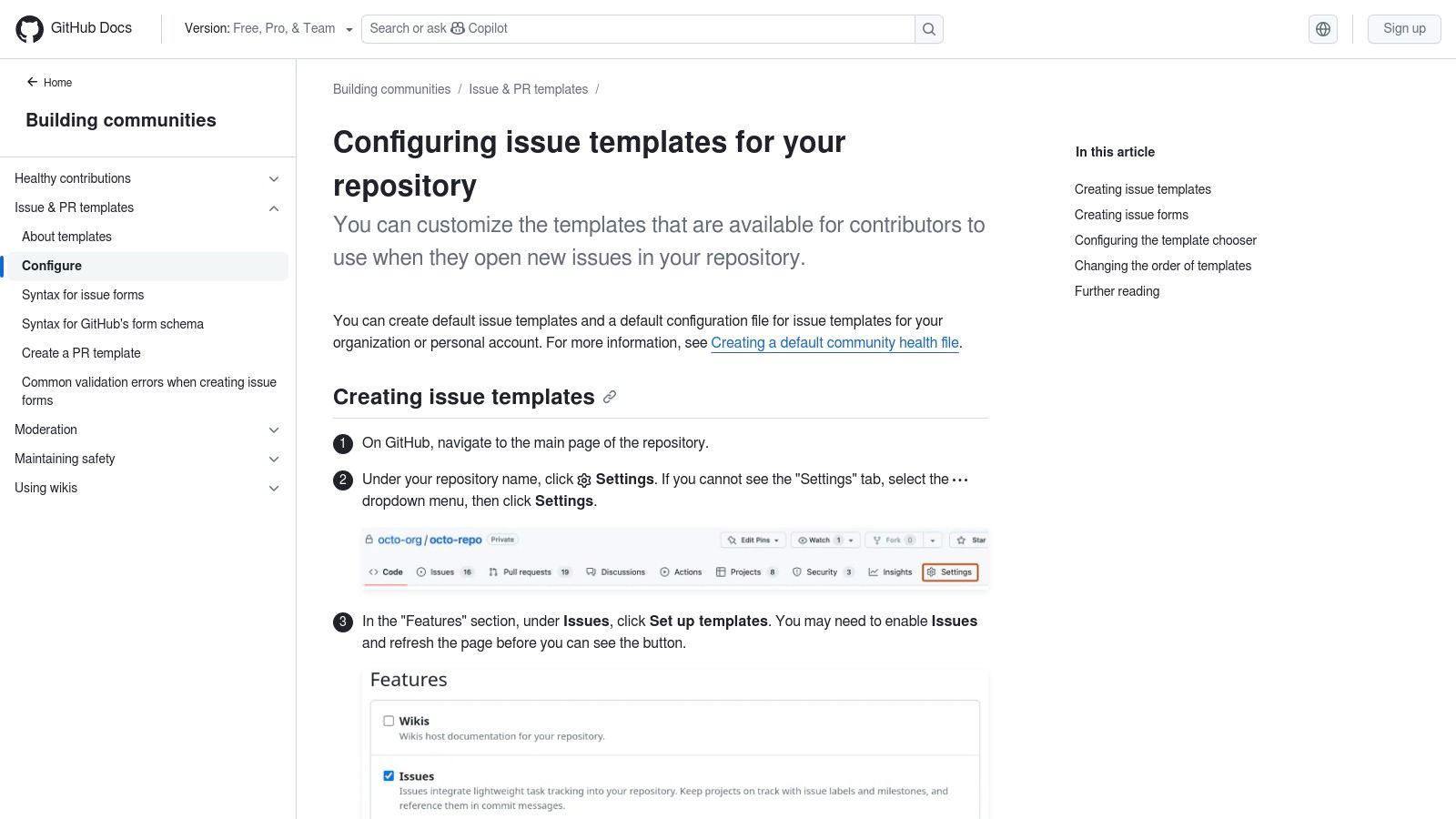
The primary advantage is its seamless integration into the developer workflow. You can define multiple templates for different issue types (e.g., bug, feature request) and use YAML-based forms to enforce required fields like reproduction steps, environment details, and browser versions. This structured intake process significantly reduces the back-and-forth needed to clarify bug reports. Understanding how to structure a good bug report template on happypanda.ai is key to making the most of these forms.
Key Features & Assessment
While configuring YAML forms involves a slight learning curve, the benefit of receiving perfectly structured bug reports directly in your repository is invaluable for small teams. The feature works flawlessly across both public and private repositories, making it a go-to for any project hosted on the platform.
- Pros: Native to the GitHub workflow, enforces consistent and complete bug reports, and requires no extra tools.
- Cons: Requires repository write access to set up; form customisation uses YAML, which can be new to some.
- Best For: Teams wanting to standardise bug intake directly within their existing development environment.
Link: GitHub Issue Templates Documentation
3. GitLab (Description / issue templates)
For teams utilising GitLab as their complete DevOps platform, its built-in description templates offer a seamless way to standardise bug reporting. You can create Markdown-based bug report templates for issues and merge requests, ensuring every report contains the necessary information from the moment it’s created. This feature is powerful because templates can be defined at the project, group, or even instance level, allowing for consistent processes across an entire organisation.
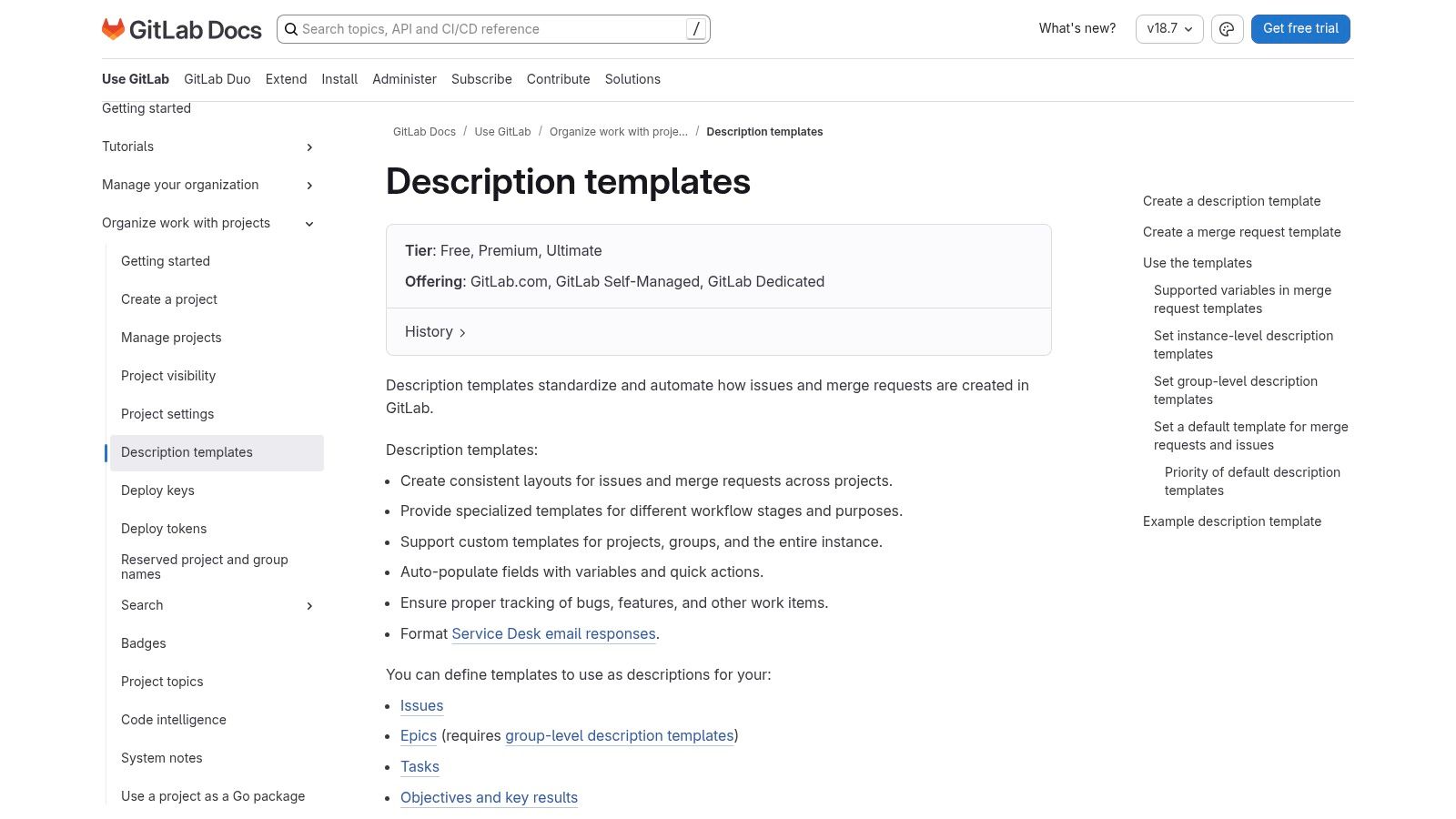
The strength of GitLab’s approach is its integration directly within the development workflow. When a user creates a new issue, they can select the appropriate template from a dropdown menu, pre-populating the description field. You can also use “quick actions” within the template to automatically add labels or assign the issue, further streamlining the triage process. While not a standalone tool, this native feature enhances established development practices. For more on this, discover the essentials of software defect tracking on happypanda.ai.
Key Features & Assessment
The ability to enforce standards from a group level down to individual projects is a major advantage for maintaining quality and consistency. While the setup requires placing Markdown files in a specific repository path (.gitlab/issue_templates/), the payoff in efficiency is significant. The feature is available on all plans, including the generous free tier.
- Pros: Powerful standardisation across all projects, native integration into the developer workflow, and available on the free plan.
- Cons: Templates must be stored in specific repository paths; some users report occasional user experience quirks.
- Best For: Development teams already using GitLab who want to enforce consistent and structured bug reporting.
Link: GitLab Description Templates
4. Asana (Bug tracking template)
Asana is renowned for its cross-functional project management, and its Bug Tracking Template brings that same collaborative strength to the bug resolution process. This free, ready-to-use template allows teams to capture, prioritise, and resolve bugs using custom fields, multiple project views, and simple intake forms. Its intuitive interface makes it particularly effective for involving non-technical team members, like support or marketing, in the bug lifecycle.
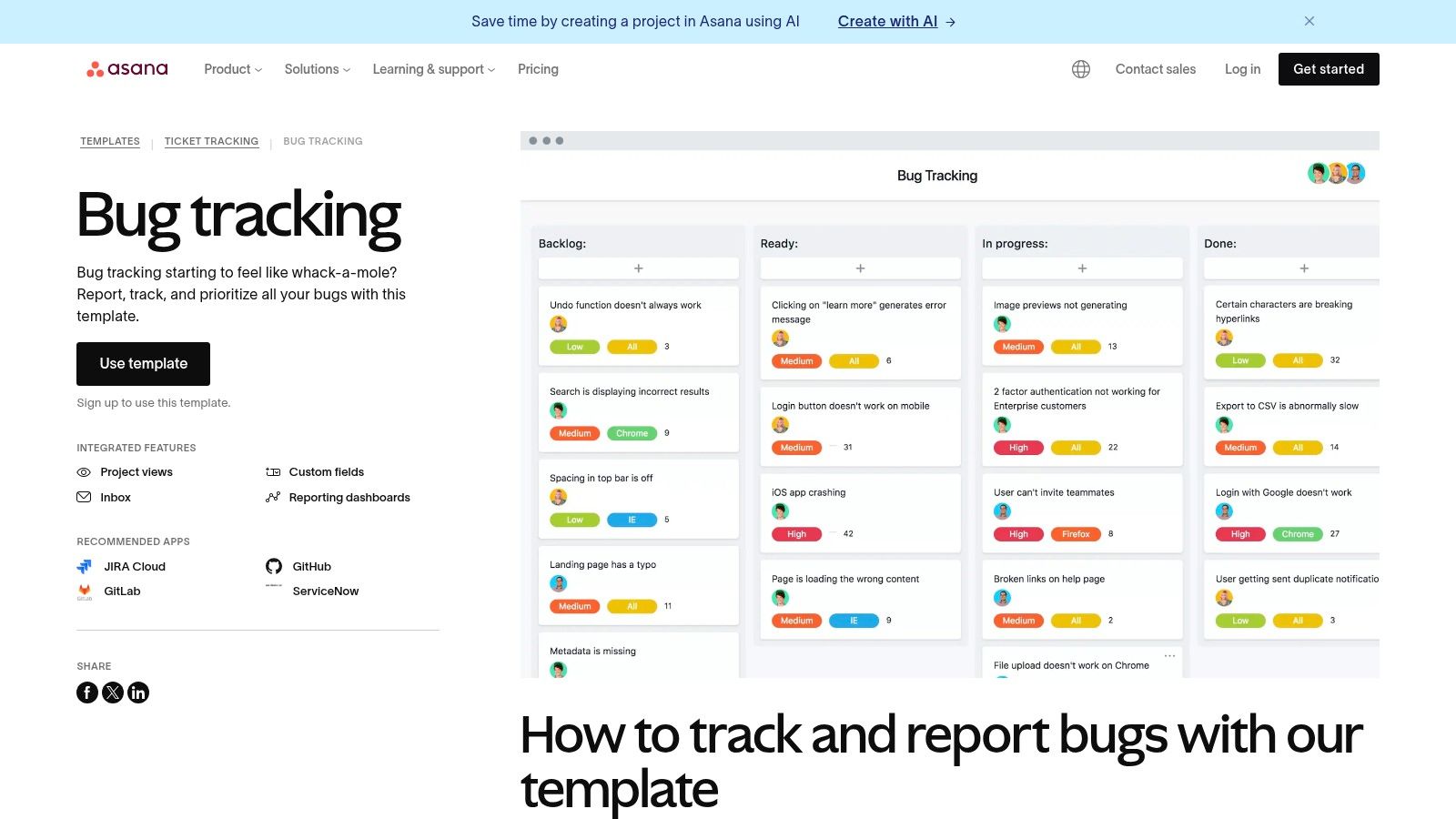
The platform’s standout feature is its simplicity and visibility. Using Asana Forms, teams can standardise how bugs are reported, ensuring all necessary information is captured upfront. This makes it one of the more accessible bug report templates for teams that value ease of use over deep technical configuration. The ability to switch between list, board, and timeline views gives everyone a clear picture of progress without needing specialised training.
Key Features & Assessment
While it may lack the granular, developer-centric metadata found in tools like Jira out-of-the-box, its strength is in uniting different departments. A solo founder or a small team can easily get started without a steep learning curve, making it ideal for products where customer support and development work closely together.
- Pros: Easy onboarding for non-technical teams, strong cross-functional visibility, and simple forms for standardised intake.
- Cons: Less technical metadata by default; advanced reporting and integrations often require paid tiers.
- Best For: Small indie teams needing a straightforward, collaborative tool to manage bug reports across departments.
Link: Asana Bug Tracking Template
5. ClickUp (Bug Report template)
For teams who live in ClickUp, their dedicated Bug Report template offers a seamless way to integrate bug tracking directly into existing workflows. It functions as a pre-configured task template you can add to any workspace, complete with custom statuses, fields, and multiple views like List, Board, and Calendar. This eliminates the need for context-switching to a separate tool, keeping all project-related activities in one place.
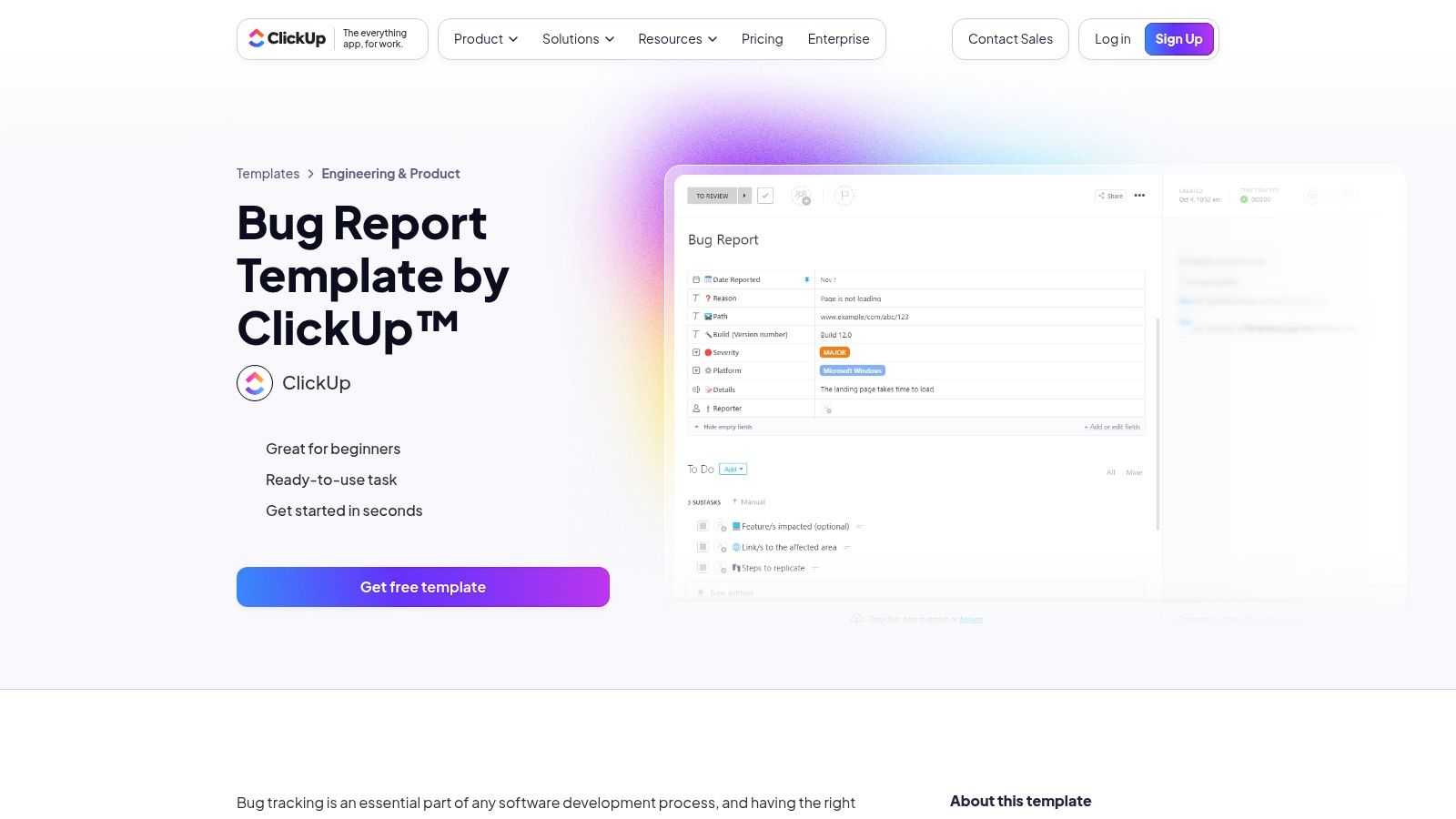
ClickUp’s strength is its high degree of customisation without requiring any code. Teams can easily adapt the template to their specific needs, adding or removing fields and adjusting workflow statuses. Collaboration features such as comments, assignments, and priority flags are built-in, making it straightforward for team members to communicate and track progress on each reported issue.
Key Features & Assessment
While the platform’s extensive feature set can be initially overwhelming for new users, its flexibility is a significant advantage for those already familiar with the environment. The prebuilt bug report templates are a fantastic starting point, allowing teams to standardise their process quickly. It is an excellent all-in-one solution for small teams managing multiple aspects of their product development.
- Pros: Highly customisable without code, integrates well for teams already in ClickUp, and offers a generous free plan.
- Cons: Feature breadth can be overwhelming for beginners; some advanced views and features are behind a paywall.
- Best For: Teams already using ClickUp who want a powerful, integrated solution for managing their bug-tracking process.
Link: ClickUp Bug Report Template
6. Notion (Report a Bug template)
For teams who live in Notion, its Report a Bug template offers an incredibly flexible and lightweight solution. You can duplicate this free template directly into your workspace, providing an instant database pre-configured with essential fields like severity, status, assignee, and reproduction steps. This makes it an excellent choice for centralising bug tracking within the same environment where you manage documentation and project planning.
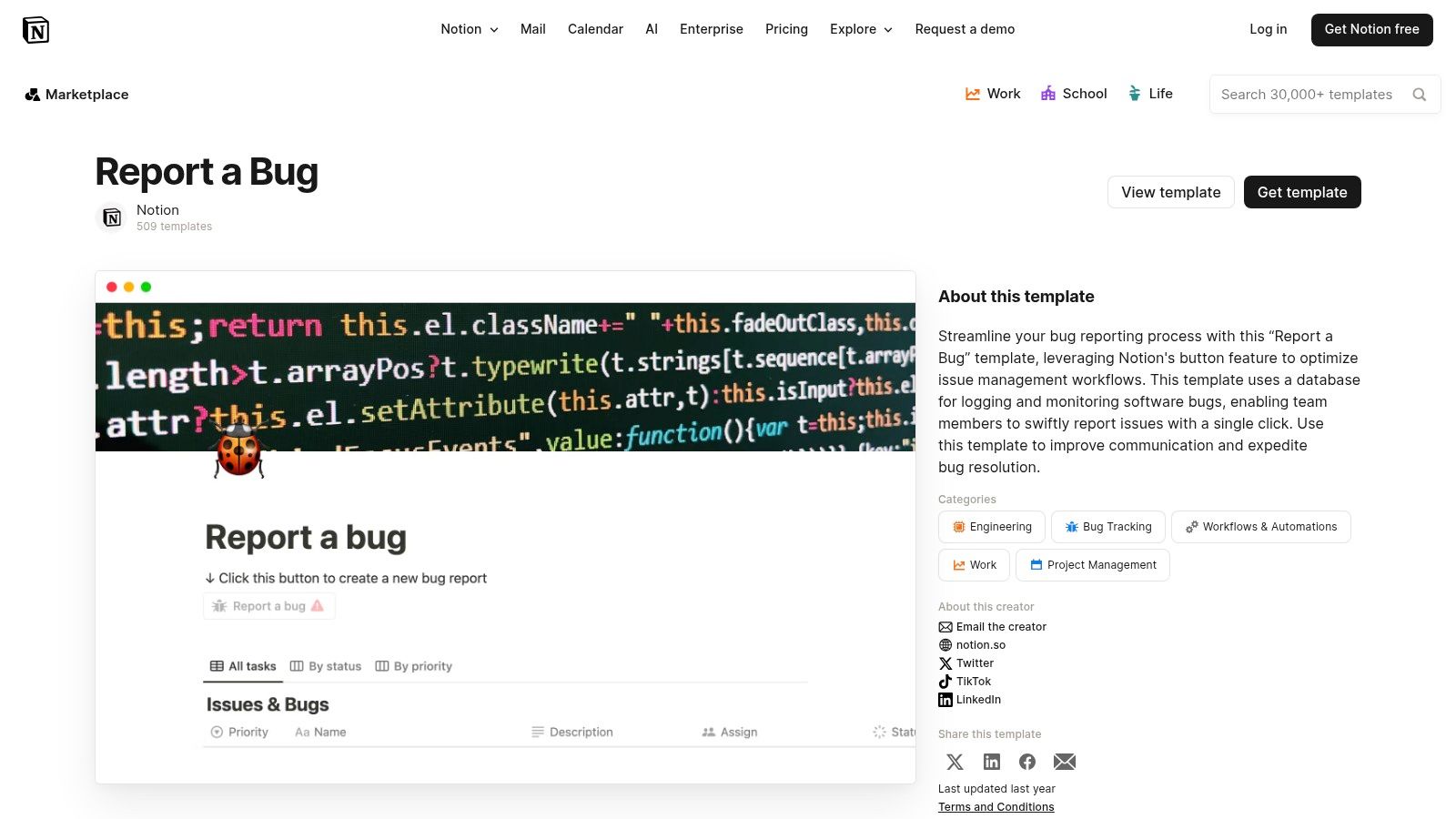
The template’s power lies in its customisability within the Notion ecosystem. Teams can easily modify database properties, create filtered views for different stages like triage or ‘In Progress’, and link bug reports directly to related project tasks or feature documents. This interconnected approach keeps bug management accessible to both technical and non-technical team members, fostering better collaboration and visibility across the organisation.
Key Features & Assessment
Notion excels as a versatile, low-friction tool for early-stage teams or those who prefer a single source of truth. The prebuilt bug report template is easy to adapt and requires no complex setup, making it ideal for founders and small teams who need to get organised quickly without adopting a heavy, dedicated tool.
- Pros: Highly flexible and lightweight, great for mixed technical and non-technical teams, and free to duplicate.
- Cons: Lacks built-in developer telemetry (like console logs or device info) and may be outgrown by large engineering teams needing deeper integrations.
- Best For: Small indie teams and solo founders already using Notion for their core workspace.
Link: Notion (Report a Bug template)
7. Template.net
For teams that need standardised, shareable documents outside of a dedicated bug tracker, Template.net provides a massive catalogue of editable bug report templates. It offers downloadable files in formats like Word, Google Docs, Pages, and PDF, making it ideal for creating printable forms or official documentation that can be easily shared with stakeholders who aren’t in your primary project management tool.
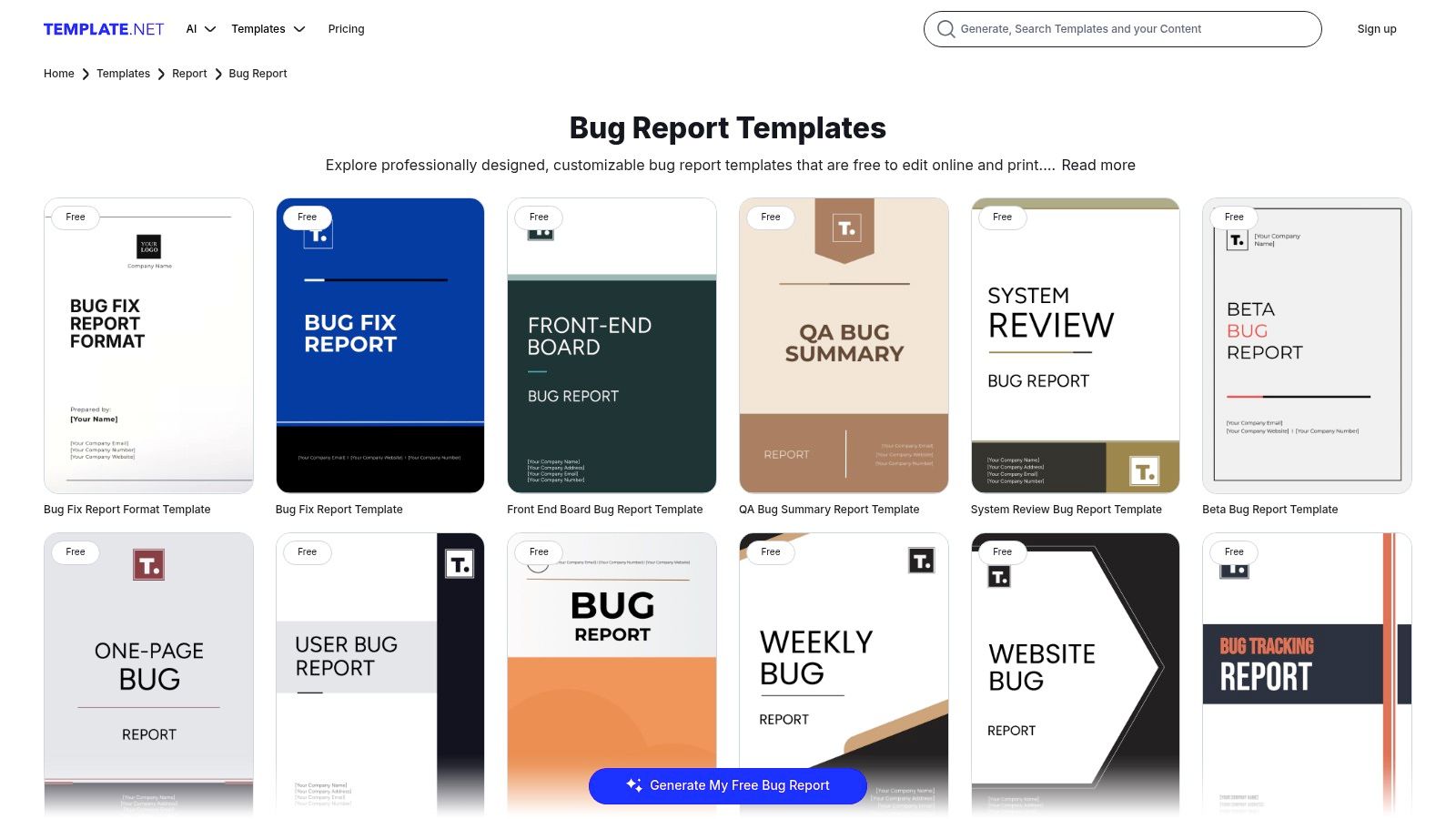
The platform stands out for its sheer variety, including specific templates for beta testing, website issues, and even weekly bug summaries. While the templates are not integrated with software like Jira or Linear and require manual data entry, they offer a quick solution for formal reporting processes. The mix of free and premium options allows you to find a suitable layout without immediate commitment.
Key Features & Assessment
Template.net is a practical resource for generating professional-looking documents quickly. Its online editor allows for quick customisation before downloading. However, the reliance on manual processes means it’s best suited for supplementary documentation rather than being a core part of an agile bug-tracking workflow. The quality can also vary between templates.
- Pros: Fast way to get printable or shareable forms; wide variety of template styles and formats.
- Cons: Not integrated with bug trackers (requires manual entry); quality varies across individual templates.
- Best For: Teams needing formal, documented bug reports for external stakeholders or internal record-keeping.
Link: Template.net Bug Report Templates
8. Smartsheet (Issue/Bug report tracker templates)
For teams that prefer a spreadsheet-like interface or are already using Smartsheet for project management, the platform offers a compelling range of issue and bug tracking templates. These resources span from simple downloadable Excel and Google Sheets files to more powerful, native Smartsheet solutions with built-in dashboards and automation capabilities, making it highly adaptable for PMO and IT operations.
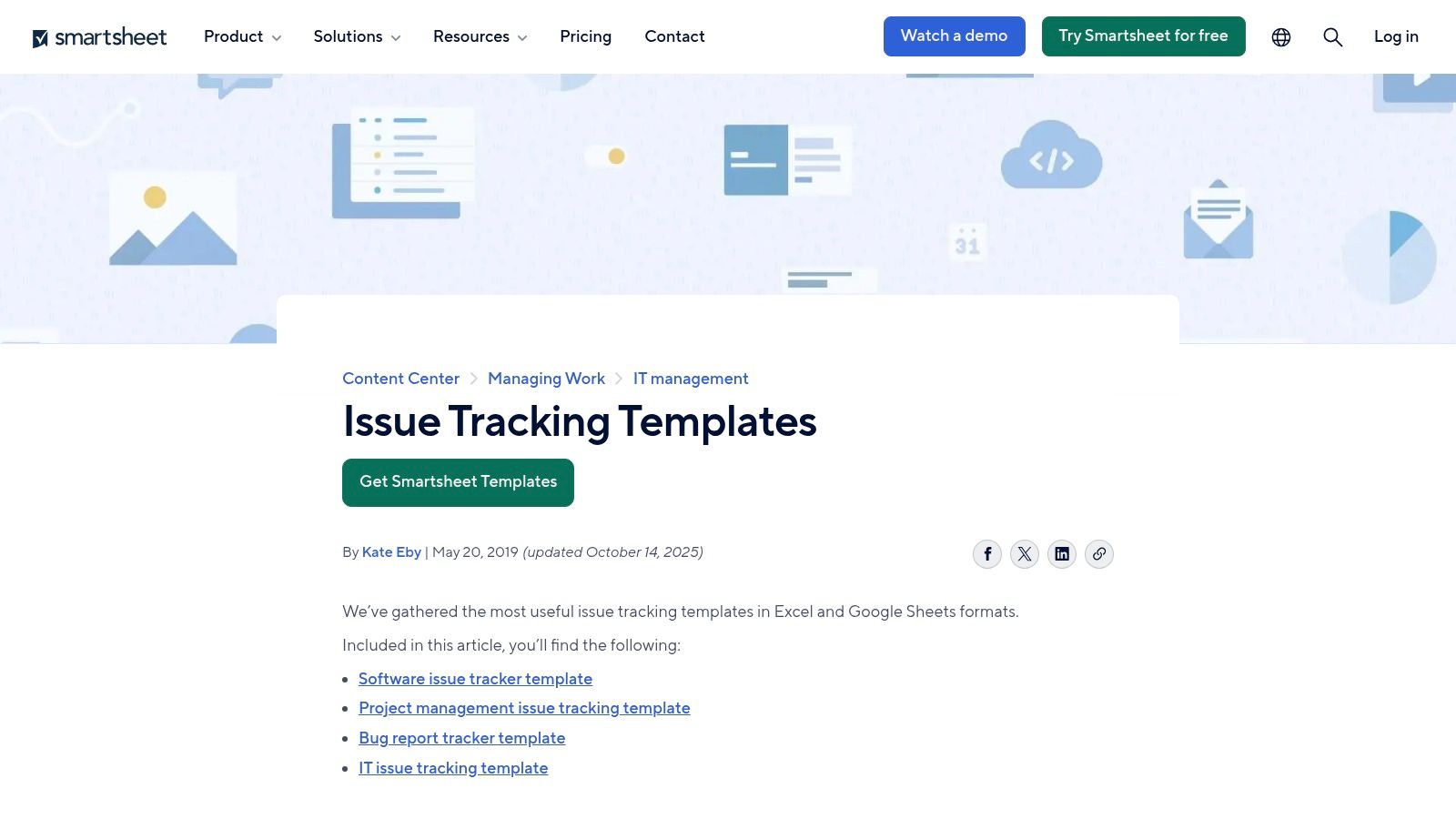
Smartsheet’s strength lies in its familiarity combined with the potential for powerful upgrades. A team can start with a basic, free spreadsheet template and later migrate to the full Smartsheet platform to leverage advanced reporting, automated workflows, and centralised dashboards without a steep learning curve. This provides a clear growth path from simple tracking to a more organised, reportable system.
Key Features & Assessment
The free downloadable bug report templates are excellent for getting started quickly, but the real value is unlocked within the Smartsheet ecosystem. The platform offers a unique bridge between traditional spreadsheets and dedicated project management tools, ideal for cross-functional teams that need visibility into bug resolution progress alongside other project tasks.
- Pros: Familiar spreadsheet experience with powerful upgrade options, excellent for high-level PMO/IT visibility.
- Cons: Basic spreadsheet versions lack deep developer metadata; best features require Smartsheet licenses.
- Best For: Teams comfortable with spreadsheets who need a scalable solution for issue tracking and reporting.
Link: Smartsheet Issue Tracking Templates
9. monday.com (Bug tracking templates / monday dev)
For teams that prioritise cross-functional visibility, monday.com offers a highly visual and collaborative approach to bug tracking. Its Bugs Queue board template, part of the monday dev product, is designed to standardise bug intake using forms and centralise bug management in one colourful, intuitive workspace. This makes it an excellent choice for teams where non-technical members need to report and track issues.

The platform’s strength is its user-friendly interface and powerful automations. You can create custom forms that automatically populate your bug board, assign reporters, and set statuses. Its multiple board views, including Kanban and Gantt, allow teams to visualise workflows in the way that suits them best. While it may lack the deep developer-centric context of tools like Jira, its bug report templates excel in keeping everyone, from support to product, aligned.
Key Features & Assessment
The platform is incredibly approachable, making it easy for anyone to submit detailed bugs without a steep learning curve. While the free tier is limited, the value delivered on paid plans is substantial for teams needing a central work hub. Its customisation and automation capabilities turn a simple bug list into a dynamic project management tool.
- Pros: Strong cross-team collaboration, excellent visualisation tools, and powerful automations.
- Cons: Most valuable features require paid tiers; less native developer context than specialised tools.
- Best For: Teams needing a highly visual and collaborative platform to manage bugs alongside other projects.
Link: monday.com Bug Tracking Template
10. Stackby (Bug Tracker template)
For teams that prefer the flexibility of a spreadsheet with the power of a database, Stackby offers a versatile, no-code solution. Its Bug Tracker template provides a pre-configured workspace with organised tables for bugs and reporters. This setup is ideal for teams seeking a more visual and customisable way to manage bug reports without the rigidity of traditional project management tools.
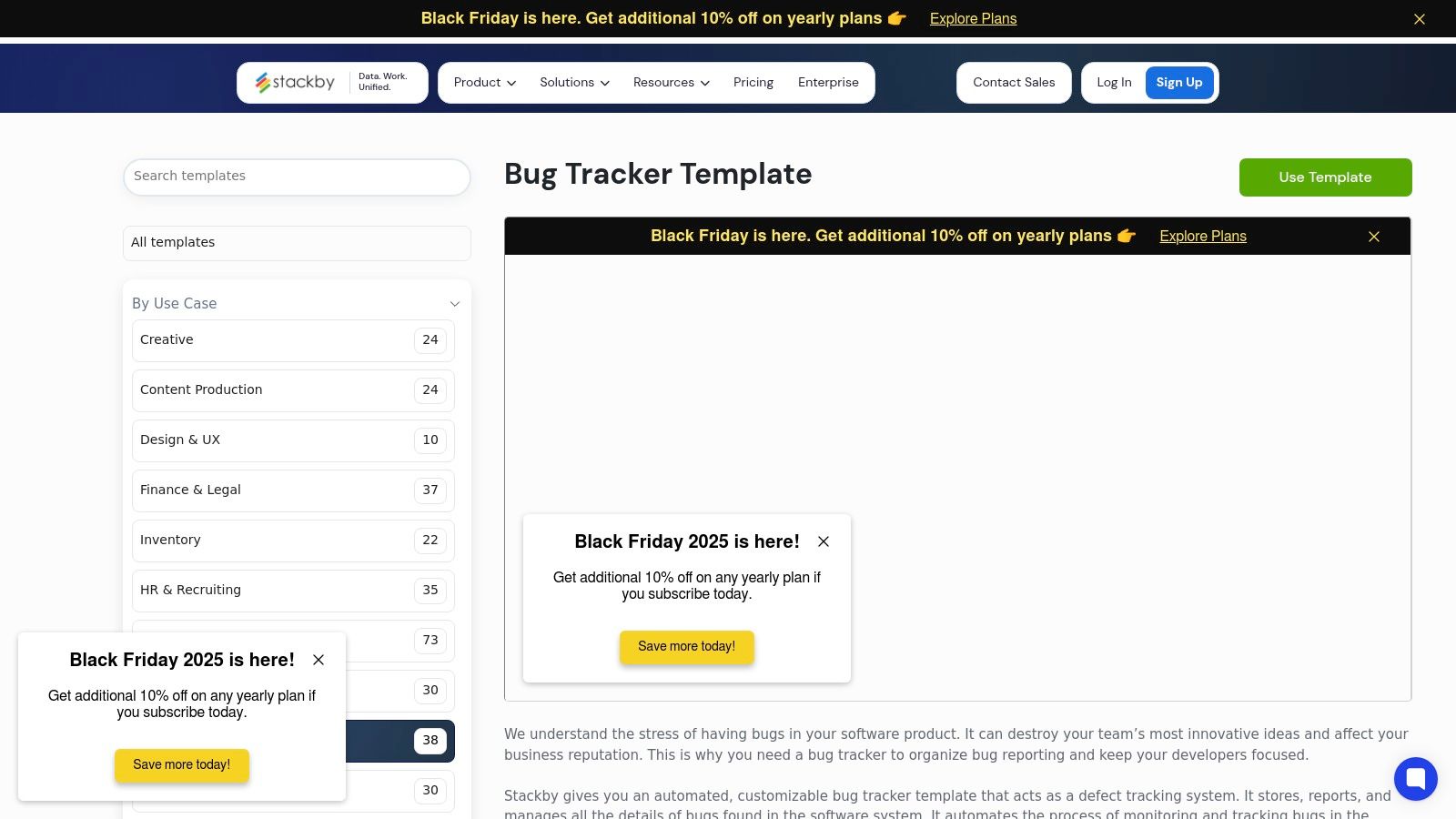
Stackby’s strength lies in its approachable interface and customisable views, such as Kanban and Calendar, allowing you to visualise bug statuses in different ways. You can easily add fields for environments, URLs, attachments, and priority levels. The template also supports basic automations, making it a great middle-ground for small SaaS teams that have outgrown simple spreadsheets but are not ready for a complex, dedicated bug-tracking system.
Key Features & Assessment
Stackby’s bug report templates are excellent for cross-functional collaboration, as stakeholders from non-technical departments can easily understand and contribute. While its ecosystem is smaller than enterprise-level tools, the platform’s simplicity and adaptability make it a strong contender for indie teams and micro-SaaS builders.
- Pros: Flexible, spreadsheet-meets-database model; easy for cross-functional teams to adopt.
- Cons: Smaller ecosystem compared with larger PM tools; advanced automation and integrations may require paid plans.
- Best For: Small teams and solo founders looking for a flexible, database-driven bug tracker with a user-friendly interface.
Link: Stackby Bug Tracker Template
11. Rows (Bug Tracker spreadsheet template)
For teams who prefer the simplicity and familiarity of spreadsheets, Rows offers a free, ready-to-use Bug Tracker template. It provides a clean, organised spreadsheet to enter, triage, and track bugs with pre-built columns for priority, assignee, and status. This makes it incredibly fast to adopt for anyone comfortable with a spreadsheet interface who needs simple tracking and visualisation without the overhead of a dedicated project management tool.
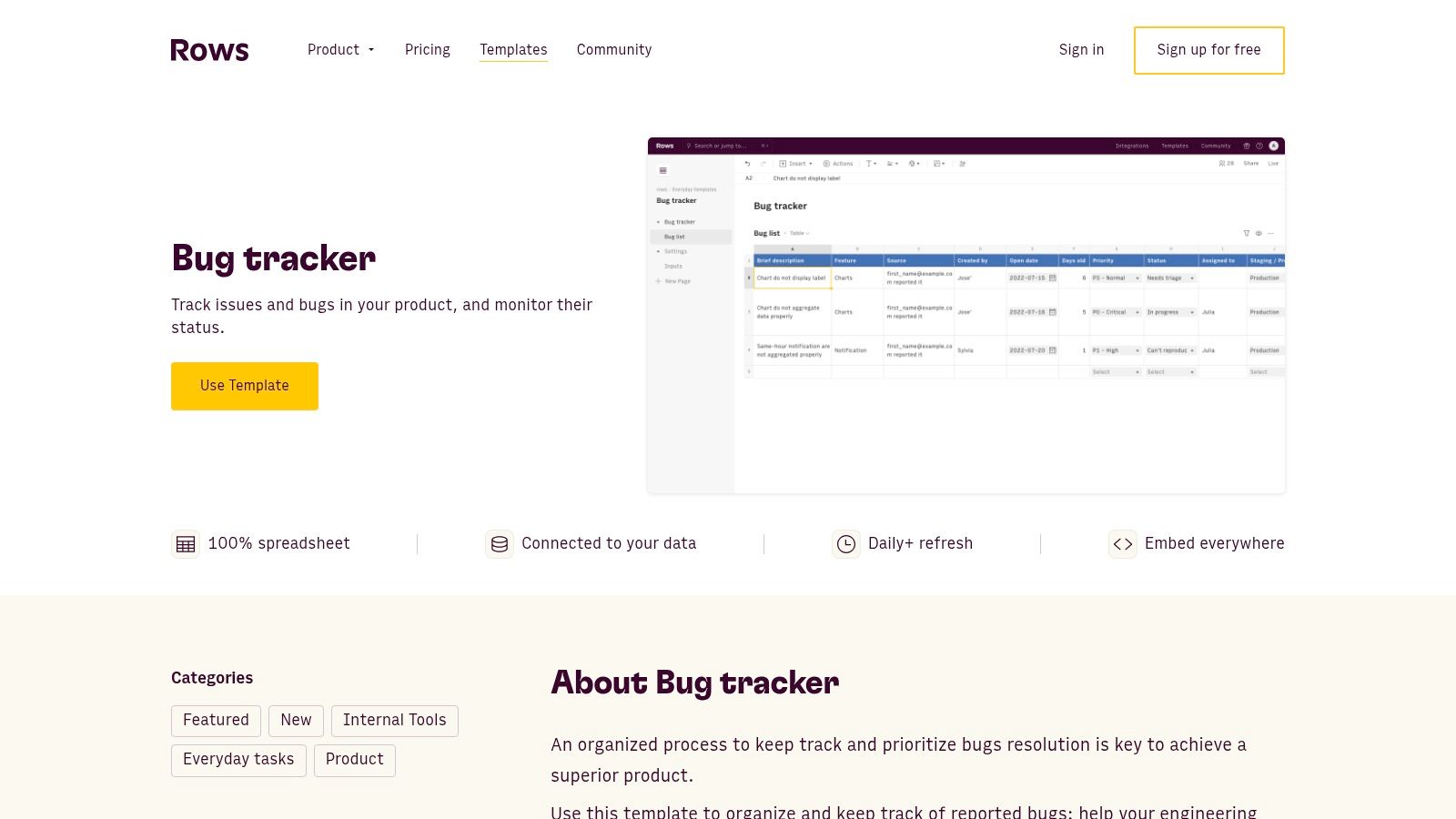
The template’s key advantage is its immediate usability and customisation. You can start tracking bugs in seconds by clicking “Use template” and easily add or modify columns to fit your specific needs. Rows also includes built-in charts that automatically visualise bug status and priority, giving you a quick dashboard view of your project’s health. The shareable and embeddable nature of the spreadsheet makes it easy to collaborate with your team.
Key Features & Assessment
While it’s a fantastic starting point for solo founders and small teams, the reliance on manual entry can become a bottleneck as the team grows. However, for a straightforward, no-frills bug report template that just works, its accessibility is hard to beat. The built-in visualisations provide clarity that a standard spreadsheet lacks.
- Pros: Very fast to adopt for spreadsheet users, shareable and embeddable, and includes useful pre-built charts.
- Cons: Manual entry is required unless automations are wired; limited developer telemetry out-of-the-box.
- Best For: Solo founders and small teams needing a simple, visual, and instantly accessible bug tracking system.
Link: Rows Bug Tracker Template
12. Airtable (Bug / Issue tracker templates)
Airtable provides a highly flexible, database-spreadsheet hybrid solution for bug tracking. Its official Bug Tracker and Issue Tracking templates serve as excellent starting points, offering pre-configured bases with relational fields, customisable views, and powerful forms. This makes it an ideal choice for small to mid-size engineering or support teams that value both structure and adaptability.
The platform’s strength is its customisability without needing code. You can easily set up relational fields for linking bugs to components, assignees, and severity levels. Its powerful form view allows for streamlined bug submission from internal teams or even users, feeding directly into your organised base. Views can be created to show bugs by priority, status, or assignee, giving each team member a personalised dashboard.
Key Features & Assessment
While it may not have the dedicated, rigid workflows of an enterprise tool, its extensibility through automations and integrations is impressive. The ability to create user-friendly bug report templates and intake forms is a significant advantage, simplifying the reporting process for everyone involved.
- Pros: Highly flexible schema and views, easy-to-create submission forms, and great for organising data visually.
- Cons: May require significant tuning for complex developer workflows; automation limits on lower-priced tiers.
- Best For: Teams that need a customisable, form-driven bug tracker that integrates well with other tools.
Link: Airtable Templates
Top 12 Bug Report Template Comparison
| Tool | Core features | Quality (★) | Value (💰) | Target (👥) | Standout (✨/🏆) |
|---|---|---|---|---|---|
| Atlassian Jira | Prebuilt bug templates, workflows, boards, dashboards | ★★★★☆ | 💰 Free → Paid (advanced) | 👥 Dev & enterprise teams | ✨ Custom workflows & broad integrations 🏆 |
| GitHub (Issues) | Markdown templates, Issue Forms (YAML), labels | ★★★★☆ | 💰 Free with repo | 👥 GitHub-hosted projects | ✨ Native, enforced structured intake |
| GitLab | Markdown description templates, inheritance, auto-labels | ★★★★☆ | 💰 Included Free → Paid | 👥 GitLab users / orgs | ✨ Template inheritance across projects |
| Asana | Custom fields, multiple views, intake forms | ★★★☆☆ | 💰 Free → Paid (reports) | 👥 Cross-functional & non-technical teams | ✨ Easy onboarding & visibility |
| ClickUp | Custom statuses/fields, List/Gantt/Calendar, templates | ★★★☆☆ | 💰 Freemium → Paid | 👥 Teams already using ClickUp | ✨ Deep no-code customization |
| Notion | Database fields, filters/views, duplicable template | ★★★☆☆ | 💰 Free → Paid (teams) | 👥 Small/mixed teams, docs-driven | ✨ Lightweight, highly flexible |
| Template.net | Editable Word/Docs/PDF templates, online editor | ★★☆☆☆ | 💰 Freemium / pay per template | 👥 Teams needing printable/shareable forms | ✨ Large format variety (printable) |
| Smartsheet | Spreadsheet-style trackers, dashboards, automations | ★★★☆☆ | 💰 Template free → Smartsheet paid | 👥 PMO / IT operations | ✨ Familiar spreadsheet + dashboard power |
| monday.com | Forms → board items, custom columns, automations | ★★★☆☆ | 💰 Paid tiers for full value | 👥 Cross-team collaboration | ✨ Visual boards + automations |
| Stackby | No-code DB/spreadsheet hybrid, env fields, attachments | ★★★☆☆ | 💰 Freemium → Paid | 👥 No-code / cross-functional teams | ✨ Flexible spreadsheet-meets-database |
| Rows | Spreadsheet bug tracker, charts, quick start template | ★★★☆☆ | 💰 Free template; paid features | 👥 Spreadsheet-first users | ✨ Fast adoption & embeddable charts |
| Airtable | Relational fields, views, forms, automations | ★★★★☆ | 💰 Free → Paid (automation limits) | 👥 Small → mid engineering & support | ✨ Relational schema & extensibility 🏆 |
Final Thoughts
Navigating the landscape of bug tracking can feel overwhelming, but establishing a standardised process is a cornerstone of efficient product development. We have explored a diverse range of tools, from the powerhouse platforms like Jira and GitLab to the highly customisable canvases of Notion and Airtable. Each offers a unique approach to structuring and managing bug reports, underscoring a critical truth: the best template is the one your team actually uses consistently.
The goal isn’t just to collect bug reports; it’s to gather high-quality, actionable information that accelerates your debugging process. A well-designed template acts as a structured conversation between the reporter and the developer, eliminating the costly back-and-forth that plagues so many teams. It ensures that every ticket arriving in your backlog contains the essential context-rich details, from environment specifics and console logs to annotated screenshots and steps to reproduce.
Choosing Your Bug Reporting Framework
Your decision should ultimately hinge on your team’s existing workflow, technical stack, and overall complexity.
- For Deep Integration: If your team lives inside a comprehensive ecosystem like Jira, GitHub, or GitLab, leveraging their native issue templates is the most logical path. It keeps everything centralised and tightly integrated with your codebase and project management boards.
- For Ultimate Flexibility: Teams that thrive on customisation will find Notion or Airtable to be powerful allies. These platforms allow you to build a bug reporting system from the ground up, perfectly tailored to your unique processes.
- For Simplicity and Speed: For smaller teams or those just starting to formalise their process, simpler project management tools like Asana, ClickUp, or monday.com provide excellent, ready-to-use bug report templates that get the job done with minimal setup.
From Template to Process
Remember, a template is just one component of a larger strategy. True success comes from integrating these templates into a seamless, low-friction reporting process. Consider how you will capture feedback not just from internal team members but also from your users. The less effort it takes for someone to report an issue accurately, the more likely they are to do it.
Implementing a robust bug reporting system is a critical step towards operational maturity. It’s a foundational element of broader software engineering best practices that directly impacts product quality, development velocity, and ultimately, user satisfaction. By choosing the right tools and templates, you are not just organising tickets; you are building a more resilient, responsive, and successful product.
Ready to automate your bug reporting and reclaim your development time? HappyPanda integrates directly with your website or app, capturing user feedback with screen recordings, console logs, and network data, then sends perfectly formatted reports to your favourite tools. Stop chasing details and start fixing bugs faster with HappyPanda.