
A solid software bug reporting template is more than just a form; it’s a standardised way to communicate issues, making sure your developers get the clear, actionable info they need to squash bugs fast. It usually has fields for a title, a detailed description, steps to reproduce the problem, what you expected to happen versus what actually happened, and environment details.
Why A Clear Bug Reporting Template Is Your Secret Weapon
Let’s be real for a moment. Vague bug reports are the bane of every developer’s existence and a massive bottleneck for project managers. We’ve all been there, staring at a ticket that just says, “The app is crashing” or “Checkout is broken.” It’s infuriating.
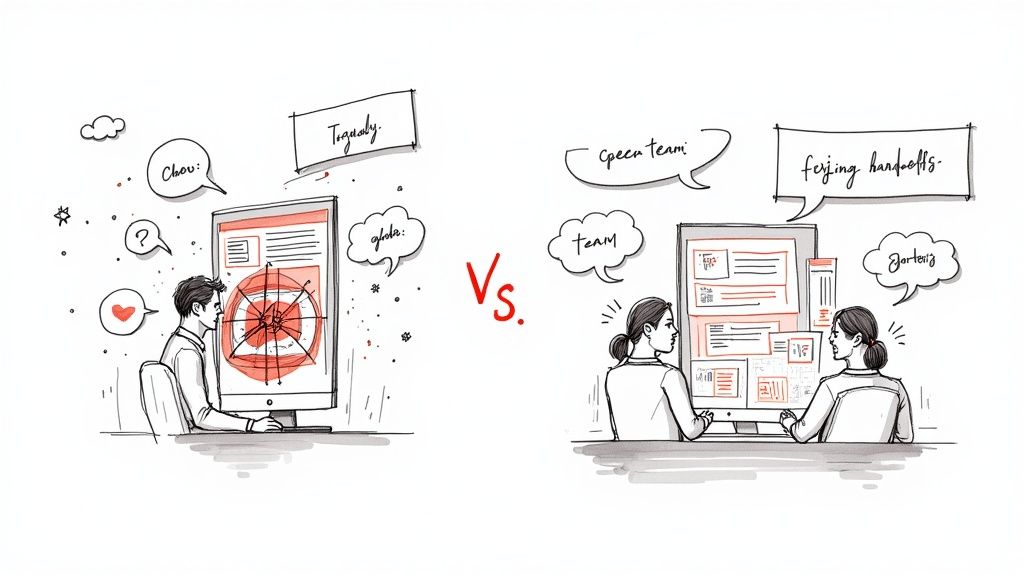
These kinds of reports kick off a soul-crushing cycle of back-and-forth emails and Slack DMs, burning hours as developers play detective, trying to pry the essential details out of the person who reported it. A standardised template cuts right through that noise.
From Chaos to Clarity
When you put a structured template in place, you’re not just organising things—you’re transforming your entire workflow from chaotic to efficient. Instead of chasing down information, your team gets everything they need, right from the start. This isn’t some “nice-to-have” feature; it’s a fundamental part of building a high-performing team.
It gives everyone, from your dedicated QA testers to non-technical folks on the marketing team, the power to contribute meaningful, actionable feedback.
By standardising how you collect information, you create a single source of truth that nails several key goals:
- It kills ambiguity. Every report contains the same core details, leaving no room for guesswork.
- It speeds up diagnosis. Developers can get straight to reproducing the bug instead of asking questions.
- It clarifies prioritisation. The severity and impact of each bug become immediately obvious.
A great template doesn’t just list fields; it subtly guides the reporter to think like a developer. It forces them to consider the specific steps, environment, and outcomes—which is half the battle won right there.
To really level up your team’s efficiency and ship truly robust software, you should also think about how a bug reporting template fits into your broader effective quality assurance testing methods. Properly documenting issues isn’t just admin work; it’s the bedrock of a mature QA process.
Beyond Internal Efficiency
These days, meticulous bug tracking is about more than just saving time and money. Take the rising cybersecurity challenges in Southeast Asia, for example, which have added a whole new layer of urgency. A recent report flagged a shocking increase in spyware attacks, with over 427,000 incidents blocked in just six months. That number alone highlights the critical need for rigorous software quality.
A systematic approach helps teams catch and fix vulnerabilities before they can be exploited by bad actors. Being proactive isn’t just good practice; it’s crucial for building trust with your users and protecting your reputation.
Ultimately, it’s all about creating better lines of communication and properly closing the feedback loop between your users, testers, and developers.
The Anatomy of an Actionable Bug Report
Think of a great bug report not as a form to fill out, but as a communication tool. It’s the bridge between the person who found the bug and the developer who has to squash it. Get it right, and you eliminate the endless back-and-forth, letting the team get straight to the fix.
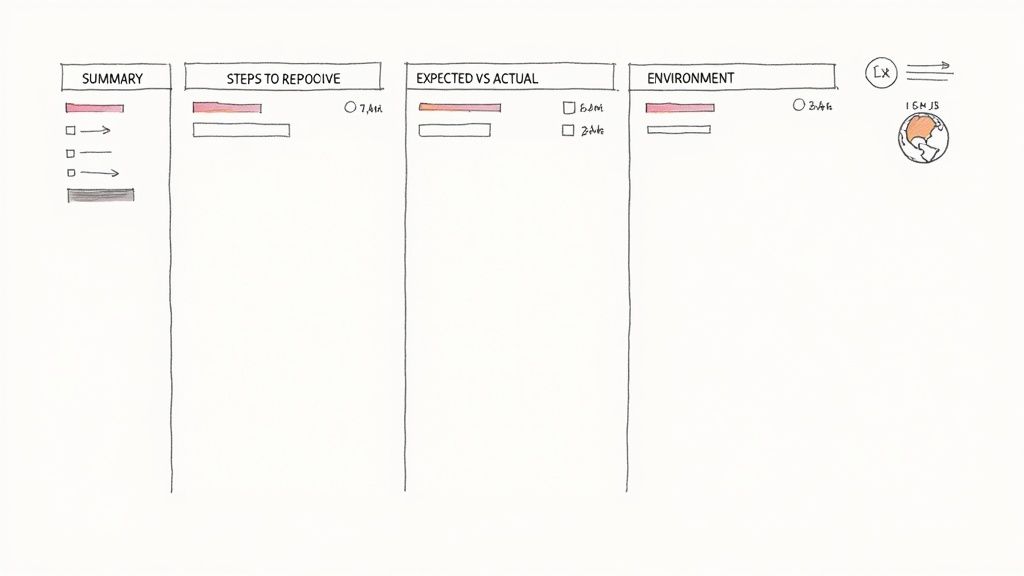
A vague report is like telling a detective, “Something weird happened downtown.” It’s useless. An actionable one gives them the address, the time, a description of the perp, and witness statements. One leads to a dead end; the other cracks the case.
To help you build that perfect case file every time, let’s break down the essential fields. We’ve put together a table outlining what each component does and why it matters.
Essential Fields in a Software Bug Reporting Template
| Field Name | Purpose | Example |
|---|---|---|
| Summary / Title | A concise, high-level overview. This is the first thing a developer sees. | Profile Page - Save button gives 500 error when bio exceeds 200 characters. |
| Description | Provides narrative context and a bit more detail than the title. | While updating my user profile, I attempted to save a long bio and the page crashed. |
| Steps to Reproduce | A numbered, step-by-step guide to reliably trigger the bug. | 1. Go to /profile/edit. 2. Enter 201 characters in the bio. 3. Click ‘Save Changes’. |
| Expected vs. Actual | Clearly defines what should have happened versus what actually occurred. | Expected: “Validation message ‘Bio too long’”. Actual: “Page returned a 500 error”. |
| Environment Details | Specifies the conditions under which the bug was found (browser, OS, etc.). | Chrome 125, macOS Sonoma 14.5, MacBook Pro (M2). |
| Attachments | Visual evidence like screenshots, videos, or logs to speed up debugging. | A screen recording showing the steps and the resulting error. |
Each of these fields plays a crucial role. A report with all this information is a developer’s dream—it gives them everything they need to start working on a solution without having to ask a single follow-up question.
The Core Components of a Bug Report
Every solid bug report is built on a foundation of clear, concise info. These are the non-negotiable fields that deliver context and direction right out of the gate.
Summary or Title This is your headline. It needs to be specific enough for a developer to immediately grasp the problem. Ditch vague titles like “Profile page broken.” A far better approach is the [Feature] - [Action] - [Result] format.
For instance: “Profile Page - Save button gives 500 error when bio exceeds 200 characters.” That title tells a developer almost everything they need to know before they’ve even opened the ticket.
Description If the title is the headline, the description is the opening paragraph. It gives a little narrative flair. For example: “While updating my user profile, I attempted to save a long bio. After clicking the ‘Save Changes’ button, the page hung for a moment before showing a server error page.” This adds valuable colour that the title might miss.
The single most important goal of a bug report is to enable a developer to reproduce the issue reliably. If they can’t make it happen on their machine, they have almost no chance of fixing it.
Detailing the How and Why
With the basics down, the next part of the template gets into the nitty-gritty that makes a bug reproducible. This is where you shift from describing the problem to showing exactly how it happens.
Steps to Reproduce This is, without a doubt, the most critical part of the entire report. You need to provide a clear, numbered list of the exact actions required to trigger the bug. Always assume the developer has zero prior knowledge of this feature.
- Navigate to the
/profile/editpage. - In the “Biography” text field, enter more than 200 characters of text.
- Click the “Save Changes” button.
- Observe the server error page that appears.
This simple, unambiguous list is a developer’s best friend. No guesswork needed.
Expected vs. Actual Results This section explicitly states the disconnect between what should have happened and what did. It removes all ambiguity about the intended functionality.
- Expected Result: The system should display a validation message like “Bio cannot exceed 200 characters,” and the changes should not be saved.
- Actual Result: The system attempts to save, hangs, and then redirects to a 500 server error page.
Providing the Crucial Context
Finally, you need to provide the environmental data. Bugs often only appear under specific conditions. Without this information, a developer might waste hours trying to reproduce a problem that will never show up on their machine.
Environment Details Just saying “it happened on Chrome” isn’t enough these days. Modern web development is a complex beast. A thorough report includes:
- Browser and Version: Chrome 125.0.6422.113
- Operating System: macOS Sonoma 14.5
- Device Type: MacBook Pro (M2)
- Screen Resolution: 1440x900
- User Role: Admin (if applicable)
Attachments A picture is worth a thousand words, and a screen recording is worth a thousand pictures. Including screenshots, videos, or console logs can slash debugging time. A quick recording showing the steps to reproduce is often the fastest way to convey the full story. Use annotation tools to point out specific error messages or UI elements to make it even clearer.
From Vague Feedback To A Perfect Bug Report
Theory is great, but let’s be honest—nothing makes the point better than seeing a real-world example. The difference between a vague complaint and a genuinely helpful bug report is massive. One sends your developers on a wild goose chase, burning hours and patience. The other gives them a clear, direct path to a fix.
Let’s walk through that transformation. Imagine a team member drops this gem into your project management tool:
The Bad Report: “Checkout is broken. I tried to use a discount code and it didn’t work. The page just froze. Please fix this ASAP!”
This is a developer’s nightmare. It’s packed with frustration but completely empty of useful details. It just creates more questions: Which discount code? What page froze, exactly? What browser were they on? A report like this kicks off a soul-crushing chain of Slack messages and emails just to get the basic facts.
The Anatomy of a Useless Report
So, what makes the report above so unhelpful? Let’s break down the biggest failures:
- No specific details: “A discount code” is useless. The actual code is what matters.
- Vague description: What does “froze” even mean? Was it a slow network request? A full-blown server error? A JavaScript crash?
- No steps to reproduce: The developer has no idea how to trigger the bug themselves, so they can’t even start to debug it.
- Missing environment data: Was this on a phone? A desktop? Chrome or Safari? Bugs are often specific to one environment, so this info is crucial.
This kind of feedback forces your engineering team to play detective instead of doing what they do best: building and fixing things. In a way, getting good bug reports follows the same logic as getting good user opinions. We talk more about how to structure these requests in our guide on creating a sample customer feedback form template, which touches on some of the same principles of clarity.
Crafting a Developer-Friendly Report
Now, let’s take that same issue and give it a proper glow-up using a solid bug report structure.
The Perfect Report:
Title: Checkout - User receives 500 error when applying ‘SUMMER25’ promo code on Safari 16.5.
Steps to Reproduce:
- Navigate to the
/cartpage with at least one item.- Enter “SUMMER25” into the “Promo Code” input field.
- Click the “Apply” button.
- Observe the page hangs and then redirects to a 500 error screen.
Expected Result: A success message should appear, and the cart total should be reduced by 25%.
Actual Result: The page displays a generic 500 server error after a ~10-second delay.
Environment:
- Browser: Safari 16.5
- OS: macOS Ventura 13.4
- Device: MacBook Pro (M1)
Attachment:
promo_error_recording.mov(screen recording attached)
Now this is a thing of beauty. It’s precise, easy to scan, and gives the developer everything they need to jump right in. The title alone tells half the story. The steps are crystal clear, the expected vs. actual results are defined, and all the environment details are there. That screen recording is the cherry on top, leaving zero room for interpretation.
This is how you turn a vague complaint into an actionable ticket, saving everyone time and making your entire QA workflow smoother.
Automating Your Bug Reporting Workflow
A perfectly written bug report is only half the battle. Its real value is unlocked when it lands in front of the right person at the right time. Let’s be honest, manual processes—like copying details from an email into your project management tool—are slow, tedious, and begging for human error. This is where automation stops being a buzzword and starts being your best friend, turning manual handoffs into a seamless, efficient pipeline.
When you integrate your bug reporting process directly into your development lifecycle, issues stop falling through the cracks. Instead of reports sitting idle in an inbox, they can be instantly routed to the tools your team already lives in every day. That immediate delivery is crucial for maintaining momentum and squashing critical bugs before they impact more users.
The diagram below really captures the journey from a vague problem to an actionable task—a process that automation speeds up dramatically.
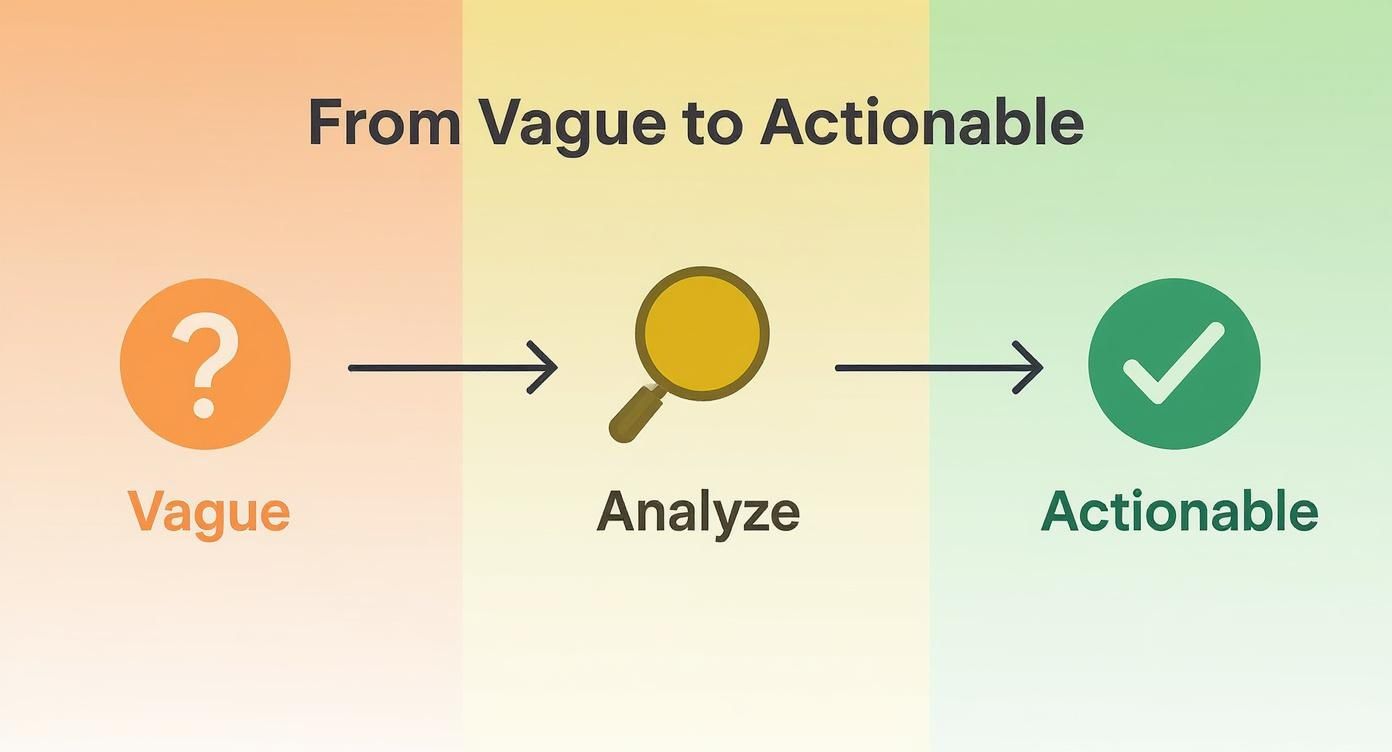
It’s a neat visualisation of how structured analysis turns ambiguity into clarity, which is exactly what a good bug reporting tool should do for you.
Connecting Your Tools for Instant Action
Modern feedback tools like HappyPanda let you set up user-facing widgets right inside your application. When a user submits a report through this widget, it doesn’t just fire off an email; it kicks off a sophisticated, automated workflow that you get to define.
Imagine a user hits a critical payment failure. With an automated setup, their report can simultaneously:
- Create a new, high-priority ticket in Linear assigned straight to the backend team.
- Ping an instant alert to a dedicated #critical-bugs channel in Slack.
- Add the reporter’s details to a follow-up list for your customer success team.
This kind of integration ensures the right teams are notified in seconds, armed with all the context they need from the original report. To get deeper into the nuts and bolts, you might find our guide on effective software defect tracking useful—it explores how these systems work together beautifully.
The real power of automation isn’t just about saving time; it’s about creating a single source of truth. When a bug report automatically generates a ticket in your project tool, the conversation, updates, and resolution all happen in one place. No more hunting through email threads.
The Tangible Benefits of an Automated Workflow
Switching to an automated system gives you immediate, measurable wins for your team’s efficiency and your product’s quality. The most obvious benefit is the massive reduction in response time for critical issues, which is absolutely vital for keeping your users happy.
On top of that, it completely eliminates the soul-crushing admin task of manually moving information between systems. This frees up your developers and project managers to focus on what they do best: solving problems and building a better product. The result? A more organised, responsive, and effective development process from start to finish.
Here’s the rewritten section, crafted to sound like it was written by an experienced human expert, following the provided style guide and examples.
Why Bug Tracking Matters More Than Ever in Southeast Asia
Let’s be honest, a perfect bug report is a beautiful thing. It helps squash a technical problem, sure. But its real power? That’s when you zoom out and see how it impacts the entire business strategy, especially in a market as ridiculously competitive as Southeast Asia.
The region’s tech scene is booming, putting a ton of pressure on everyone—from tiny startups to established players—to ship flawless software. In crowded spaces like fintech or e-commerce, where a dozen apps are fighting for the same user, reliability isn’t just a nice-to-have. It’s the very foundation of trust.
Think about it: a single critical bug during a checkout process or a clunky glitch in a delivery app is all it takes to lose a customer for good. Digital trust is everything here, and you earn it by being consistently solid.
The Regional Growth Imperative
This isn’t just a gut feeling; the market data backs it up. The global bug tracking software market is already worth around USD 401.33 million and is expected to almost double by 2033. The fastest-growing slice of that pie? The Asia Pacific region, thanks to its exploding IT hubs and the mad rush to adopt agile development. You can get the full story on this growth from IMARC Group.
This trend isn’t just about developers wanting shinier tools. It’s a direct response to what the market demands. The companies that can systematically find, prioritise, and fix issues are the ones that will come out on top. And the first step to building that system is a solid software bug reporting template. It standardises how you capture issues, making sure even the smallest glitch has enough detail for a quick fix.
In a market where new digital products launch seemingly every hour, your reputation for quality is your most valuable currency. A sloppy user experience signals a sloppy company—a label that’s incredibly hard to peel off once it sticks.
It’s Not Just Efficiency—It’s Survival
For a startup grinding it out in Singapore, Jakarta, or Ho Chi Minh City, nailing down a bug reporting process is more than just an internal efficiency play. It’s a survival tactic.
Here’s why it’s a game-changer:
- Faster Time-to-Market: When you resolve bugs faster, you shorten your development cycles. That means shipping new features and staying ahead of the competition.
- Enhanced Brand Reputation: A polished, dependable product builds a name for quality, which is a massive differentiator when everyone else is shouting for attention.
- Improved User Retention: A smooth experience keeps customers happy and loyal. It reduces churn, which hits your bottom line directly.
At the end of the day, a streamlined bug reporting workflow, built around a clear template, gives your team the agility it needs to thrive. It shifts bug tracking from a reactive chore into a proactive strategy for building a product that users in Southeast Asia can actually count on.
Answering Your Burning Bug Reporting Questions
Even with the best bug reporting template in the world, some questions always seem to pop up. Let’s tackle a few common hurdles teams face when they start getting serious about their reporting process.
”What If I Can’t Reproduce the Bug?”
Ah, the ghost in the machine. We’ve all been there. You saw a bug, you know it happened, but now you can’t make it happen again on command. It’s frustrating, but it doesn’t mean the report is useless.
When a bug is sporadic, the key is to become a detective. Document everything you can remember from the times it did show up. Note its frequency, any weird patterns you noticed, and if you have them, session logs are pure gold. Your goal is to leave a trail of breadcrumbs for the developers, even if you can’t give them a perfect map.
”What’s the Real Difference Between Severity and Priority?”
This one trips up a lot of teams. Severity and priority sound like they could be twins, but they answer two completely different questions. Getting this right is crucial for an efficient workflow.
- Severity is all about impact. How badly does this bug mess things up? A critical severity bug is a house-on-fire situation, like a server crash or data loss.
- Priority is all about urgency. How quickly does this need to be fixed, usually for business reasons? A typo on your homepage might be a low-severity bug, but if it’s on the pricing page right before a major campaign, you bet it’s a high priority.
It’s a classic balancing act. A team might fix a high-priority but low-severity bug well before tackling something with high severity but low priority, all based on what matters most to the business right now.
”How Do I Get Good Reports from Non-Technical People?”
Getting great feedback from customers or colleagues who aren’t developers is an art form. The secret? Make it ridiculously easy for them.
Don’t bog them down with technical jargon. Use a tool that automatically grabs the important stuff, like what browser or operating system they’re on.
Instead of asking for “steps to reproduce,” try framing the question differently. Ask something like, “What were you trying to do?” and “What happened that you didn’t expect?” This encourages them to tell a story. From that narrative, a technical team member can easily pull out the details needed to create a structured, actionable bug report.
Ready to stop chasing vague feedback and start getting bug reports that actually help you build a better product? HappyPanda brings feedback widgets, changelogs, and onboarding checklists together in one simple, elegant platform. Start your free trial today and see the difference.