
A good bug report is really just a communication tool. It’s designed to bridge the gap between the person who finds a problem and the person who has to fix it. When done right, it gives developers a clear, structured format with all the essentials—like reproduction steps and environment details—so they can squash bugs fast.
Why a Great Bug Report Template Is Your Secret Weapon
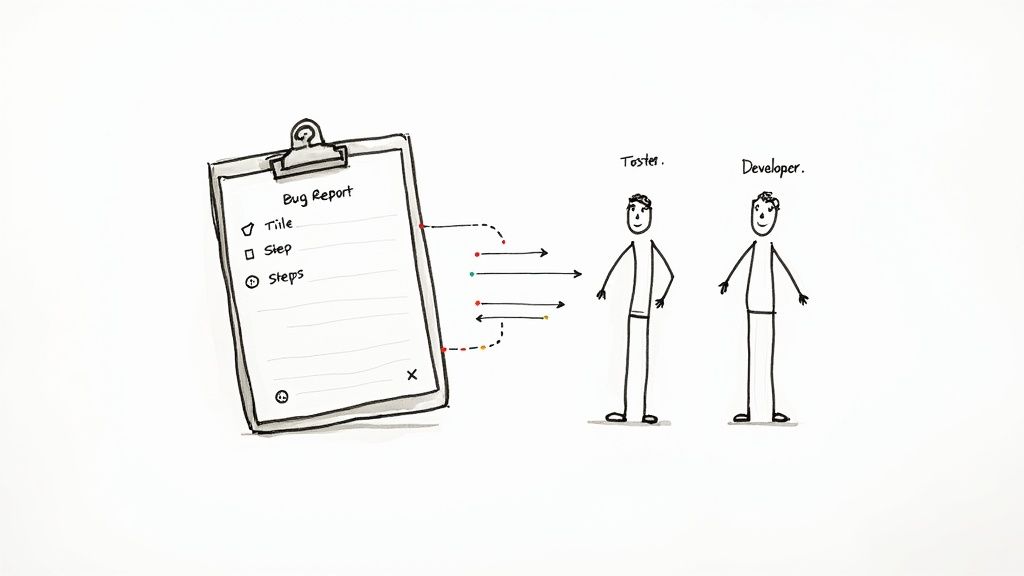
Ever found a bug and then struggled to explain it in a way a developer would actually understand? You’re definitely not alone. The friction between spotting an issue and getting it fixed almost always comes down to one thing: a communication breakdown.
Vague reports like “the login page is broken” create more questions than answers. This inevitably leads to a frustrating back-and-forth that kills productivity for everyone involved.
A standardised template bug report is your best defence against this chaos. It’s not just more paperwork; it’s a powerful communication framework that forces clarity and completeness from the get-go. By setting up a shared structure, you eliminate the guesswork and make sure every single report is actionable the moment it lands in a developer’s queue.
The True Cost of a Bad Report
When bug reports are thin on details, the consequences ripple across the entire team. Developers waste valuable time just trying to reproduce the issue, project managers can’t prioritise fixes accurately, and the whole development cycle slows to a crawl. A bad bug report is basically a hidden tax on your team’s efficiency.
Think about the direct impacts:
- Wasted Developer Time: Engineers spend their day chasing down reporters for more information instead of actually writing code.
- Delayed Fixes: Ambiguous reports get pushed to the bottom of the pile or ignored, leaving critical issues unresolved for way too long.
- Increased Frustration: Testers and users feel like they’re shouting into the void when their feedback doesn’t lead to action, which is a huge morale killer.
This structured approach is becoming essential, especially as tech expands globally. In fast-growing hubs, precise templates are critical for managing complex software projects. For example, the engineering software market in key Asian regions is growing at a massive 23-27% CAGR. That’s a huge volume of development where efficient bug tracking isn’t just nice to have—it’s non-negotiable.
Building a Foundation of Trust and Efficiency
A well-crafted template does more than just move information from A to B; it builds trust. When a developer gets a complete, detailed report, they know the reporter has done their homework. This fosters a collaborative vibe where feedback is valued and acted on quickly.
It’s a crucial step in closing the feedback loop and creating a genuine culture of quality.
By standardising how your team talks about defects, you’re doing more than just improving a process—you’re investing in a faster, more collaborative, and higher-quality development lifecycle. A solid template is the blueprint for that success.
Anatomy of an Actionable Bug Report
So, what should actually be in a bug report? Here are the non-negotiable elements every effective report must include to be immediately useful for your development team.
| Component | Why It Matters for a Fast Fix |
|---|---|
| Clear, Concise Title | Tells the developer what broke and where, at a glance. |
| Steps to Reproduce (STR) | This is the most critical part. It’s a step-by-step guide to making the bug appear on demand. |
| Expected vs. Actual Results | Clearly states what should have happened versus what actually happened. No room for interpretation. |
| Visual Evidence | A screenshot or screen recording is worth a thousand words. It shows the problem in action. |
| Environment Details | Browser version, operating system, device type, screen resolution—these details help replicate the exact conditions. |
| Severity/Priority Level | Helps project managers decide how urgently the bug needs to be addressed. Is it a showstopper or a minor annoyance? |
Getting these components right every time is what separates a bug report that gets fixed in hours from one that languishes in the backlog for weeks.
Ready-to-Use Bug Report Templates for Any Scenario
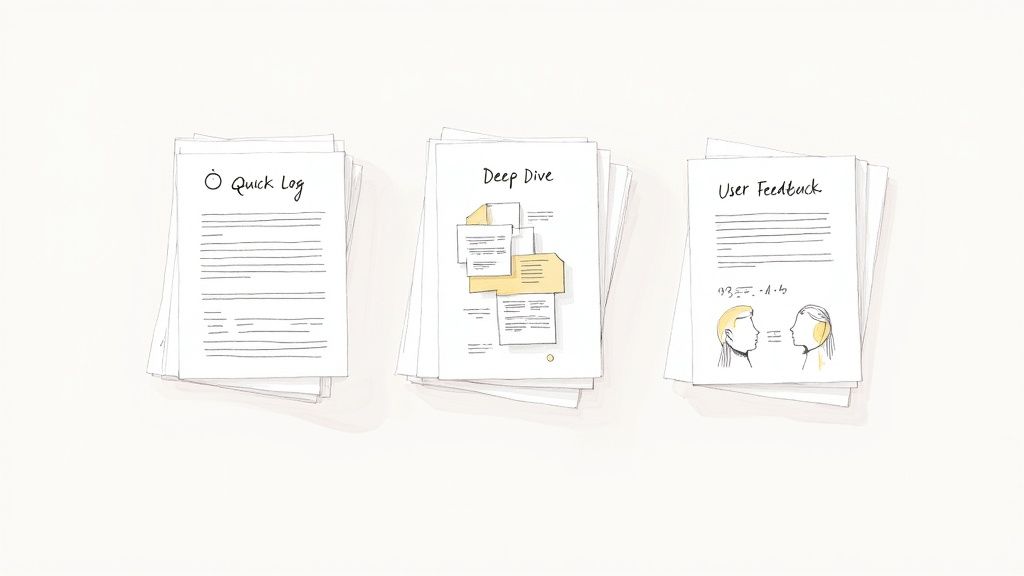
The right bug report template really depends on the situation. Let’s be honest, a minor typo spotted by a developer doesn’t need the same deep dive as a critical, intermittent crash that a non-technical customer is trying to explain. Forcing a one-size-fits-all approach is a recipe for frustration—you either get too little information or create way too much friction.
So, here are three distinct, field-tested templates you can copy and paste right now. Each one is designed for a specific scenario, making sure you capture exactly what you need without overwhelming the person reporting it.
The Quick Log Template
This one is all about speed. It’s perfect for internal teams—your developers, QA folks, and product managers—who know the product inside and out. When they spot a straightforward, easily reproducible issue, they just need to log it fast and get back to work. The goal here is to document the problem without getting bogged down in unnecessary detail.
Think of it as the shorthand of bug reporting.
- Bug Title: [Feature] - [Brief, clear description of the problem]
- Reporter: [Your Name]
- URL/Screen: [Link to the page where the bug occurred]
- Steps to Reproduce: (1) Go to X page. (2) Click Y button. (3) See Z happen.
- Actual Result: [A quick sentence on what went wrong]
- Expected Result: [A quick sentence on what should have happened]
This format gets straight to the point, giving a developer just enough info to jump on an obvious fix without wasting their time.
The Deep Dive Template
Sometimes, the Quick Log just won’t cut it. When you’re dealing with a complex, intermittent, or critical bug, you need to bring out the big guns. The Deep Dive template is for those head-scratcher issues that demand extensive context. This is your go-to for bugs that are a nightmare to reproduce or have a massive impact on the user experience.
A detailed report like this is a developer’s best friend when they’re tackling a really tricky problem.
Pro Tip: For those frustrating intermittent bugs, documenting the frequency is everything. Is it happening “once every 10 tries”? Or “only after the user has been logged in for more than 30 minutes”? This kind of context can be the exact clue that cracks the case.
Here’s what to include for a report that leaves no stone unturned:
- Bug Title: [Critical/High] - [Feature] - [Specific user action and outcome]
- Summary: A short paragraph explaining the bug and why it matters to the user.
- Environment Details:
- Browser/Version: e.g., Chrome 125.0.6422.113
- Operating System: e.g., macOS Sonoma 14.5
- Device: e.g., MacBook Pro M1, iPhone 15 Pro
- User Account: [Test account email or user ID, if relevant]
- Steps to Reproduce: Detailed, numbered steps that leave zero room for ambiguity.
- Actual Result: What specifically happened? Include error messages word-for-word.
- Expected Result: What was the desired outcome?
- Visuals: Attach annotated screenshots, screen recordings, and any relevant console logs.
- Severity: Critical / High / Medium / Low
- Notes/Hypothesis: Any extra context or theories on why this might be happening.
The User Feedback Template
Getting useful reports from non-technical users is a completely different ball game. This template simplifies the whole process by focusing on their experience, not on technical jargon. It guides them to provide the most helpful information without asking for things like console logs or browser versions, which can be automated with tools like HappyPanda anyway. This approach is key to creating a friendly system, much like you would when designing a great sample customer feedback form template.
For more inspiration on structuring feedback requests, it’s worth checking out some top-tier client feedback form templates.
Here’s a simple, friendly structure for your users:
- What were you trying to do? (e.g., “I was trying to update my profile picture.”)
- What happened instead? (e.g., “After I clicked ‘Save’, an error message appeared and my picture didn’t change.”)
- Can you tell us the steps you took? (e.g., “1. I went to my profile. 2. I clicked ‘Upload New Picture’. 3. I chose a file. 4. I clicked ‘Save’.”)
- Is there anything else we should know? (An open field for any extra details they think are important.)
This user-centric template empowers your customers to give truly valuable feedback without feeling intimidated.
How to Write Bug Reports Developers Actually Read
There’s an art to writing a bug report that gets fixed fast, and one that gets quietly pushed to the bottom of the backlog. It all boils down to one thing: empathy.
Put yourself in the developer’s shoes for a moment. They’re juggling a dozen different tasks, and your report is just one more thing on their plate. They need a clear, concise map to find and crush the bug—not a vague treasure hunt that requires a follow-up email.
A bug report that needs a clarification message on Slack is a failed report. Your mission is to provide every single piece of information they need, right from the start. Think of it as creating a self-contained, actionable ticket that respects everyone’s time.
Craft a Title That Tells the Whole Story
The title is your first impression, and it’s the one thing a developer will see in a crowded backlog. A vague title like “Profile Page Broken” is basically useless. It doesn’t say what’s wrong, how bad it is, or where to even begin looking.
Instead, think of your title as a super-short summary of the problem. A great title almost always follows a simple formula: [Feature/Area] - [What’s wrong when I do this?].
Let’s look at an example.
- Bad: Image upload fails
- Good: [Profile Settings] - Clicking “Save” after uploading a JPG results in a 500 error
See the difference? That simple tweak transforms a generic complaint into a specific, searchable, and instantly understandable problem. A developer can glance at that and immediately grasp the context and potential severity.
Write Reproduction Steps Like a Recipe
This is, without a doubt, the most critical part of any bug report. If a developer can’t reliably reproduce the issue, they can’t fix it. It’s that simple. Your goal here is to write a simple recipe that anyone on the team can follow to get the exact same (broken) result.
Be methodical. Number your steps and don’t make any assumptions about what the developer knows.
- Navigate to the
/settings/profilepage. - Click the “Upload New Avatar” button.
- Select a valid
.pngfile smaller than 2MB. - Click the “Save Changes” button.
This level of detail leaves absolutely no room for interpretation. It gives the developer a precise path to follow, which is essential for diagnosing what’s really going on under the hood.
The golden rule of bug reporting is simple: make it reproducible. An intermittent bug is frustrating, but an irreproducible one is nearly impossible to fix. Documenting the exact path is your most important job.
Explain What You Expected vs. What Actually Happened
This is where you clearly define the gap between what you saw and what you should have seen. This part is crucial because it eliminates any confusion about how the feature is supposed to work. Don’t just say “it didn’t work.” Describe both outcomes with precision.
- Expected Result: A success notification appears, and the new avatar is displayed on the profile page.
- Actual Result: An error message “Upload failed: Invalid file type” appears, and the old avatar remains.
This simple “Expected vs. Actual” format instantly clarifies the bug’s impact.
Provide All the Supporting Evidence
Visuals and technical data are non-negotiable. They provide context that words alone just can’t capture. In many cases, a developer can spot the problem in seconds with the right piece of evidence.
Make sure you always include:
- Annotated Screenshots: A picture is worth a thousand words. Use arrows or boxes to highlight the exact UI element that’s causing trouble.
- Screen Recordings: For complex user flows or animations that are glitching out, a short video is invaluable. It shows the entire sequence of events.
- Console Logs: This is often the smoking gun. Open your browser’s developer tools (usually with F12), go to the “Console” tab, and copy any red error messages you see.
- Environment Details: Bugs can be specific to a browser, OS, or even user role. Include details like the browser version (e.g., Chrome 125), operating system (e.g., Windows 11), and any relevant context (e.g., logged in as an admin user). Tools like HappyPanda can capture this automatically, which saves a massive amount of time for everyone.
Weaving Bug Reporting Into Your Workflow
A brilliant bug report is a fantastic start, but its power fizzles out if it just lands in a crowded inbox or a forgotten spreadsheet. To make feedback count, you have to knit it directly into your team’s day-to-day processes. This isn’t about creating more manual work; it’s about smart automation that gets the right info in front of the right people, instantly.
The idea is to stop treating bug reporting as a separate, annoying chore and make it a fluid, natural part of your development cycle. When you operationalise it, every bit of feedback—whether from an internal tester or an end-user—morphs into an actionable ticket without anyone having to lift a finger.
This is a massive deal in fast-growing tech scenes. For example, Southeast Asia’s software market is on track to hit USD 50 billion by 2025, fuelled by a boom in development and outsourcing. This kind of explosive growth demands streamlined defect management, especially for distributed teams. A solid template bug report becomes the bedrock of clear communication in these environments.
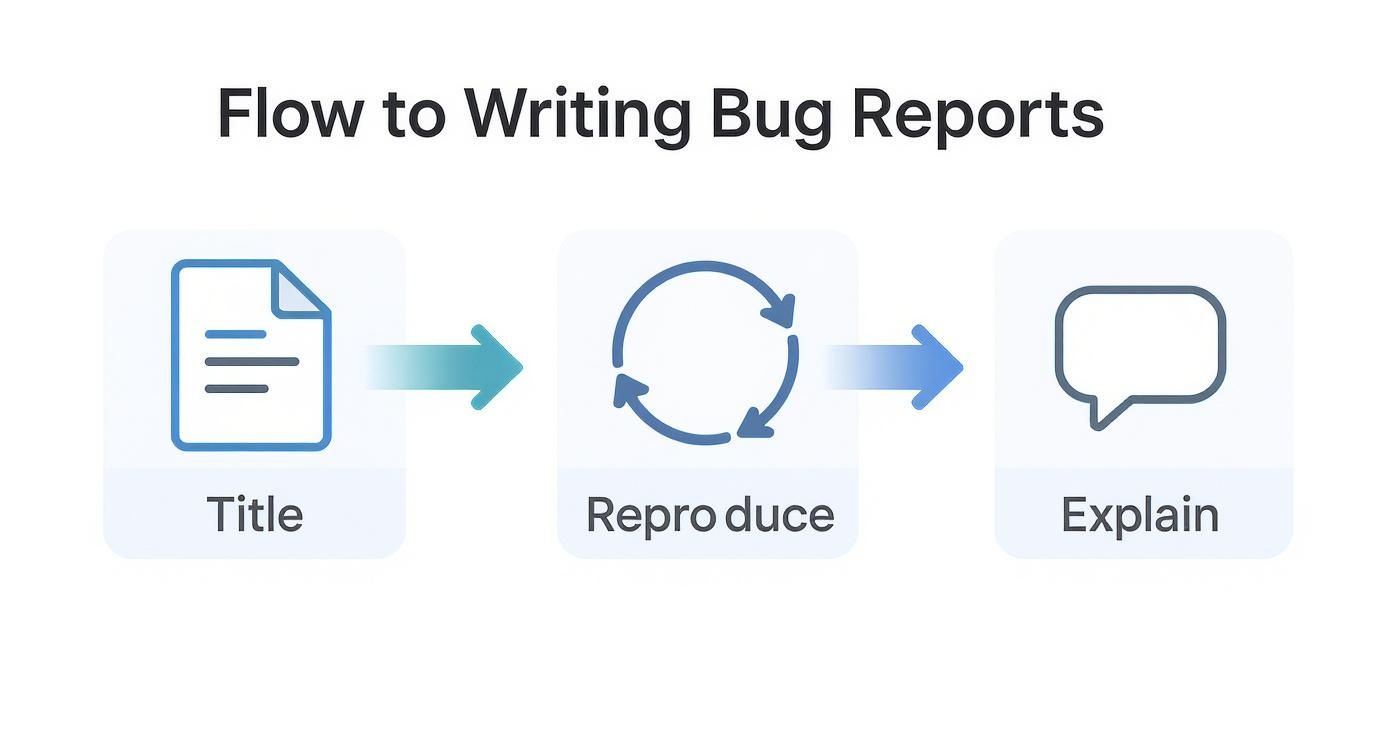
This simple flow—Title, Reproduce, Explain—is the foundation. Get this right, and you’re already halfway to a successful bug-squashing process.
From Feedback Widget to Actionable Ticket
The most straightforward way to kick this off is by embedding a tool like HappyPanda right into your app or website. A simple widget gives users an easy, low-effort way to flag issues without ever leaving the page. Trust me, this small change dramatically bumps up both the quality and quantity of the feedback you’ll get.
But catching the report is just the first step. The real magic is in the automated routing. For any QA team worth their salt, a solid reporting system is non-negotiable for staying efficient. You can dig deeper into how Quality Assurance teams achieve success.
The holy grail here is a zero-touch workflow. A user submits a report, and a detailed ticket automatically appears in your project management tool, packed with all the technical data. No one on your team should ever have to manually copy and paste a thing.
Setting Up Smart Routing for Your Team
Once the reports are flowing in, you need to pipe them directly to where your team actually works. This ensures bugs get seen, triaged, and assigned without sitting in limbo. With the right integrations, you can build some seriously powerful, automated workflows. Our own guide on software defect tracking goes into much more detail on managing this whole process.
Think about where you could send them. Here are a few common setups:
- Linear or Jira Project: Automatically pop a new issue into a specific project or backlog. You can even configure it to pre-fill fields like labels (
bug,ux), set a priority, and assign it based on the report’s details. - Dedicated Slack Channel: Fire off an instant notification to a
#bug-triagechannel. This gives the team a real-time feed of incoming issues so they can jump on critical problems immediately. - Custom Webhooks: For those with more complex needs, webhooks are your best friend. You can send report data to pretty much any system—a custom internal dashboard, another third-party service, you name it. It gives you total control over your workflow.
Common Bug Reporting Mistakes to Avoid
Even if you have the perfect template bug report, a few common slip-ups can easily punt your well-intentioned feedback straight to the bottom of the backlog. Think of this as a troubleshooting guide from the trenches—a quick rundown of the pitfalls that frustrate developers and delay fixes.
Learning to sidestep these simple errors builds your credibility and makes sure your reports actually get the attention they deserve.
First up, the biggest offender: the incredibly vague title. Developers triage their work by scanning long lists of issues, and a title like “Checkout is broken” tells them absolutely nothing. It forces them to open the ticket just to figure out what’s going on, adding a little bit of unnecessary friction that really adds up over time.
A slightly better, but still flawed, title might be “Can’t add item to cart.” It’s a start, but it lacks the punch needed for a quick diagnosis.
- What Not to Do: “Payment form not working”
- What to Do Instead: “[Checkout] - Submitting Stripe payment with a discount code returns a 404 error”
See the difference? The improved version immediately tells the developer the feature, the specific action taken, and the exact outcome. That’s a report they can prioritise in seconds.
Combining Multiple Bugs Into One Report
Another classic mistake is bundling several unrelated problems into a single report. I get it—it feels efficient to list everything you found in one go. But for a development team, it’s a logistical nightmare. A single ticket should always represent a single unit of work.
When you mix a critical payment failure with a minor typo on the same page, the entire report becomes impossible to track, assign, and close. The typo might get fixed in five minutes, but the ticket will stay open until the more complex issue is resolved, completely muddying the project’s progress.
Always follow the “one bug, one report” rule. This principle keeps the development workflow clean and allows each issue to be tracked, prioritised, and resolved independently. It’s the single best way to ensure every problem you find is properly addressed.
Forgetting Crucial Environment Details
Forgetting to include environment details is another one that trips people up all the time. A bug that shows up on Safari on an old iPhone might not even exist on Chrome on a brand-new laptop. Without knowing the browser, operating system, and device, a developer is essentially flying blind. They can waste hours trying to reproduce an issue that simply doesn’t exist on their machine.
This is becoming even more critical as software ecosystems get more complex. The demand for application development in Southeast Asia, for instance, is exploding, creating intricate environments where precise data is essential for fixing bugs across diverse, often distributed, teams. You can get more insight into how these software market trends are shaping development here.
Tools like HappyPanda can automatically capture all this data for you, which is a huge time-saver. But if you’re reporting manually, always make a point to include it. It’s often the missing piece of the puzzle that turns a mysterious bug into a five-minute fix.
Your Bug Report Questions, Answered
Even with the slickest templates in place, questions are bound to pop up. Let’s dig into some of the common ones we see teams wrestling with as they try to nail their bug reporting process.
What’s the Ideal Length for a Bug Report?
This is a classic. The honest answer? As long as it needs to be, but not a single word longer. A simple typo on the homepage doesn’t need a ten-act play to explain it. On the other hand, a tricky, intermittent bug that only shows up on a Tuesday when it’s raining might need every log and note you can throw at it.
The real goal isn’t word count; it’s clarity. A developer should be able to read your report and have zero questions left to ask. If they have to ping you on Slack for more info, the report wasn’t quite there yet.
Think of a great bug report as a self-contained unit of work. It should have everything a developer needs to understand, reproduce, and fix the issue without ever needing to start a conversation.
How Much Technical Detail Should a Non-Developer Include?
This is a big one. Non-technical folks shouldn’t feel pressured to diagnose the bug or suggest a code fix. That’s not their job. Their primary role is to be an outstanding observer. The mission is to document the symptoms perfectly.
Here’s what a non-developer should always aim to provide:
- The Exact Steps: What did you click? In what order? Get ridiculously precise here.
- Visual Proof: A screenshot or, even better, a screen recording is pretty much non-negotiable.
- The URL: Always, always include the link to the exact page where the gremlin appeared.
The beauty of tools like HappyPanda is that they can handle the heavy lifting by automatically grabbing all the technical stuff—like the browser version, OS, and console logs. This frees up your team members to just focus on telling the story of what they experienced, letting everyone play to their strengths.
How Do We Get the Whole Team to Actually Use the Template?
Getting people to adopt a new process is all about making it ridiculously easy. If using the template bug report feels like more work than firing off a quick, vague Slack message, your team will take the path of least resistance every single time.
So, make it the easiest option:
- Integrate it: Embed the reporting form right inside your app or website with a tool. No need to go hunting for a link.
- Automate it: Make sure the reports flow directly into the tools your dev team already lives in, like Linear or Slack.
- Lead by example: When someone reports a bug informally, gently guide them to the template. Frame it as the best way to get their issue fixed lightning-fast.
Should I Lump a Few Bugs into One Report or Keep Them Separate?
Always, without exception, stick to the “one bug, one report” rule. I know it can feel efficient to list five little UI quirks in a single ticket, but trust me, it creates absolute chaos for the development team.
Think about it: a single report with multiple bugs is impossible to prioritise, assign, or track. One issue might be a five-minute fix, while another needs a deep-dive investigation. By giving each bug its own report, you allow every problem to be handled on its own terms. It leads to a workflow that’s smoother and more organised for everyone involved.
Ready to stop chasing down vague feedback and start getting bug reports that actually help? HappyPanda brings feedback widgets, automated routing, and crystal-clear reporting together in one seamless platform. Get started in 10 minutes.