
Let’s be honest, nobody enjoys juggling a dozen different passwords. SSO (Single Sign-On) is the digital equivalent of a master key, letting users unlock all their work apps after logging in just once.
So, What Exactly Is SSO and Why Should You Care?
Think about the usual login grind. Your customers have a password for your tool, another for their CRM, another for their email—you get the picture. This leads to forgotten credentials, a mountain of “I forgot my password” support tickets for your team, and the very real security risk of people reusing weak passwords everywhere. It’s a mess.
This is the headache SSO was born to solve. It creates a secure, trusted connection between an Identity Provider (IdP)—the source of truth for a user’s identity, like Google Workspace or Okta—and your app, which acts as the Service Provider (SP). Once a user is authenticated with their IdP, they can jump straight into your SaaS with a single click. No login screen, no password entry, no fuss.
The Real Win for SaaS Founders
For bootstrapped founders, offering SSO isn’t just about adding another feature to the list; it’s a strategic move to land bigger, higher-paying customers. Businesses want centralised security and simple user management. When they see you offer SSO, it’s a clear signal that your product is secure and ready for serious business.
The payoff is pretty clear:
- A Smoother Ride for Customers: SSO kills password fatigue. By making login seamless, you improve the user experience right from the start, which is a massive win for engagement. A great first impression is critical for effective customer onboarding.
- Beefed-Up Security: Authentication is managed in one place, allowing companies to enforce strong security policies like multi-factor authentication (MFA) across every single app. This drastically cuts down the risk of accounts being compromised.
- Faster Team Adoption: When a new employee joins a company using SSO, IT can grant them access to your app instantly. This frictionless setup helps your tool become an essential part of the company’s daily workflow, making it much stickier.
Simply put, SSO closes the gap between being a nice-to-have tool and becoming an indispensable platform. It’s a direct path to moving upmarket and boosting your average revenue per user.
This push for tighter security isn’t just a passing phase; it’s what the market now expects. The authentication market in Southeast Asia, for instance, is set to grow by 15.5% every year until 2030. That kind of growth tells you that security-focused identity management is becoming a non-negotiable for businesses. For any SaaS founder looking to compete, offering SSO is no longer a luxury—it’s essential.
Right, let’s talk about the languages that make SSO work. To really get what single sign on is all about, you need to understand the protocols behind it—the agreed-upon rules that let different systems talk to each other without tripping over their own feet. It sounds technical, I know, but don’t worry. We’re not diving into dense documentation.
There are a few out there, but three main protocols run the entire show. Instead of drowning in jargon, let’s use some simple, real-world analogies to make sense of them. Each one was built to solve a slightly different problem, which means you’ll probably encounter all of them at some point.
SAML: The Certified Letter for Enterprises
Think of Security Assertion Markup Language (SAML) as the old-school veteran of the SSO world. It’s been around the block, it’s robust, and it’s the go-to for big corporate environments. The best way to picture it? A certified letter.
Imagine your user works for a massive company that uses an Identity Provider (IdP) like Okta. They want to log into your SaaS app, which is the Service Provider (SP). Instead of asking them for a password they’ll forget anyway, your app redirects them to their familiar company login page.
Once they log in successfully, their company’s system drafts a formal, digitally signed letter (the SAML assertion). This letter is the proof, confirming who the user is and what they’re allowed to do. Their browser then securely delivers this sealed letter to your app. Because your app trusts the sender (the company’s IdP), it accepts the letter, verifies the signature, and lets the user in. Simple as that.
- Who uses it? Big companies and enterprises that rely on platforms like Okta, OneLogin, or Microsoft Entra ID.
- When to use it? The moment an enterprise customer asks for an SSO integration. It’s the gold standard for B2B SaaS, hands down.
OAuth 2.0: The Hotel Keycard for Authorisation
Next up is Open Authorization (OAuth 2.0). Now, here’s a crucial distinction: OAuth 2.0 isn’t really about who you are (authentication). It’s about what you’re allowed to do (authorisation). It’s designed to let one app access stuff in another app on your behalf, without you ever sharing your password.
The perfect analogy is a hotel keycard.
When you check into a hotel, the front desk verifies who you are and hands you a keycard. That card doesn’t contain your life story. It just gives you specific, limited access—to your room, the gym, maybe the pool—and only for the duration of your stay.
It’s the same principle when a user sees a “Sign in with Google” button on your app. They aren’t handing over their Google password. Instead, Google (the Authorisation Server) asks for their consent to let your app access specific things, like their name and email. If they click “Allow,” Google gives your app an access token—the digital keycard—which it can use to fetch only that approved info.
OAuth 2.0 is all about delegating access. It answers the question, “What is this app allowed to do?” not “Who is this user?”
OIDC: The Photo ID on the Keycard
So if OAuth 2.0 is just about permission, how do you actually confirm the user’s identity? That’s where our third player, OpenID Connect (OIDC), steps in. OIDC is a clever, thin layer built right on top of OAuth 2.0 to add the missing identity piece.
If OAuth 2.0 is the hotel keycard, OIDC is the photo ID printed on it.
OIDC standardises how to actually verify a user’s identity and get their basic profile info. It does this by introducing a special token called an ID Token. This little nugget of data is sent along with the OAuth 2.0 access token and contains verified claims about the user—their name, email, and a unique ID.
So, when a user logs into your app using “Sign in with Apple,” you’re seeing OIDC and OAuth 2.0 working as a team. OAuth 2.0 gets your app the keycard (the access token), and OIDC provides the verified ID (the ID Token) that proves who’s holding it. This combo is what powers all those smooth, one-click social logins we all know and love.
To help you decide which one makes the most sense for your SaaS right now, here’s a quick-reference table breaking it all down.
Comparing SSO Protocols for Your SaaS
| Protocol | Primary Use Case | Analogy | Best For Your SaaS If… |
|---|---|---|---|
| SAML | Enterprise Authentication | The Certified Letter | …you’re selling to large companies that need to manage employee access centrally. This is your B2B enterprise ticket. |
| OAuth 2.0 | API Authorisation | The Hotel Keycard | …you need to let users grant your app limited access to their data in another service (e.g., “Post to X on my behalf”). |
| OIDC | User Authentication | The Photo ID on the Keycard | …you want to offer simple social logins (“Sign in with Google/Apple”) for individual users. It’s perfect for B2C or self-serve B2B. |
Choosing the right protocol really just comes down to who your customer is and what they’re trying to achieve. Are they a massive corporation? SAML. An individual user wanting a quick sign-up? OIDC and OAuth 2.0 are your friends.
How SSO Architecture Actually Works in Your SaaS
To really get what makes SSO (Single Sign-On) tick, you need to pop the hood and see how the engine runs. The whole thing is a carefully choreographed dance between four key players: the user, their web browser, your SaaS application (the Service Provider or SP), and the central authentication authority (the Identity Provider or IdP).
This little dance usually follows one of two main paths, or “flows.” Once you understand both, you’ll have a crystal-clear picture of how authentication data moves securely from A to B, no matter where the user kicks things off.
The Service Provider Initiated Flow
This is the one your users will bump into most often. It starts when a user lands on your app’s login page and hits that beautiful “Login with SSO” button.
Here’s the play-by-play:
- The Request: A user tries to get into your app. Your app notices they aren’t logged in and need to prove who they are via their company’s SSO.
- The Redirect: Your application whips up an authentication request (often a formal SAML request) and sends it to the user’s browser. The browser is then immediately bounced over to the company’s IdP login page—think Google Workspace, Okta, or OneLogin.
- The Login: The user is now looking at a familiar login screen they know and trust. They pop in their corporate credentials—the one and only password they need to remember for work.
- The Verification: The IdP confirms the user’s details are correct. If everything checks out, it generates a digitally signed authentication response (a SAML assertion) that contains the user’s identity.
- The Return: The IdP sends this response back to the user’s browser, which then automatically shoots it over to your application.
- The Final Handshake: Your app gets the response, cryptographically checks the signature to make sure it’s legit and hasn’t been messed with, and then opens a logged-in session for the user. Voilà! They’re in.
This flow is brilliant because your application never actually sees or handles the user’s password. That’s a massive security win right there.
The Identity Provider Initiated Flow
The other common workflow starts from the opposite direction. In this case, the user is already signed into their company’s central app dashboard, like their Okta or Google Workspace portal.
This flow is like using a central launchpad. The user sees an icon for your SaaS alongside all their other approved tools and simply clicks it to get started, creating a truly seamless user experience.
The process is a bit different:
- The user clicks your app’s icon in their IdP dashboard.
- The IdP immediately generates and signs an authentication response for that specific user.
- The IdP sends this response to the user’s browser, which forwards it on to your application.
- Your app receives this unsolicited (but trusted) response, validates it, and logs the user in. Easy as that.
This flowchart helps visualise the key components in the SSO protocol journey.
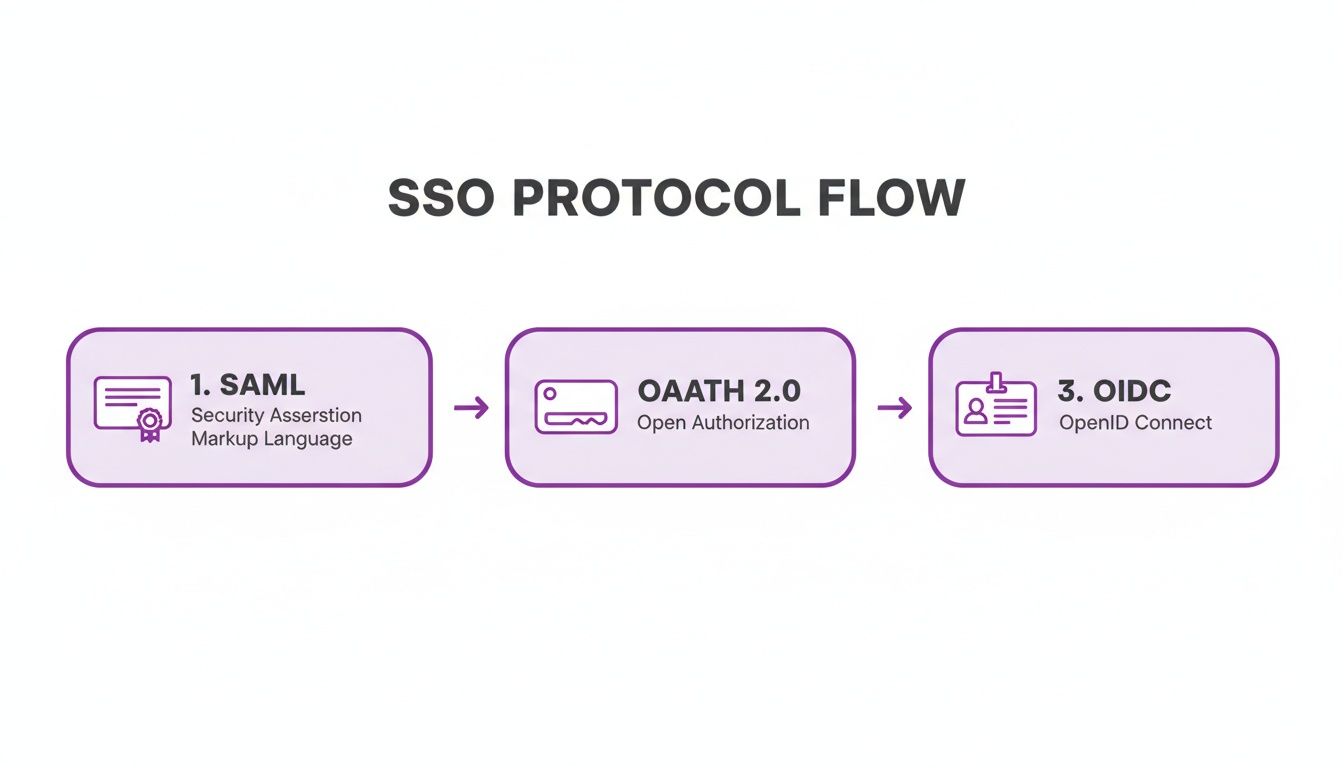
Each protocol is just a secure messenger, carrying authentication and authorisation data between the different parties. As you think about the building blocks of your SSO architecture, understanding key identity providers like Microsoft Entra ID is crucial. For a deeper dive into the user’s perspective, you might also find our guide on creating a simple sign-up and login flow useful.
Ultimately, both workflows get you to the same place: secure, password-free access.
The Real Benefits and Trade-Offs of Implementing SSO
For a bootstrapped founder, every feature you add to your roadmap is a serious commitment. Implementing Single Sign-On (SSO) is a perfect example of this. It’s a powerful feature that can unlock bigger deals and help you move upmarket, but it’s not a simple flip of a switch. It comes with real costs and complexities.
So, let’s take a clear-eyed look at both sides of the coin. Is now the right time for you to invest your precious resources into SSO?
The Clear Advantages of Offering SSO
Let’s start with why you’d even consider this in the first place. The upsides are huge, especially if you’re trying to land larger, more organised teams. These customers aren’t just buying a tool; they’re looking for a secure, efficient piece to fit into their existing workflow.
- A Seriously Upgraded Security Posture: This is the big one. By letting companies manage access through their trusted Identity Provider, you’re essentially outsourcing the weakest link in the security chain: user-managed passwords. They can enforce their own strict policies like multi-factor authentication (MFA) and instantly revoke access when someone leaves the company. That drastically cuts down the risk of a breach.
- An End to Password Fatigue: Let’s be honest, your users are drowning in passwords. SSO gets rid of that friction completely. Logging in becomes a one-click affair, making your app feel slick, professional, and seamlessly integrated into their workday. It’s a small UX win that has a massive impact on adoption.
- Streamlined User Onboarding and Offboarding: For an IT admin managing dozens of apps, manually adding and removing users is a soul-crushing task. SSO automates it all. New hires get access in seconds, and departing employees are locked out just as fast. This saves a ton of administrative time and closes critical security gaps.
When a potential enterprise client sees you offer SSO, it sends a powerful message: “This product is secure, scalable, and ready for serious business.” It’s often a non-negotiable checkbox they need to tick before they’ll even consider signing a contract.
This isn’t just a nice-to-have feature; it’s part of a massive market shift. The identity and access management market in the Asia-Pacific region alone is expected to swell from USD 4.5 billion to over USD 12 billion by 2030. That tells you businesses are pouring money into security, creating a clear opportunity for SaaS builders who meet their standards. You can dig into more insights on this growing market over on Mordor Intelligence.
The Pragmatic Trade-Offs to Consider
Of course, those benefits don’t come for free. As a founder with limited time and cash, you have to weigh them against the very real costs. Being honest about these trade-offs will help you decide if now is the right time to build.
- The Development Complexity: Let’s not sugarcoat it—properly implementing protocols like SAML or OIDC is tricky. It requires specialised knowledge to handle all the redirects, validate security assertions, and manage certificates. This can easily turn into a big chunk of developer time that could have been spent on your core product.
- The Ongoing Maintenance: SSO isn’t a “set it and forget it” feature. You’ll be on the hook for maintaining the integration, dealing with certificate rotations, and troubleshooting when a customer’s IT team changes something on their end. This adds a new layer of support and maintenance overhead for your team.
- Potential Third-Party Costs: While you can build it all yourself, many founders turn to a service to speed things up. These platforms are fantastic, but they introduce another recurring monthly bill that often scales with your user base, eating into your margins.
Ultimately, the decision comes down to your product’s stage and who you’re selling to. If you keep hearing from larger teams that the lack of SSO is a deal-breaker, the benefits will probably outweigh the costs. But if you’re still focused on individual users or tiny teams, that development effort is almost certainly better spent elsewhere… for now.
Choosing Your SSO Implementation Strategy
So, you’ve decided to offer SSO single sign on. Excellent choice. Now you’re standing at a critical fork in the road. Do you build it yourself with open-source tools, or do you pay for a managed service?
This isn’t just a technical decision; it’s a strategic one that will ripple through your development roadmap, ongoing costs, and security posture. Let’s break down the two main paths so you can make the right call for your SaaS.
The Hosted Provider Path
The fastest—and often safest—route is to use a dedicated Identity-as-a-Service (IDaaS) provider. We’re talking about services like Auth0, WorkOS, or Okta. These platforms have done all the heavy lifting, neatly packaging complex authentication protocols into simple APIs and SDKs.
Think of it like hiring a specialised security firm to handle your building’s access control. They install the locks, manage the keycards, and monitor the system 24/7. This frees you up to focus on what’s actually happening inside the building—your business.
The benefits here are pretty clear:
- Blazing Fast Implementation: You can often get a basic SSO connection up and running in a matter of days, not months. Their documentation and support are geared to get you across the finish line quickly.
- Someone Else’s Security Headache: These providers are obsessed with identity security. They handle certificate management, stay ahead of new vulnerabilities, and ensure compliance with industry standards so you don’t have to.
- Expert Backup: When a customer’s obscure SAML configuration inevitably breaks, you have a team of genuine experts to help you troubleshoot. That alone is worth its weight in gold.
The main trade-off, of course, is cost. These services usually come with a recurring monthly fee that scales with your user base or number of enterprise connections. For many founders, though, this predictable operational expense is a much better deal than the unpredictable (and often sky-high) cost of developer time and security risk. You can also explore HappyPanda’s approach to streamlining SaaS integrations for more ideas.
The Self-Hosted Path
The alternative is to roll up your sleeves and self-host an open-source solution like Keycloak. This path gives you ultimate control and flexibility over your authentication infrastructure.
This is like building your own security system from scratch. You pick every component, wire it all together, and become solely responsible for keeping it running and secure.
This strategy has some compelling advantages:
- Total Control: You can customise every pixel of the user experience and weave it deeply into your existing infrastructure, completely free from the constraints of a third-party platform.
- Lower Direct Costs: The software itself is free, meaning you dodge the monthly subscription fees. For a bootstrapped budget, this can look very attractive on paper.
But all that control comes with a hefty dose of responsibility. You are now the expert. You’re on the hook for server maintenance, security patching, uptime, and fielding every complex support ticket. This can quickly become a massive time sink and a major source of risk if you’re not prepared.
Choosing to self-host means you are not just building a SaaS product; you are now also running an identity security service. This is a substantial commitment that shouldn’t be taken lightly.
This decision also has market implications. For instance, emerging economies in Southeast Asia present significant opportunities for SaaS builders. Regulatory drivers, such as the mandate for secure online banking authentication in the Philippines, are boosting demand for robust identity solutions. Founders who can offer compliant, easy-to-integrate authentication will find receptive customers in these growing markets. You can discover more insights about the identity management market in the Asia-Pacific region.
Securing Your SSO Integration From Common Threats
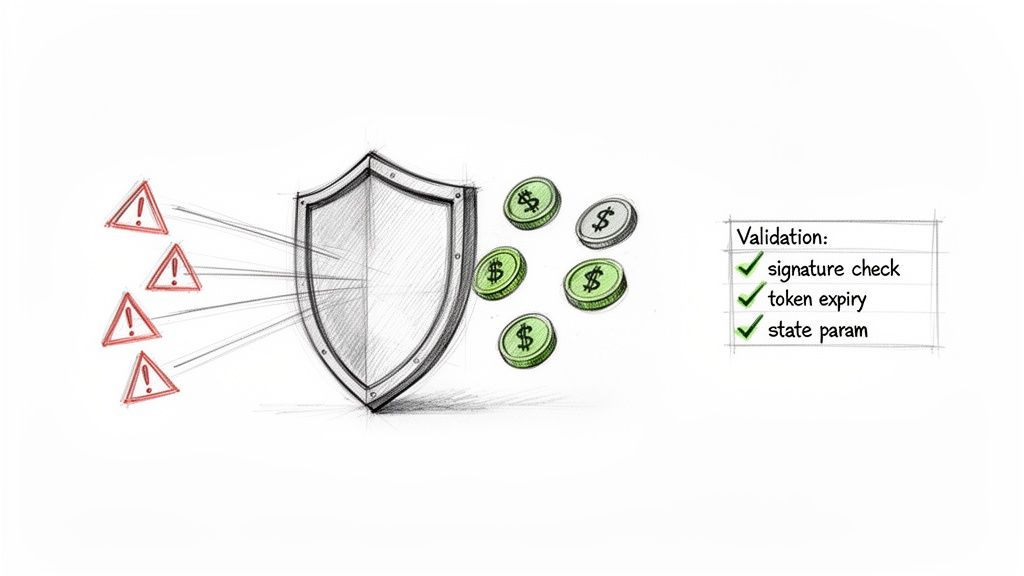
While SSO single sign on is a massive security upgrade, a poorly configured integration can swing the door wide open to a whole new set of risks. The magic of SSO relies on a secure, trusted handshake between your app and the Identity Provider (IdP). If you don’t validate every single part of that handshake, you’re not just leaving the door unlocked—you’re practically holding it open for attackers.
A botched implementation can honestly be worse than having no SSO at all. Recent security incidents have shown that weaknesses in SAML implementations can let attackers waltz right past authentication, sometimes with completely fabricated credentials. The goal is to build an integration that trusts the IdP’s message but verifies it like a bouncer checking IDs on a Saturday night.
This means treating every piece of data coming from the IdP with a healthy dose of scepticism until you’ve confirmed its authenticity and integrity. Let’s walk through the essential checks you need to make to harden your SSO integration.
Validate Everything, Always
Your number one rule should be this: never implicitly trust incoming SSO data. Every assertion, token, and signature must be cryptographically verified before you even think about granting access. This part is completely non-negotiable.
Here are the critical validation steps you must perform for every single SSO login attempt:
- Verify the Signature: The SAML assertion or OIDC ID token will be digitally signed by the IdP. You must use the IdP’s public key to confirm this signature is valid and that the data hasn’t been messed with in transit.
- Check the Audience: The assertion specifies who it’s intended for (the “audience”). Make sure this perfectly matches your application’s unique identifier. This stops an assertion meant for another service from being sneakily used to access your app.
- Confirm the Recipient: Similarly, check that the recipient URL in the assertion matches your app’s endpoint. This prevents an attacker from redirecting a valid assertion to a malicious listener they control.
- Enforce Timestamps: Assertions have a “NotBefore” and “NotOnOrAfter” timestamp. Your system must reject any assertion used outside this valid time window to shut down replay attacks, where an old, stolen assertion is used again.
Stop Common Attack Vectors
Beyond basic validation, you need to actively defend against specific, common attack patterns that target SSO flows. Think of these as adding extra locks and an alarm system to your digital front door.
A classic vulnerability is the Cross-Site Request Forgery (CSRF) attack within an OAuth or OIDC flow. To stop this dead in its tracks, you must use the state parameter. This involves generating a random, unpredictable string before redirecting the user to the IdP, and then verifying that the exact same string is returned after authentication.
Think of the
stateparameter as a secret handshake. Your app whispers a secret phrase to the user’s browser, and if the browser doesn’t repeat that exact phrase back after logging in, you know something fishy is going on and slam the door shut.
Another critical step is setting short expiration times for access tokens and sessions. An attacker might compromise a user’s machine and steal an active token. By keeping token lifetimes short (say, 15-60 minutes), you dramatically shrink the window of opportunity for that stolen credential to be used.
To make sure your SSO integration is truly robust, consider adopting industry-standard measures like these 10 Essential Website Security Best Practices. Getting security right is a continuous process of validation and vigilance.
Common Questions About SaaS SSO (And Straight Answers)
Even after getting the hang of the protocols and benefits, founders usually have a few lingering questions when it comes time to actually build SSO into their product. Let’s tackle the common ones and clear up any confusion so you can move forward.
Can I Offer Social Logins and Enterprise SSO at the Same Time?
Absolutely. In fact, you should. Offering both “Login with Google” and enterprise SSO is the gold standard for modern SaaS apps. They simply serve different types of customers.
Social logins (using OIDC) are brilliant for individual users, freelancers, and small teams who just want a quick, password-free way to sign up. Enterprise SSO (usually with SAML) is the non-negotiable for larger organisations with a central IT department calling the shots. A good authentication setup lets you offer both on your login page, creating a smooth experience for everyone from a solo founder to a massive corporate client.
How Much Is This SSO Thing Going to Cost Me?
The cost of adding SSO can swing wildly depending on how you go about it. If you grab a self-hosted open-source solution like Keycloak, you won’t pay for the software itself, but you’ll pay dearly in developer hours for the initial setup, security hardening, and ongoing maintenance.
The real cost of a self-hosted solution isn’t the software—it’s the massive engineering time and security weight you’re putting on your own shoulders.
Hosted providers offer a much more predictable path. Many have generous free tiers to get you started, with paid plans that scale up based on monthly active users or the number of enterprise connections you have. These can run anywhere from £20 to several hundred pounds per month as you grow. The real calculation is weighing that monthly fee against the developer headaches and security risks you get to sidestep.
A Customer Just Asked for SSO. What’s My First Move?
Your first move is to ask questions, not write code. When a potential customer says they need SSO, treat it as the beginning of a conversation to figure out what they actually mean before you promise anything.
Start with a few simple discovery questions:
- Which Identity Provider (IdP) are you using? (Is it Okta, Microsoft Entra ID, Google Workspace, etc.?)
- Which protocol do you need? (Are we talking SAML 2.0 or OIDC?)
- Do you need automated user provisioning? (This is a hint they might need something like SCIM.)
Getting this information is critical. It helps you accurately scope the work, pick the right implementation strategy, and give your potential customer an answer that shows you know what you’re doing.
Ready to streamline customer communication without the complexity or cost? HappyPanda combines email automation, feedback surveys, onboarding checklists, and more into one simple platform for bootstrapped founders. Get started for free at https://happypanda.ai.