
A good software bug report template isn’t just a document; it’s a structured conversation starter. It guides someone to provide clear, concise, and complete information about a software defect, usually covering the title, description, steps to reproduce, what should have happened versus what actually did, and environment details. Think of it as the cheat sheet developers need to squash bugs fast.
Why Better Bug Reports Mean Faster Fixes
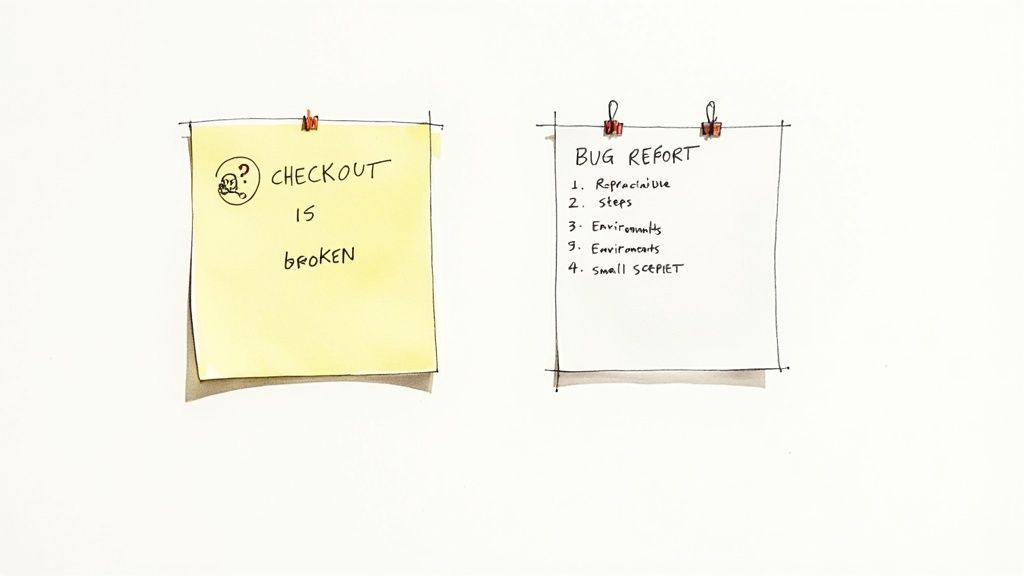
Let’s be real—a vague bug ticket simply titled “checkout is broken” helps absolutely no one. It’s the kind of report that sends a developer on a wild goose chase, wasting precious time trying to figure out what went wrong, where it happened, and how on earth to make it happen again.
This all-too-common scenario points to a critical truth in software development: the quality of a bug report directly dictates how fast it gets fixed. A standardised bug report template is more than just documentation; it’s a non-negotiable tool that bridges the communication gap between QA, support, and engineering.
The Real Cost of Vague Reports
When a developer gets an incomplete report, the back-and-forth interrogation begins. A flurry of emails, Slack DMs, and impromptu meetings follows, all to scrape together the basic information that should have been there from the start. This friction doesn’t just delay one fix; it throws a spanner in the works for the entire development workflow, pulling focus away from building new features.
A well-structured report, on the other hand, is a clear roadmap. It anticipates the developer’s questions and answers them upfront. This isn’t just about saving a few minutes; it builds a culture of clarity and mutual respect between teams, shifting the dynamic from frustration to collaboration.
A great bug report is a story a developer can follow to its logical—and fixable—conclusion. Vague reports are just mysteries without any clues, and nobody has time for those.
This isn’t just a local phenomenon. In Southeast Asia’s booming software industry, for example, structured templates are crucial for maintaining quality while managing development costs that are 50-70% lower than in the West. Precise bug documentation ensures cost-effective quality control, making it an essential investment for teams of all sizes.
Building a Smarter Workflow
Putting a consistent template in place does more than just organise information. It creates a predictable, efficient system for spotting, documenting, and resolving issues. Over time, this simple practice leads to some pretty great outcomes:
- Less Friction: Developers get what they need immediately, which means less guesswork and fewer follow-up questions.
- Faster Fixes: Clear, reproducible steps mean bugs get squashed on the first try far more often.
- Better Communication: A shared format ensures everyone speaks the same language, whether they’re in QA, support, or development. It’s a key part of closing the feedback loop.
- A More Stable Product: At the end of the day, fixing bugs faster means a more reliable and enjoyable product for your users.
Adopting a solid software bug report template isn’t about creating more paperwork. It’s a strategic move to build a smarter, more efficient development cycle from the ground up.
The Core Components of a Perfect Bug Report
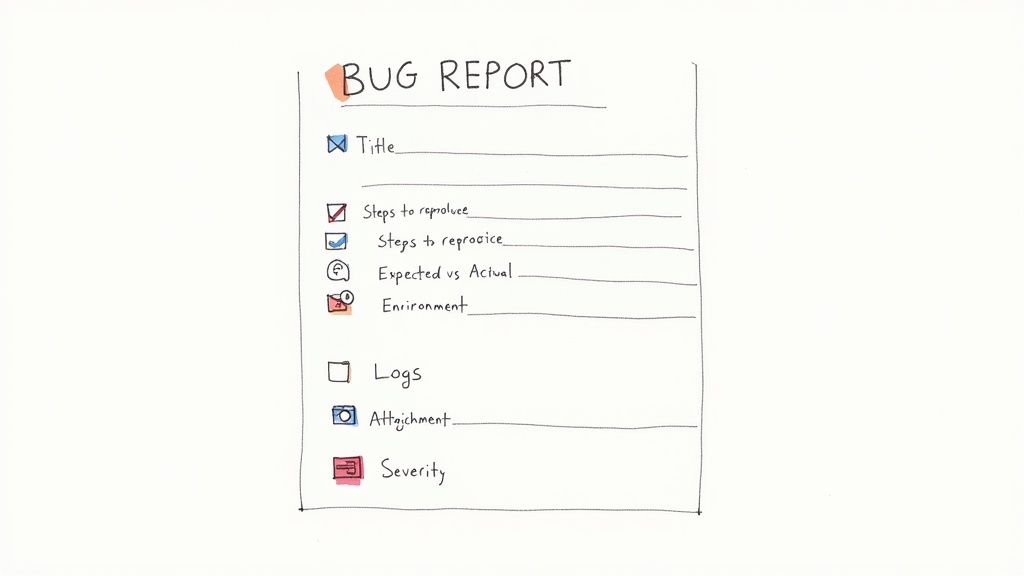
A truly great bug report is more than just a complaint—it’s a roadmap that leads a developer straight to a solution. The goal is to lay out the issue with such precision that an engineer can understand, replicate, and crush the bug efficiently, often on the first try. Let’s dissect the anatomy of a report that actually gets things fixed.
Every solid report kicks off with a clear, concise title. This isn’t the place for vague frustrations; it needs to summarise the exact problem. Think of it as a headline that instantly tells a developer where to look and what’s gone wrong.
- A bad title: “Login is broken”
- A much better title: “[Login] User Receives 404 Error After Submitting Valid Credentials”
See the difference? That simple change transforms a mystery into a specific, actionable task.
Steps to Reproduce the Issue
This is, without a doubt, the most critical part of any software bug report template. You need to provide a clear, numbered list of the exact actions you took to trigger the bug. Always assume the developer has zero context and guide them step-by-step from the very beginning.
For instance, don’t just say “I searched for a product.” Instead, spell it out:
- Navigate to the homepage.
- Click the search bar in the top navigation.
- Type “Premium Widget” and press Enter.
- The page hangs and never loads results.
This level of detail eliminates all the guesswork. If you can, it’s also incredibly helpful to note how often it happens, like “This occurred 5/5 times I tried.”
Essential Fields in a Bug Report
To make sure nothing gets missed, it helps to think of a bug report as a checklist of essential information. Each field has a distinct job to do, and together, they give developers a complete picture of the problem.
Here’s a quick-reference table breaking down the core components and why each one is so critical for effective debugging.
| Field Name | Purpose | Why It’s Essential |
|---|---|---|
| Title | A brief, descriptive summary of the bug. | Instantly tells the team what the issue is and where it’s located. |
| Steps to Reproduce | A numbered, step-by-step guide to trigger the bug. | This is the most critical part; it allows developers to see the bug for themselves. |
| Environment | Details like browser, OS, device, and versions. | Narrows down the cause, as bugs can be specific to certain setups. |
| Expected Result | What should have happened. | Clearly defines the correct behaviour of the software. |
| Actual Result | What actually happened. | Explicitly states the failure, removing any ambiguity. |
| Attachments | Screenshots, videos, or console logs. | Visual evidence is undeniable and provides crucial context. |
| Severity/Priority | An assessment of the bug’s impact on users and the business. | Helps the team prioritise what to fix first. |
By consistently including these fields, you’re not just reporting a problem—you’re actively contributing to a faster, more effective solution.
Defining the Environment
Sometimes a bug is a phantom, only appearing under very specific conditions. That’s why including environment details is non-negotiable. A tiny version difference in a browser or OS can be the root cause of a show-stopping bug.
Your report must always include:
- Browser and Version: e.g., Chrome 125.0.6422.113
- Operating System: e.g., macOS Sonoma 14.5
- Device Type: e.g., MacBook Pro M2, Samsung Galaxy S23
As enterprises across Southeast Asia adopt more cloud-driven solutions, the complexity of potential bugs only increases. This makes template-driven reports indispensable for maintaining a competitive edge. You can learn more about how detailed reporting impacts software development in the region.
Remember: a bug that developers can’t reproduce is a bug they can’t fix. The environment details are your best tool for ensuring they can see exactly what you saw.
Expected vs. Actual Results
This simple section creates a powerful contrast between what the software should do and what it’s actually doing. It explicitly defines the failure in a way that’s impossible to misinterpret.
- Expected Result: “After clicking ‘Add to Cart’, a success notification appears and the cart icon updates to show 1 item.”
- Actual Result: “After clicking ‘Add to Cart’, nothing happens. No notification appears and the cart remains empty.”
This straightforward pairing removes all ambiguity about the nature of the problem.
Attaching Relevant Evidence
Visual proof is invaluable. A picture—or even better, a video—can communicate more in a few seconds than paragraphs of text ever could. You should always attach supporting evidence if you can.
- Screenshots: Use an annotation tool to draw a box or arrow highlighting the specific broken element.
- Video Recordings: A short screen recording showing the steps to reproduce is the absolute gold standard.
- Console Logs: For web-based issues, browser console logs can hand developers the technical error messages that pinpoint the source of the problem.
By including these core components, you move beyond just reporting a problem and become an active participant in finding the solution.
Bug Report Templates for QA, Devs, and Support
Not all bug reports are created equal. Far from it. The person reporting the bug has a completely different perspective and goal depending on their role.
A QA tester’s mission is forensic detail, leaving no stone unturned. A developer just needs to quickly flag an issue for a teammate. A support agent is trying to accurately capture a user’s frustrating experience. This is why a one-size-fits-all bug report template just doesn’t work.
To really speed things up, you need templates built for the job at hand. Here are three distinct, copy-paste-ready templates designed for QA testers, developers, and customer support teams, each with a realistic example.
The Meticulous QA Tester Template
QA professionals are the detectives of the software world. Their reports need to be exhaustive, leaving zero room for ambiguity. This template is built for maximum detail, giving developers everything they need to reproduce and analyse the issue without a single follow-up question. Think precision.
Copy-Paste QA Template:
Bug Title: [Brief, Specific Summary of the Bug] Reported By: [Your Name] Date: [Date of Discovery] Severity: [Critical / Major / Minor / Trivial] Priority: [High / Medium / Low]
Environment Details:
- Application Version:
- Browser/Version:
- Operating System:
- Device:
- Screen Resolution:
- Logged-in User Role:
Steps to Reproduce:
- [First clear, concise action]
- [Second action]
- [And so on…]
Expected Result: [Describe what should have happened.]
Actual Result: [Describe what actually happened.]
Attachments:
- [Link to screen recording]
- [Link to annotated screenshot]
- [Link to console logs/network requests]
Additional Notes: [Any other relevant context, such as reproducibility rate (e.g., Occurs 10/10 times).]
The Streamlined Developer Template
When a developer stumbles upon a bug mid-flow, the reporting process needs to be lean and fast. This template is designed for quick, internal logging between peers who already share deep technical context. It cuts straight to the chase, focusing on the technical guts needed for a rapid fix without all the formal overhead.
Copy-Paste Developer Template:
Issue: [Brief Title - e.g., Null pointer exception in PaymentService] Component: [e.g., API, Frontend, Database] Branch: [Git branch where the bug was found]
Description: [A short technical summary of the problem and its suspected cause.]
Reproduction Steps: [Minimal steps or code snippet to trigger the bug.]
Error Log/Stack Trace: [Paste relevant error output here.]
To keep documentation consistent across your projects, it’s worth exploring various software documentation templates for inspiration. This helps ensure even your quick internal notes maintain a useful, predictable structure.
The User-Focused Support Template
Customer support agents are on the front lines, translating user frustration into something actionable for the technical team. This template is designed to capture the user’s experience clearly, without asking them to be a tech expert. The focus here is on empathy and clear communication, making sure the user’s voice is heard loud and clear. Its structure is quite similar to what you’d find in a good sample customer feedback form template.
Copy-Paste Support Template:
Ticket ID: [Customer Support Ticket Number] Customer Email: [User’s Email] Reported On: [Date]
Summary of User’s Problem: [In plain language, describe the issue from the user’s perspective.]
User’s Goal: [What was the user trying to accomplish?]
Key User Quotes: [“Paste a direct quote from the user’s message here.”]
Environment (if available):
- Browser/Device: [As reported by the user or system]
Actions Taken:
- [Any troubleshooting steps you took with the user.]
Attachments:
- [Screenshot or video provided by the user.]
Pro Tip: When filling out a support template, always try to capture the emotional impact on the user. Mentioning that a customer was “extremely frustrated” because a bug blocked their purchase adds critical business context that helps prioritise the fix.
Here’s the rewritten section, crafted to sound like an experienced human expert and match the provided examples.
Writing Reports That Actually Get Fixed
A slick bug report template is a great starting point, but it’s the quality of the information inside that really moves the needle. Knowing how to write a report that grabs a developer’s attention is what separates a ticket that’s fixed in a few hours from one that gathers dust in the backlog for weeks.
It all starts with a sharp, specific title. That’s the first thing an engineer sees, so it needs to perfectly summarise the problem. A vague title like “Button Broken” is a one-way ticket to the bottom of the pile. But “Submit Button Unresponsive on iOS Safari”? Now you’re talking. That gives the engineer immediate context and a clear direction.
Focus on One Bug Per Ticket
Look, I get it. It’s tempting to cram a few small issues into a single report, especially if they feel related. Don’t do it. My advice? Resist that urge with everything you’ve got.
Every single report should focus on one single, reproducible bug. This keeps ownership clear, makes tracking a breeze, and leads to a much cleaner resolution. When you start mixing a typo, a broken link, and a layout glitch into one ticket, it just becomes a messy, confusing headache that’s impossible to prioritise. Far better to create three small, precise reports than one big, chaotic one.
A seasoned QA lead once told me, “Treat every bug report like a surgical tool, not a sledgehammer. One tool, one specific job.” That mindset has stuck with me ever since, because it’s all about precision and speed.
The Magic of Reproducibility
Before you even think about hitting that “submit” button, you have to—and I can’t stress this enough—confirm you can reproduce the bug yourself. If you can’t make it happen a second time, a developer has almost no chance. I always try to trigger it two or three times just to be sure I understand the exact conditions required.
This one simple step saves an incredible amount of back-and-forth and proves the issue isn’t just some random, one-off glitch. It gives your report instant credibility.
And it’s not just a gut feeling; the data backs this up. A 2023 study that dug into over 660,000 bug reports found that well-structured tickets with clear steps-to-reproduce and rich context drastically improve the whole triage process. Detailed reports aren’t just a nice-to-have; they’re a proven way to make the entire development cycle smoother. You can read more about how structured data improves bug classification if you want to geek out on the details.
From Vague to Valuable: A Quick Makeover
Let’s see this in action. Here’s how you can transform a truly awful bug report into something a developer will actually thank you for.
The “Before” (a.k.a The Useless Report):
- Title: Can’t log in
- Description: I tried to log in and it didn’t work. The page just refreshed. This is blocking me.
This report is missing, well, everything. No environment, no steps, no clarity. It’s pure noise.
The “After” (a.k.a The Roadmap to a Fix):
- Title: [Login] User Redirected to Same Page on Failed Login Attempt
- Description: After entering an incorrect password on the login page, the user is redirected back to the login page without any error message indicating what went wrong.
- Steps:
- Navigate to the login page.
- Enter a valid username.
- Enter an incorrect password.
- Click the ‘Log In’ button.
- Expected: An error message like “Incorrect password” should appear.
- Actual: The page reloads with no error message.
See the difference? The “after” version is a crystal-clear roadmap to a fix. Master these simple habits, and you’ll turn your bug reports from inbox clutter into powerful tools that help your team build better software, faster.
How to Automate Your Bug Reporting Workflow
A world-class bug report template is pretty useless if it’s gathering dust in a document no one ever opens. The real magic happens when you wire that process directly into the tools your team lives in every single day. This is how you stop talking theory and start building a slick, automated system.
Automating this workflow means you can instantly flip user feedback or a QA flag into an actionable ticket. Instead of someone manually copy-pasting info from a form into a Linear ticket, the data just flows—along with all the juicy technical context. That simple shift gets rid of manual data entry, which isn’t just slow, it’s a recipe for human error.
Connecting Your Tools for a Seamless Pipeline
The trick is to build a direct pipeline from your reporting tool to your project management software. You could, for instance, set up a tool like HappyPanda to shoot structured bug reports straight into a specific Linear project or a dedicated Slack channel.
This creates an unbreakable chain of information. A user spots a bug, submits it through a widget, and moments later, a perfectly formatted ticket pops up for the engineering team, already packed with environment details, console logs, and the user’s comments.
This simple workflow is the core of a good report, and automation is what makes it stick.
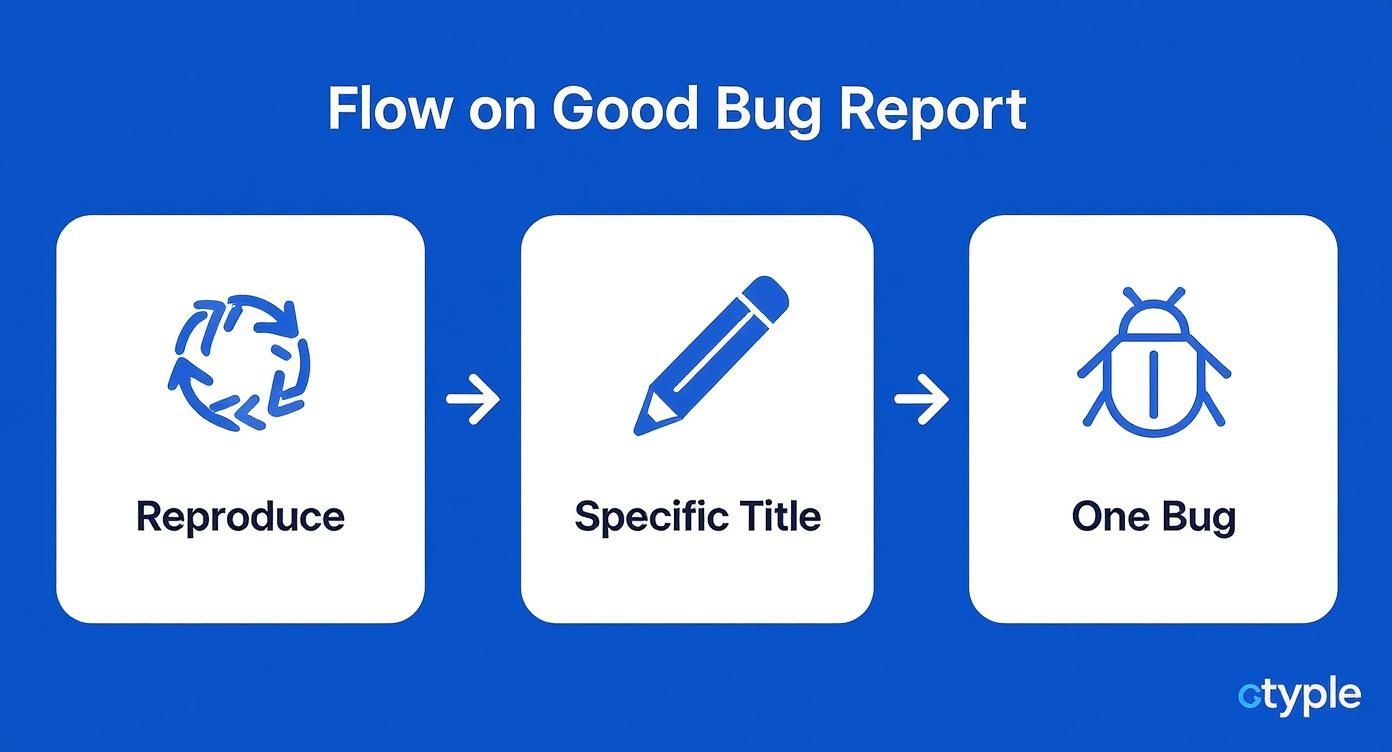
As the diagram shows, automation helps standardise the most vital steps for every single report: ensuring it’s reproducible, clear, and focused.
This level of integration is a must-have for modern teams. You can get a feel for how different tools plug into existing workflows by checking out Screenask’s integration capabilities, which really highlights the power of a connected ecosystem.
Why Integration Is a Game-Changer
When your bug reporting is automated, you unlock some seriously powerful perks that go way beyond just saving a few minutes here and there.
- Instant Triage: Reports land in front of the right people immediately. This drastically cuts down the time from discovery to fix.
- Guaranteed Consistency: Every single report follows the same format, making sure developers always get the full picture without having to ask.
- Richer Data: Automated tools are brilliant at grabbing technical metadata—like browser version, OS, and screen resolution—that a user would never know how to find.
By wiring your systems together, you’re not just shuffling data around. You’re building a feedback engine that speeds up your entire development cycle and makes sure no critical bug ever falls through the cracks.
For teams looking to build an even more robust system, brushing up on the principles of software defect tracking provides a solid foundation for taking this automated process to the next level. Ultimately, a well-integrated workflow ensures that every piece of feedback is a valuable asset, not an administrative headache.
Got Questions About Bug Reporting? We’ve Got Answers.
Even with the perfect bug report template, you’re bound to run into some grey areas. It happens to everyone. Let’s clear up some of the most common questions that pop up, so your team can spend less time guessing and more time shipping fixes.
Getting these details right isn’t just about filling out a form—it’s about refining your entire quality assurance process.
How Much Detail Is Too Much?
This is a classic. You want to be helpful, but you don’t want to write a novel that no one has time to read. So, what’s the sweet spot?
There’s definitely a balance to be struck. The goal is to give a developer everything they need to reproduce the bug and understand its context, without overwhelming them. A good rule of thumb? Stick to the objective facts and leave out personal speculation about what you think is causing the issue.
Just focus on what you did, what you expected to see, and what actually happened. If you have massive log files to share, don’t paste them directly into the description. That’s a surefire way to make a developer’s eyes glaze over. Instead, attach them as a separate file. Our templates are designed to guide you toward providing all the essential info without any of the extra noise.
What’s the Real Difference Between Severity and Priority?
Ah, the age-old severity vs. priority debate. This is a massive point of confusion, and getting it wrong can seriously derail prioritisation meetings. Though they sound like they could be cousins, they serve two completely different functions in the world of bug triage.
Severity is all about the bug’s technical impact on the system. Priority is about how urgently it needs a fix based on its business and user impact.
Let’s make that crystal clear with a real-world example:
- Imagine a nasty database error that only occurs on an internal, admin-only page. It’s a high-severity issue because it’s technically critical. But since it affects exactly zero customers, it’ll probably get a low priority.
- On the flip side, a simple typo on your homepage is a low-severity bug. Technically, it’s not breaking anything. But because it impacts every single visitor and makes the brand look a bit sloppy, it’s getting a high priority ticket, no question.
What Do I Do with Bugs I Can’t Consistently Reproduce?
Ugh, intermittent bugs. They’re the ghosts in the machine and a developer’s worst nightmare. But just because you can’t make them appear on command doesn’t mean you should ignore them. They absolutely need to be reported.
When you stumble upon one of these phantoms, your documentation becomes even more crucial.
Report it with every bit of information you have, but make sure to clearly state that the issue is intermittent. Try to document its approximate frequency—something like, “This seems to happen roughly 1 in every 10 attempts.” Provide as much context as you possibly can about the times it did happen. Were you on a spotty Wi-Fi connection? Was the app under a heavy load? These seemingly small details can be the exact clues a developer needs to spot a hidden pattern and squash that bug for good.
Ready to stop chasing down information and start fixing bugs faster? HappyPanda makes it dead simple to capture perfectly formatted bug reports, complete with technical data, directly from your website or app. See how it works at HappyPanda.