
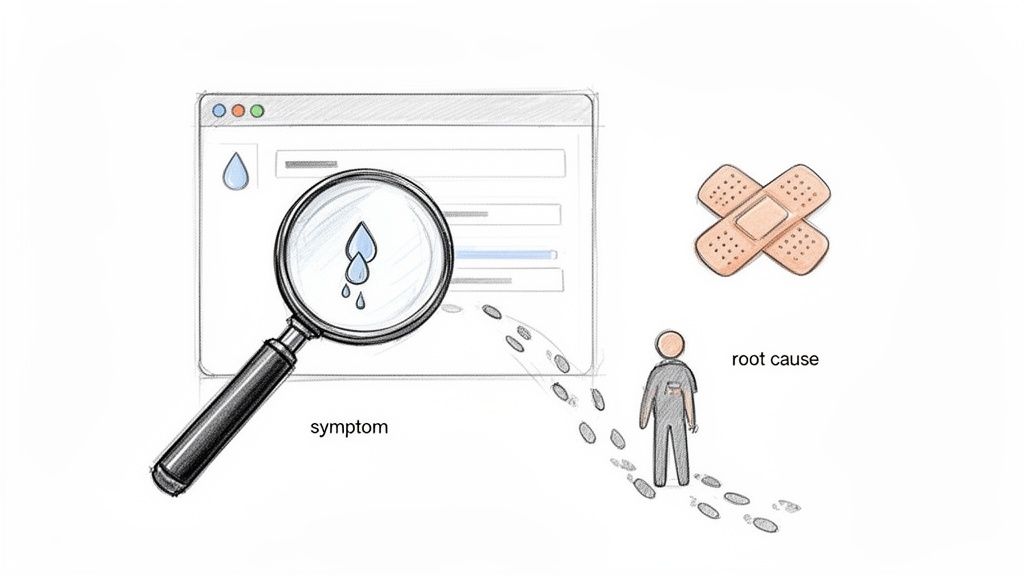
Imagine your SaaS is a high-performance vehicle. When a warning light flashes—maybe a sudden spike in user churn or a feature that’s on the fritz—you’ve got two choices. You can either slap a bit of tape over the light and hope for the best, or you can pop the bonnet and figure out what’s actually wrong. That second option? That’s Root Cause Analysis (RCA). It’s the diagnostic work that helps you find the faulty wire instead of just ignoring the dashboard.
Beyond Band-Aids: Why RCA Is Your Most Important Tool
When something breaks in your product, the pressure is always on to fix it—and fix it fast. A user can’t log in? Push a quick patch. A new feature is confusing people? Just add a tooltip.
While these moves solve the immediate pain, they’re often just band-aids on a much deeper wound. They address the symptom, not the disease. This constant cycle of reactive fixing chews up valuable engineering hours and, bit by bit, erodes the trust your users have in you.
RCA flips this entire mindset on its head. It’s a structured investigation designed to uncover that single, underlying issue that, if you fix it properly, will stop the problem from ever happening again. It’s the difference between giving a discount to a churning customer and fixing the confusing onboarding flow that made them want to leave in the first place.
The True Cost of Ignoring the Root Cause
For bootstrapped founders and small SaaS teams, ignoring the root cause isn’t just inefficient; it’s a genuine threat to survival. Every minute your team spends on recurring issues is a minute they’re not spending on growth.
The consequences of these surface-level fixes pile up faster than you’d think:
- Wasted Engineering Hours: Your developers get trapped in a frustrating loop, fixing the same kind of bug over and over again because the foundational issue is never addressed.
- Increased Support Tickets: When the core problem sticks around, your support team is forced to answer the same questions day in and day out, driving up operational costs.
- Silent Churn: Here’s the scary part—most users won’t complain. They’ll just get frustrated with persistent little issues and quietly cancel their subscriptions.
- Damaged Reputation: A product that gets known for being buggy or unreliable will always struggle to attract and keep high-value customers.
A focus on root cause analysis isn’t some corporate luxury; it’s an essential survival skill for building a resilient, customer-centric product that can scale without crumbling under its own weight.
A Game-Changer in Competitive Markets
This disciplined approach is especially critical in fast-growing tech hubs. Take Southeast Asia’s booming tech startup ecosystem, for instance. Root cause analysis has become a key differentiator for SaaS companies trying to manage operational failures while growing at breakneck speed.
A recent study found that SaaS teams holding weekly RCA sessions cut their downtime by 35%. For bootstrapped products, that saved an average of $15,000 per incident in lost MRR. You can discover more insights about the Southeast Asian tech startup ecosystem and its trends in this report.
Ultimately, adopting root cause analysis is about building a more sustainable and profitable business. It transforms your team from firefighters, constantly putting out preventable blazes, into architects who are busy designing a stronger, more reliable foundation for your product. This guide will give you the practical tools and workflows to become that product detective.
Choosing Your Detective Toolkit: Key RCA Methods Explained
Every problem in your SaaS is a little mystery, and a good detective knows you can’t solve every case with the same tool. Root cause analysis is all about having a few specialised techniques ready to go, so you can pick the right one for the job without overcomplicating things. Think of it as knowing when to pull out a magnifying glass versus when you need to map out the entire crime scene.
Let’s break down the three most effective root cause analysis methods for agile SaaS teams. We’ll skip the dry, academic theory and get straight to how you can actually use them.
The 5 Whys: Your Quickest Path to Clarity
Picture this: a user reports a simple, recurring bug. The 5 Whys technique is your go-to for drilling down to the core issue, fast. It’s an elegantly simple method where you just keep asking “Why?” to peel back the layers of symptoms until you land on the real problem.
It’s like a child constantly asking “why?”—a bit annoying on a long car ride, but incredibly effective for an investigation. This approach is perfect for straightforward problems where the cause-and-effect chain isn’t a tangled mess.
Here’s a quick SaaS example: a user can’t export their report.
- Why? The “Export” button is greyed out.
- Why? The system thinks their trial has expired.
- Why? Their trial end date in the database is set to yesterday.
- Why? A nightly script that extends trials for active users failed to run.
- Why? The script failed because of an expired API key.
Boom. The symptom was a disabled button, but the root cause was an expired API key. You’ve just found the real fire to put out, preventing it from hitting dozens of other users.
The Fishbone Diagram: Mapping Complex Problems
Sometimes, a problem isn’t a straight line; it’s a web of possibilities. When you’re facing something messy like a sudden drop in trial conversions or a spike in support tickets, a simple “why” just won’t cut it. This is where the Fishbone Diagram, also known as an Ishikawa Diagram, becomes your new best friend (and your whiteboard’s).
This visual tool helps your team brainstorm all the potential causes and group them into logical categories. The “head” of the fish is the problem (e.g., “Trial Conversions Dropped by 20%”), and the “bones” are categories of things that could have gone wrong.
The Fishbone Diagram forces you to look beyond the most obvious culprit. It encourages a structured brainstorm, ensuring no stone is left unturned when multiple factors could be at play.
For a SaaS team, these categories might include:
- Product: Was there a recent feature regression or a confusing UI change?
- People: Is the support team overwhelmed or is there a gap in the docs?
- Process: Did a tweak in the onboarding email sequence backfire?
- Promotion: Did a new marketing campaign attract lower-quality leads?
- Pricing: Is a recent price adjustment causing friction?
By mapping it all out, you can investigate each branch methodically instead of jumping to the first conclusion that comes to mind.
Fault Tree Analysis: For Nailing Technical Regressions
When you’re dealing with a nasty technical failure at the system level, you need a more rigorous, logical approach. Fault Tree Analysis (FTA) is a top-down, deductive method that lets you map out the logical relationships between a failure and all its potential causes. It’s perfect for pinpointing the source of a critical software defect.
If you want to get a better handle on managing these kinds of issues, exploring effective strategies for software defect tracking can give you the right context and tools.
FTA uses Boolean logic (think AND, OR, NOT gates) to build a visual diagram. You start with the big problem at the top—for example, “User data failed to save”—and work your way down through all the potential contributing events.
This method really shines when you need to understand how multiple small failures might combine to create one massive system-level headache. It helps engineering teams trace complex regressions back to a specific line of code, a faulty API integration, or a database configuration error. It’s definitely more intensive than the 5 Whys, but for ensuring the reliability of your most critical features, it’s exceptionally powerful.
Matching The RCA Method To Your SaaS Problem
Feeling a bit overwhelmed by the options? Don’t be. Choosing the right tool is half the battle. This quick-reference table should help you match the detective technique to the mystery you’re trying to solve.
| Problem Type | Recommended RCA Method | Best For… | Example |
|---|---|---|---|
| Simple, everyday bugs & process failures | The 5 Whys | Quickly identifying a single root cause in a linear chain of events. | A user’s report export is failing. |
| Complex issues with multiple potential causes | Fishbone Diagram | Brainstorming and organising all possible factors contributing to a problem. | A sudden 15% drop in user engagement. |
| Critical system failures & technical regressions | Fault Tree Analysis | Logically mapping how component failures lead to a top-level system issue. | The application’s payment gateway is timing out. |
| Unclear user experience or workflow issues | The 5 Whys | Understanding the “why” behind specific user actions or frustrations. | Users aren’t completing the onboarding checklist. |
| Slow software delivery or deployment bottlenecks | Fishbone Diagram | Investigating systemic issues across people, processes, and tools. | The time from code commit to production has doubled. |
Think of this as your cheat sheet. For simple hiccups, stick with the 5 Whys. When things get tangled, grab a whiteboard for a Fishbone Diagram. And for those hair-pulling system failures, the logical structure of a Fault Tree Analysis will be your guide.
A Step-By-Step RCA Workflow For SaaS Teams
Knowing the theory behind root cause analysis is great, but putting it into practice when you’re juggling a dozen other priorities is a different beast altogether. For busy SaaS teams and solo founders, what’s really needed is a clear, repeatable workflow that doesn’t require weeks of training. A solid process cuts out the guesswork and gets you from problem to solution without any detours.
This five-step workflow is designed to be lean, actionable, and ready to use right away, no matter the size of your team.
This visual flow shows how to approach a problem, analyse the contributing factors, and select the right tool for your investigation.
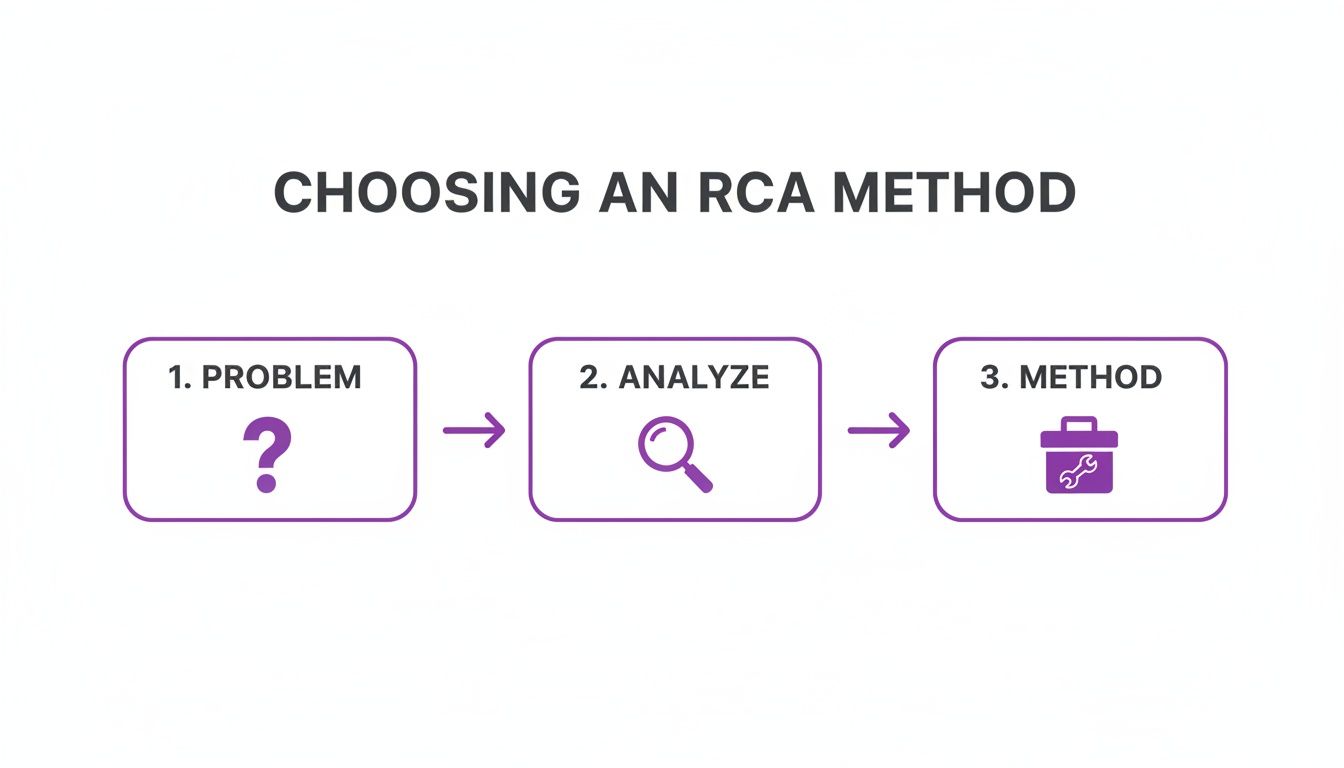
The key takeaway here is that a disciplined, step-by-step approach stops you from jumping to conclusions or, worse, pulling out a complex method for a simple problem.
Step 1: Define The Problem With Precision
This first step is the one everyone wants to skip, and it’s almost always a mistake. You simply can’t fix what you don’t fully understand. Vague statements like “user engagement is down” are dead on arrival—they’re impossible to solve. You need a precise, measurable problem statement to get anywhere.
For example, “Users are confused by the new feature” is a weak starting point. A much stronger one is: “Users are dropping off by 40% at the final step of the new project setup workflow, resulting in a 15% increase in support tickets related to ‘project setup’.”
See the difference? A precise definition gives your investigation a clear starting point and a finish line. You’ll know exactly what success looks like when you’ve nailed it.
Step 2: Collect The Right Data
With a sharp problem definition in hand, it’s time to gather the clues. The goal isn’t to collect all the data, but the right data. Don’t let yourself get bogged down in analysis paralysis; focus only on sources that relate directly to your problem statement.
Common data sources for SaaS teams include:
- User Feedback: Dig through support tickets, NPS comments, and survey responses from tools like HappyPanda.
- Product Analytics: Fire up tools like Mixpanel or Amplitude to watch user behaviour flows and pinpoint drop-off points.
- System Logs: Check server logs and error reports for any technical gremlins lurking in the system.
- Customer Interviews: For tricky issues, a quick 15-minute chat with an affected user can reveal more than hours of digging through data.
To keep everything organised, a simple spreadsheet can be your best friend. Create columns for the date, the data point, its source, and any initial thoughts. This gives you a single source of truth for the entire investigation.
Step 3: Identify All Potential Causes
Now for the fun part: brainstorming. Armed with your data, start listing every possible reason the problem could be happening. This is the perfect time to use one of the RCA methods we talked about earlier, like a Fishbone Diagram, to structure your team’s thoughts.
For our “project setup” problem, potential causes might range from a confusing UI element to a slow-loading page, a failed third-party integration, or just plain unclear instructions. Don’t filter anything yet—the goal is to get every possibility on the table.
Step 4: Pinpoint The True Root Cause
You’ve got a list of suspects. Now it’s time to find the real culprit. Work through your list of potential causes, using the data you collected to prove or disprove each one.
Does analytics confirm the page is loading slowly? Do the server logs show a recurring API error? Are users mentioning the same confusing button in their bug reports? This is also a good time to think about improving how you gather information in the first place—a structured bug report template can ensure you get the right details from the get-go.
The root cause is the one factor that, if removed, would prevent the problem from ever happening again. It’s the foundational issue, not just another symptom in the chain.
Step 5: Implement And Monitor Your Fix
Once you’ve confidently identified the root cause, you can implement a solution. This might be a code change, a UI redesign, or a simple update to your help documentation. A good rule of thumb is to prioritise fixes that deliver the biggest impact for the least effort.
But you’re not done yet. After deploying the fix, you have to monitor your key metrics to confirm the problem is actually solved. Did the user drop-off rate go down? Have the related support tickets dried up? This final step closes the loop and proves your root cause analysis was a success.
This systematic process is especially powerful in complex environments. For instance, in Southeast Asia, where firms often manage over 200 applications, RCA has been used to uncover significant operational waste. Research shows that by pinpointing 45% of cost leaks to redundant feedback tools, companies were able to consolidate platforms and cut expenses by 28%. You can learn more about these SaaS management findings from Cognitive Market Research. It’s clear proof that a methodical workflow delivers real, tangible benefits.
Real-World Investigations: SaaS Problems Solved With RCA
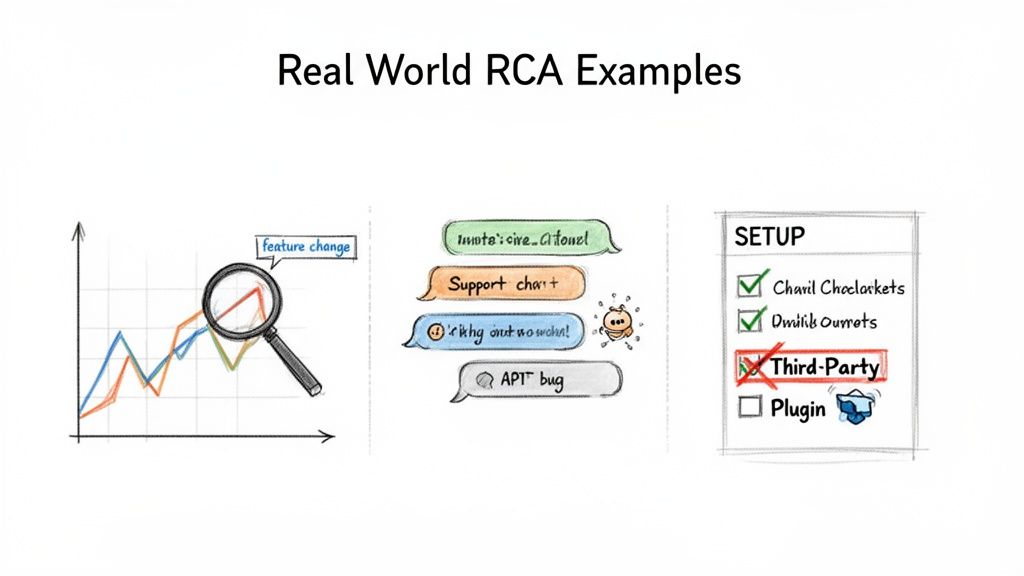
Theory is great, but the real magic of root cause analysis happens when you unleash it on the messy, real-world problems that blindside SaaS teams every day. Let’s put on our detective hats and solve three common mysteries to see how these techniques bridge the gap between user behaviour and your product’s health.
These aren’t just hypotheticals; they’re the kinds of nagging issues that can quietly sabotage a product’s momentum if you let them. By digging deeper, we shift from just putting out fires to actually reinforcing the foundations. Think of it this way: effective root cause analysis takes standard troubleshooting software problems and gives it a superpower—the ability to find and fix the real issue for good.
The Mystery Of The Sudden Churn Spike
You log into your dashboard one morning and your heart sinks. Churn has spiked by 15% in a single week. The most obvious symptom is a wave of cancellation emails hitting your inbox. Your first instinct might be to blast out a “please come back” discount, but that’s like putting a plaster on a leaking pipe. It won’t fix the hole.
Time to investigate. You head straight to your HappyPanda feedback widget and a pattern immediately jumps out. Recent NPS scores have taken a nosedive, and the detractors are all grumbling about the “new reporting dashboard.”
This is a perfect job for the 5 Whys.
- Why are users churning? Because they’re frustrated with the product.
- Why are they frustrated? Their NPS comments mention the new reporting dashboard is “confusing” and “a step backwards.”
- Why do they find it confusing? Diving into product analytics, you see heatmaps showing users frantically clicking where the old export button used to be before giving up. The new function is now hidden behind a settings icon.
- Why was it moved there? The redesign was meant to “clean up the interface,” but the design team just assumed everyone would know what the new icon meant.
- Why wasn’t that assumption caught? The feature shipped without a proper changelog announcement or an in-app tour, leaving your most loyal users completely lost.
Root Cause: The churn spike wasn’t caused by a bug. It was a poorly communicated UI change. The real fix isn’t rolling back the code; it’s building a better process for announcing product updates and guiding users through major changes.
This kind of thing happens all the time. In Southeast Asia’s booming SaaS market, for example, some companies saw churn hit 20-25% from unaddressed issues like poor changelog visibility. But when regional enterprise firms used RCA on their feedback loops, they cut NPS detractors by 32% after realising half of all bad scores stemmed from slow communication.
The Case Of The Overwhelmed Support Queue
You’ve just launched a powerful new integration. The team pops the champagne, but the celebration is short-lived. Within hours, the support queue is on fire. The problem is clear: “Support tickets for the new feature are up by 300%.” The complaints are all over the place—errors, confusion, data sync failures.
A simple 5 Whys approach won’t cut it here; there are too many moving parts. This calls for a Fishbone Diagram. You grab a whiteboard and start mapping out the potential culprits.
- Product: Is there a sneaky API bug? Is the UI for connecting the integration unclear?
- People: Did we train the support team properly on this? Are the help docs actually helpful?
- Process: Was the QA process rushed to meet the deadline? Did marketing set unrealistic expectations?
- Partners (External): Is the third-party API we’re using having downtime or throttling our requests?
As you investigate each “bone” of the fish, a tangled web starts to emerge. The data reveals a minor API bug is affecting about 10% of users. But user session recordings show a whopping 70% of users are getting stuck on the authentication step. The in-app guidance is too technical, and the help article is buried three clicks deep.
It turns out the root causes are a combination of a hidden API bug and confusing in-app guidance. Fixing just one wouldn’t have stemmed the tide of support tickets.
The Puzzle Of The Non-Converting Trial Users
Your SaaS product is attracting a healthy stream of trial sign-ups, but almost none of them are sticking around to become paying customers. The big-picture metric is a painful trial-to-paid conversion rate of just 2%. So, where’s the disconnect?
You start by looking at your onboarding checklist inside HappyPanda. The analytics tell a story: 85% of trial users bail on the process at the final hurdle: “Connect Your Data Source.”
Let’s bring back the 5 Whys to get to the bottom of this.
- Why aren’t users finishing the setup? They’re abandoning that very last step.
- Why are they giving up right at the end? It’s forcing them to connect a third-party tool.
- Why is that a problem for them? Feedback from user surveys reveals that many of them don’t use or have access to the specific enterprise-level tools you’re offering as integration options.
- Why did we only offer those big-name options? The product was originally built for enterprise clients, but our marketing is now attracting smaller businesses and solo entrepreneurs.
- Why haven’t we updated the onboarding for this new audience? Simple: our product roadmap hasn’t kept up with our marketing team’s success in attracting a completely different type of user.
The root cause is a fundamental mismatch between who we’re attracting and what our product demands during onboarding. The solution isn’t to tweak the UI; it’s to introduce simpler data import options—like a CSV upload or a Google Sheets integration—to welcome this new and growing user base.
From Analysis To Action: Automating Your Fixes
Uncovering the root cause of a problem is a huge win, but let’s be honest, it’s a victory that doesn’t count until you cross the finish line. An insight gathering dust in a report doesn’t help anyone. The real power of root cause analysis is what you do next—turning those hard-won insights into concrete, lasting fixes.
This is where you close the loop. It’s about building a system where your product doesn’t just get fixed, but actively gets smarter and more resilient over time. Instead of RCA being a one-off investigation you pull out when things go wrong, it becomes an ongoing engine for continuous improvement.
The goal here is to move beyond putting out fires manually. By connecting your analysis directly to action, you can build a self-improving product that anticipates user needs and nips problems in the bud before they ever escalate.
Building Automated Improvement Recipes
Think of the outcomes from your RCA as recipes. Each root cause you identify gives you the key ingredients for an automated workflow that can solve the problem at scale. Modern customer communication platforms are built for exactly this, letting you connect a trigger (the problem) to an action (the solution).
This approach transforms your RCA findings from static conclusions into dynamic, automated responses that work for you 24/7.
Here are a few powerful automation recipes you can set up today:
-
Problem: Your RCA reveals churn is linked to users getting stuck during onboarding.
- Automation: Create a workflow in HappyPanda that spots when a new user hasn’t completed a key checklist item within 48 hours. This can trigger a targeted email sequence offering help, linking them straight to a tutorial video or help doc. To dive deeper into proactive strategies like this, check out our guide on how to reduce customer churn.
-
Problem: Your analysis shows users on the pricing page often bail without signing up, which hints at pricing confusion.
- Automation: Set up a micro-survey to pop up automatically for anyone who spends more than 60 seconds on the pricing page without converting. Ask a simple question like, “Is our pricing clear? What’s one thing stopping you from signing up?”
-
Problem: You find out your happiest users (those with high NPS scores) are silent advocates who never leave reviews.
- Automation: Build a sequence that kicks in right after a user gives an NPS score of 9 or 10. Automatically send a personalised email asking if they’d be willing to share a testimonial, with a direct link to a simple submission form.
This automation builder inside HappyPanda shows just how simple it is to connect a trigger, like a survey response, to a specific action.
This visual workflow makes it easy to create rules that automatically ask your happiest customers for testimonials, turning positive feedback into powerful social proof without you having to lift a finger.
From Identification To Implementation
Once you’ve nailed down the root causes, successful fixes all come down to clear planning and accountability. To make sure solutions are actually implemented and tracked, you need a solid process. For teams coordinating these efforts, a well-structured action items meeting minutes template can be a surprisingly effective tool to assign ownership and keep tabs on progress.
The most mature SaaS teams don’t just solve problems; they build systems that prevent those same problems from happening again. Automation is the bridge between analysis and true, system-level improvement.
This proactive stance completely changes the game. You’re no longer just a detective solving mysteries after the fact. You become an architect, designing a product that intelligently guides users, gathers feedback at the perfect moment, and systematically smooths out friction. It’s how you build a product that feels intuitive, reliable, and deeply in tune with what your users actually need.
Building Your Root Cause Analysis Playbook
Okay, enough with the theory. Let’s get our hands dirty and put this stuff into practice.
For bootstrapped founders and indie hackers, root cause analysis isn’t some corporate luxury reserved for teams with endless resources. Think of it as a survival skill—it’s how you build a sustainable, competitive business from the ground up without wasting time or money.
You don’t need a complex system from day one. An agile, iterative approach to problem-solving is what helps you build a more robust, customer-centric product. The goal is simple, consistent progress, not immediate perfection.
Your RCA Starter Kit
To get started this week, use this lean, actionable checklist. It’s designed to help you build momentum without getting bogged down. This is all about making one small, tangible improvement right now.
-
Pick One Key Metric to Improve: Don’t try to boil the ocean. Seriously. Choose a single, measurable goal that actually matters to your business. Maybe it’s reducing trial-to-paid churn by 5%, or cutting support tickets for a specific feature by 10%. A narrow focus keeps the investigation manageable.
-
Choose Your Simplest Tool: Start with The 5 Whys. It’s fast, requires zero special software, and is perfect for drilling down into a single problem. This choice ensures you spend your precious time solving the issue, not debating which fancy methodology to use.
-
Gather Just Enough Data: Don’t get lost in spreadsheets. Take a quick look at your product analytics, read the last few support tickets, and check your HappyPanda survey responses. Collect only the data directly related to the metric you chose. A handful of truly insightful data points is far more valuable than a mountain of irrelevant information.
For a solo founder, a successful RCA might take an hour, not a week. The objective is to find a high-impact fix you can implement immediately, creating a tight feedback loop between insight and action.
-
Implement One High-Impact Fix: Your investigation should point to a few potential fixes. Identify the single change that will deliver the most value for the least effort. This could be as simple as rewriting a confusing tooltip, adding an extra step to your onboarding checklist, or clarifying a line of text on your pricing page. Whatever it is, ship it this week.
-
Announce the Improvement: Always close the loop with your users. It’s a huge missed opportunity if you don’t. Post a quick update in your changelog or send a brief, personal email. Announcing that you’ve listened to their feedback and made an improvement builds immense customer loyalty and shows your product is constantly getting better for them.
Your Root Cause Analysis Questions, Answered
Jumping into root cause analysis often brings up a few practical questions that guides don’t always cover. Let’s tackle some of the most common ones we hear from SaaS founders and their teams as they start putting RCA into practice.
How Much Time Should I Actually Dedicate to This?
If you’re a solo founder or running a lean team, the last thing you want to do is block out entire days for analysis. Don’t. The key is to start small and stay focused.
Set aside a 60-90 minute block once a week. Use that time to investigate just one high-impact problem. Maybe it’s the top reason people cancel their trials, or the support ticket that pops up over and over again. The goal here is progress, not perfection. A small, consistent investment in solving one real problem a week will compound beautifully over time, saving you from dozens of future headaches.
What Are the Most Common Mistakes to Avoid?
Even with the best intentions, it’s easy to trip up. If there’s one critical mistake to watch out for, it’s this: blaming individuals instead of processes. RCA is about finding systemic flaws—a confusing workflow, a blind spot in QA—not pointing fingers at a person.
A few other common pitfalls include:
- Stopping too soon: It’s tempting to halt at the first symptom, like “the server crashed.” But you have to keep asking “why?” until you hit the true cause, like “the monitoring script failed because of a silent dependency update.”
- Failing to act: Digging up a root cause is great, but if you never implement a fix, it’s just a fun fact. An insight without action is trivia.
- Ignoring the small stuff: We all let minor, recurring issues slide. But eventually, they snowball into a major outage or become a quiet, steady source of churn.
Can I Use RCA for Good Things, Too?
Absolutely. This is a powerful, and often overlooked, way to use RCA. Instead of asking, “Why did this break?” you get to ask, “Why did this work so incredibly well?”
Run an analysis on your biggest wins. Did that new feature launch blow past all engagement projections? Did a certain group of users convert at 3x the average rate? Use the exact same investigative techniques to unpack what went right. You might discover the “root cause” of your success was a particular onboarding email or a ridiculously clear UI change. Once you find it, you can replicate that magic across your entire product.
Turn your RCA insights into automated fixes with HappyPanda. Our all-in-one platform helps you collect feedback, identify root causes, and build workflows that improve your SaaS 24/7. Get started for free at https://happypanda.ai.