
A solid bug reporting template is more than just a form; it’s the bridge between a user’s frustration and a developer’s solution. It gives your team a structured way to document software defects, making sure every report is clear, complete, and actionable enough to get issues fixed fast. Think of it as translating vague complaints into a precise, ready-to-tackle to-do list.
Why Vague Bug Reports Are Killing Your Development Cycle
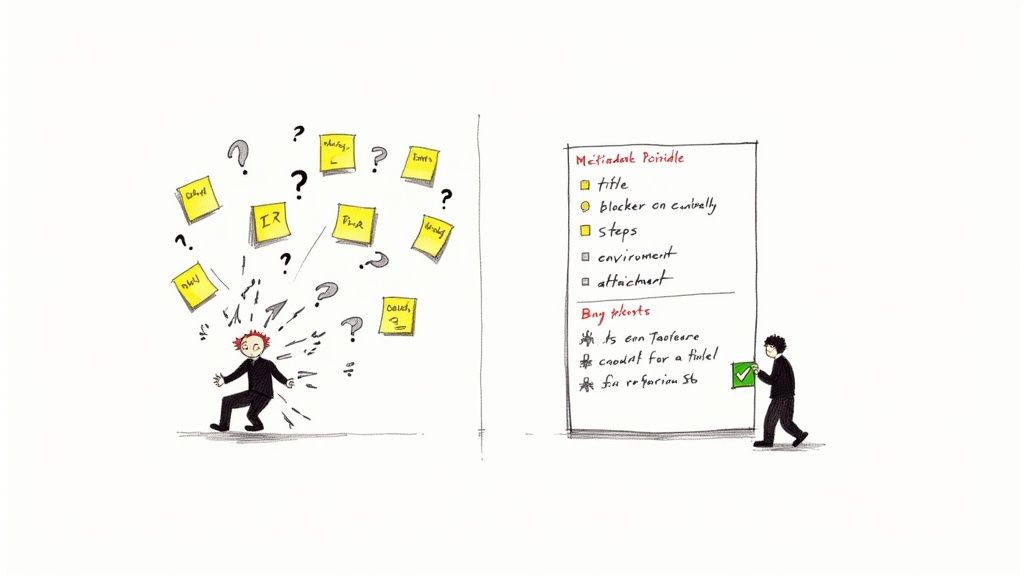
Before you just grab a template and call it a day, let’s get real about the cost of bad bug reports. We’ve all seen them. Inconsistent, unclear feedback doesn’t just slow things down; it quietly drains productivity and creates a painful amount of friction between your QA, product, and engineering teams.
Imagine a developer gets a ticket that just says, “The login button is broken.” That’s not a bug report; it’s a riddle. Now, the developer has to put on their detective hat and waste precious time hunting down the basics:
- Which login button are we talking about?
- What browser and OS were you on?
- What actually happened when you clicked it? An error? Nothing?
- Did you see any error messages?
- What were you expecting to happen?
This kicks off a painful back-and-forth that grinds everything to a halt. The developer pings the reporter, waits for a reply, and crosses their fingers that the new info is actually useful. It’s a total momentum killer that pulls engineers out of deep work and just breeds frustration.
The Hidden Costs of Ambiguity
The damage goes way beyond just wasted time. When critical details are missing, developers are forced to make assumptions. They might completely misunderstand the problem and ship a “fix” for the wrong thing. This means more rework, blown deadlines, and a backlog that seems to grow no matter how hard everyone works.
A poorly written bug report isn’t just a minor annoyance; it’s a direct tax on your development velocity. Every missing detail forces a context switch for your engineering team, pulling them away from building features and pushing them into endless clarification loops.
This kind of inefficiency has a real, measurable impact. By cleaning up your bug reporting process, you can directly lower your Mean Time to Resolution (MTTR)—a metric every high-performing engineering team obsesses over. When reports are crystal clear from the get-go, the clock on fixing the issue starts ticking much, much faster.
The Global Push for Better Reporting
This isn’t just a pet peeve of ours; it’s a global trend. In Southeast Asia, for example, the adoption of proper bug tracking templates has exploded alongside the region’s booming software scene. That market is expected to grow at a CAGR of around 17.18% from 2025 to 2033, largely thanks to the shift towards cloud-based bug tracking tools.
By establishing a clear bug reporting template, you’re swapping chaotic feedback for a streamlined workflow. You eliminate the guesswork, empower your developers to act immediately, and build a more collaborative and efficient team. It might seem like a simple document, but it’s the single most important first step toward shipping better software, faster.
Anatomy of an Actionable Bug Report
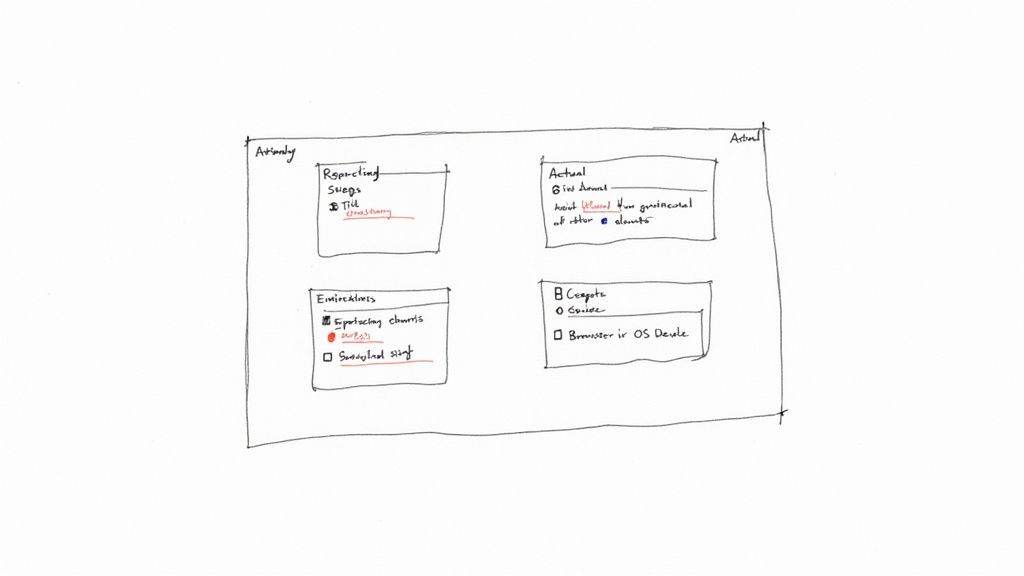
Let’s break down what separates a bug report that gets ignored from one that gets fixed instantly. A truly great report isn’t just a collection of fields; it’s a clear, concise story that gives a developer everything they need to find, understand, and squash a bug. Think of it as handing them a map and compass instead of just pointing vaguely in some direction.
Each piece of the report serves a purpose, working together to kill any ambiguity. The real goal here is to stop that dreaded email back-and-forth and let your engineers get straight to work. Getting this right is the secret sauce of any effective bug reporting template.
The All-Important Title
First impressions matter. The title is the very first thing a developer sees, so it needs to be a specific, scannable summary of the problem, not a vague cry for help. A solid title should let a developer grasp the issue in under five seconds.
- Bad Title: “Profile picture broken”
- Good Title: “[User Profile] - Profile picture upload fails with a 404 error on PNG files”
See the difference? The second one immediately tells the developer the feature area (User Profile), the action (upload), the outcome (404 error), and a critical condition (PNG files). That level of detail makes triage and assignment a piece of cake.
Expected vs Actual Behaviour
This is the heart and soul of any bug report. It clearly defines the gap between what should have happened and what actually did. This simple comparison is incredibly powerful because it removes all guesswork about the user’s intent and the system’s failure.
Be precise. “It didn’t work” is completely useless. Instead, describe the exact outcome you witnessed.
Here’s a real-world example:
- Expected Behaviour: After clicking the “Save Changes” button on the settings page, a green success notification should appear at the top of the screen, and the page should remain unchanged.
- Actual Behaviour: After clicking the “Save Changes” button, the page reloads, and all changes made are lost. No success notification appears.
This clarity provides a definitive success criterion for the fix. The bug is only truly squashed when the actual behaviour matches the expected one.
A well-crafted bug report is an act of empathy for your future self and your development team. The five extra minutes you spend adding detail now can save hours, or even days, of investigative work later.
Steps to Reproduce the Bug
Plain and simple: if a developer can’t reproduce the bug, they can’t fix it. This section must be a foolproof, step-by-step guide to triggering the issue. Number your steps and be painstakingly literal, assuming the reader has zero context.
Imagine you’re writing instructions for someone who has never used your application before. Every single click, input, and navigation matters.
- Navigate to the
/settings/profilepage. - Click the “Upload new picture” button.
- Select a PNG file larger than 5MB from the file picker.
- Wait for the upload to complete.
- Observe the console for a network error.
This sequence is unambiguous and testable. It gives the engineer a direct path to experiencing the bug for themselves, which is the single most important step in the debugging process.
Essential Environmental Context
Bugs often behave differently across various environments. A bug that pops up on Chrome for Windows might be non-existent on Safari for macOS. Without this context, developers are flying completely blind.
Including these details is non-negotiable. It’s the technical fingerprint of the issue, helping engineers narrow down the problem to specific platforms, devices, or browsers. Any good bug reporting template should automatically capture this data whenever possible.
Key Environment Details to Include:
- Browser and Version: e.g., Chrome 125.0.6422.113
- Operating System: e.g., macOS Sonoma 14.5
- Device Type: e.g., Desktop, iPhone 15 Pro
- Screen Resolution: e.g., 1920x1080
- App Version: e.g., v2.3.1-beta
Visual Evidence and Logs
A picture is worth a thousand words, and a video is worth a thousand pictures. Visuals turn an abstract problem into something concrete and undeniable. Annotated screenshots, screen recordings, and console logs are the ultimate proof.
They help developers see exactly what you saw, eliminating any chance of misinterpretation from written descriptions alone. These attachments often reveal subtle UI glitches or error messages that a user might not have thought to mention, turning a difficult-to-diagnose issue into an obvious fix.
Grab These Copy-Paste Templates for Your Team
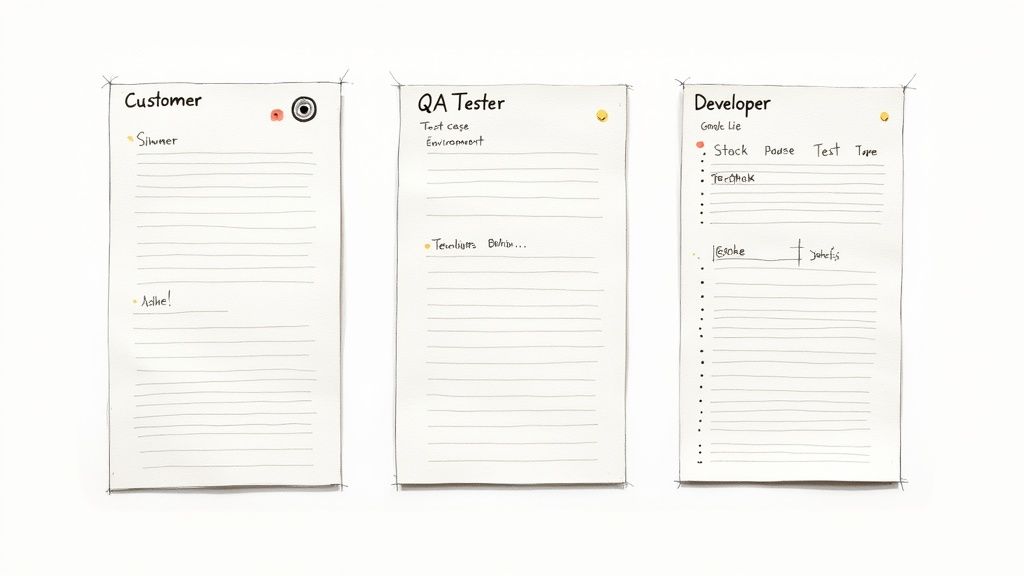
Knowing what makes a good bug report is half the battle. The other half is actually getting people to write one. And here’s the thing: not everyone who finds a bug speaks the same language. Your customer’s experience is world’s apart from a QA tester’s methodical breakdown, which is different again from a developer’s technical shorthand.
If you try to force a single, one-size-fits-all bug reporting template on everyone, you’re setting yourself up for failure. Customers get bogged down in technical fields they don’t understand, and developers get simplistic reports that are missing the critical details they need.
The trick is to tailor the template to the person reporting the issue. So, I’ve put together three distinct, copy-and-paste templates built for different roles. Each one is designed to pull out the most useful information from that specific person, making life easier for everyone involved.
The End-User and Customer Template
When a customer or a non-technical team member stumbles upon a bug, your main goal is to understand their experience without making them feel like they’re taking an exam. They probably won’t know the app version or have console logs handy. This template keeps it simple and focuses on what they were trying to do and what went wrong, from their perspective.
You want to capture their intent and the unexpected outcome without friction. It’s a win-win: you get better information, and they feel heard without being buried in jargon. For a deeper dive on this, check out our guide on creating a great sample customer feedback form template.
Copy this simple bug reporting template for your users:
Summary of the Issue: (Please provide a short, one-sentence description of the problem.)
What were you trying to do? (Describe the goal you were trying to achieve, e.g., “I was trying to update my profile picture.”)
What happened instead? (Explain the unexpected result, e.g., “An error message appeared and the picture didn’t save.”)
Can you provide the steps you took? (List the steps you followed before the issue occurred. Be as detailed as you can remember.) 1. 2. 3.
Attachments: (Please attach any screenshots or screen recordings of the issue if possible. They are incredibly helpful!)
The QA Tester Template
QA testers are your professional bug detectives. Their reports need to be airtight, packed with detail, and designed for one thing: reproducibility. This template is far more structured, with fields for environment specifics, test case IDs, and severity levels. It’s all about providing the hard evidence an engineer needs to diagnose an issue without guesswork.
This template elevates a bug report from a simple heads-up to a formal piece of documentation, ensuring nothing slips through the cracks.
Copy this comprehensive QA bug reporting template:
Bug Title: (Format: [Feature] - Brief description of the bug)
Bug ID: (e.g., PROJ-123)
Severity/Priority: (e.g., Critical/High, Major/Medium, Minor/Low)
Environment:
- OS:
- Browser/Version:
- Device:
- App Version:
Test Case ID: (Reference to the test case, if applicable)
Steps to Reproduce: 1. 2. 3.
Expected Result: (What should have happened?)
Actual Result: (What actually happened?)
Attachments:
- Screenshot/Recording: (Link or attachment)
- Console Logs: (Link or attachment)
The Developer-Centric Template
It happens all the time: a developer finds a bug while working on something completely different. Their reports are often the most valuable because they can provide deep technical context that slashes debugging time. This template is built for them, with sections for stack traces, code snippets, and even network request details.
A bug report from another developer is a gift. It often contains not just the problem but also initial hypotheses, saving the assigned engineer hours of preliminary investigation.
This developer-focused bug reporting template helps formalise that peer-to-peer feedback loop, ensuring even internal discoveries are documented with the same level of detail as those coming from QA or customers.
Copy this technical bug reporting template for developers:
Bug Title: (Format: [Component/Module] - Technical summary of the issue)
Suspected Location in Code:
(e.g., UserService.js, line 142)
Environment:
- Branch:
- Local Setup Details: (e.g., Node version, DB type)
Technical Summary: (A brief overview of the technical failure, e.g., “Null pointer exception when user object lacks an avatar.”)
Steps to Reproduce: 1. 2. 3.
Stack Trace / Console Output: (Paste relevant error logs here) Relevant Network Requests: (Details of failing API calls, headers, or response bodies)
Suggested Fix (Optional): (Any initial thoughts on a potential solution)
Bug Reporting Template Comparison by Role
To make it even clearer, here’s a quick breakdown of how the focus shifts depending on who is doing the reporting.
| Component | End-User Focus | QA Tester Focus | Developer Focus |
|---|---|---|---|
| Title/Summary | Simple, descriptive sentence | Standardised format with feature name | Technical summary with module name |
| Environment | N/A (usually captured automatically) | Detailed OS, browser, device, version | Code branch and local setup details |
| Repro Steps | Best-effort description of actions | Exact, numbered, repeatable steps | Technical steps, including setup |
| Outcome | What happened vs. what was wanted | Actual vs. Expected results | Technical failure (e.g., exception) |
| Attachments | Screenshots and screen recordings | Screenshots, logs, test case links | Stack traces, code snippets, API logs |
| Technical Data | None expected | Console logs, test IDs | Stack trace, network requests, code ref |
As you can see, each template is engineered to extract the most valuable information with the least amount of friction for that specific role.
Systematic reporting isn’t just about making developers happy; it’s a core part of your security posture. With cyberattacks on the rise across Southeast Asia, disciplined bug documentation has never been more critical. In 2023-2024, Vietnam and Thailand were the targets of 25% of all cyberattacks in the region, many exploiting known but poorly documented bugs. A consistent template helps you spot, document, and patch vulnerabilities faster, which is a massive win for your security team. You can read more in this ASEAN Cyber Threat Report.
Getting Your Template Inside the App with a Widget
Okay, having copy-paste templates is a solid step up. But let’s be real, it still depends on someone taking the time to open another tool and fill out a form. The real magic happens when you bring that bug reporting template directly to your users, right inside your app.
This simple move closes the gap between the moment a user hits a snag and when they tell you about it. The feedback you get is fresher, more accurate, and far more valuable. An in-app widget transforms bug reporting from a chore into a seamless, two-click process. Instead of forcing users to navigate away, find a support page, and try to remember what went wrong, you empower them to give feedback the second frustration strikes.
Why an In-App Widget Is a Game-Changer
When you rely on someone to report a bug manually, you’re losing a mountain of valuable data. Users forget the exact steps they took, they close the browser tab with the crucial console error, or they just decide it’s not worth the hassle for a minor glitch. This creates a feedback black hole where only the most catastrophic, show-stopping bugs ever make it to your inbox.
An in-app widget solves this by meeting users exactly where they are. With a tool like HappyPanda, you can embed a simple feedback button that pops open your template right on their screen. This approach massively lowers the barrier to entry for submitting a bug report.
The easier you make it to report a bug, the more reports you’ll get. An in-app widget can seriously boost feedback volume by capturing those “in-the-moment” frustrations that users would otherwise never bother to email you about.
But it’s not just about convenience; it’s about the quality of the data. The best in-app widgets don’t just show a form—they automatically scoop up all the technical context that users couldn’t possibly provide on their own.
Setting Up Your Widget and Custom Fields
Getting this up and running is surprisingly straightforward. Most modern feedback tools give you a tiny code snippet to drop into your application’s header. Once that’s done, you can tweak the entire widget from a dashboard, no new code deployment needed for every little change.
Here’s what that setup process usually looks like:
- Install the Snippet: Just copy the JavaScript snippet and paste it into your app’s main layout file. Done.
- Customise the Look and Feel: You’ll want to adjust the widget’s colour, position, and button text to match your brand. The goal is to make it feel like a natural part of your UI, not a tacked-on extra.
- Build Your Form: This is where you bring your template to life. Use a drag-and-drop builder to recreate the fields you decided on earlier (e.g., Summary, Steps to Reproduce, Expected vs. Actual).
This screenshot from HappyPanda shows just how easy it is to design a feedback widget that feels perfectly integrated into your application.
The key is to customise the fields to perfectly match the templates we’ve already discussed. You can even set up different widgets for different user types—a super simple one for end-users and a more detailed version for your internal QA team.
The Power of Capturing Data Automatically
The real secret sauce of an in-app bug reporting template is what happens behind the scenes. While the user is busy typing out what went wrong, the widget is working in the background, collecting a treasure trove of technical data.
This automatic capture is what elevates an in-app report from “good enough” to “perfect.” It completely eliminates the need to ask users for information they probably don’t know how to find anyway.
Key Data Points Captured Automatically:
- Console Logs: Grabs all JavaScript errors and warnings, often pointing directly to the root cause of the bug.
- Network Requests: Records a log of all API calls, including their status codes, request payloads, and response bodies. This is pure gold for debugging data-related issues.
- User Events (Breadcrumbs): Creates a click-by-click timeline of the user’s actions leading up to the report, making it incredibly easy to reproduce the issue.
- Environment Details: Automatically bundles up the browser version, OS, screen resolution, and any custom user metadata you’ve defined. No manual input needed.
This automated context turns every bug report into a ticket that’s ready for a developer to pick up. No more back-and-forth emails asking for logs or system details. By integrating your template with an in-app tool, you can explore a wide range of HappyPanda integrations that send this rich data straight into your project management tools, creating a workflow that’s truly automated from start to finish.
How to Automate Bug Triage and Routing
Getting well-structured bug reports is a massive win, but let’s be honest, that’s just the starting line. The real race is getting those reports to the right person before they gather dust. Manual triage—where a manager has to sift through every single new ticket—is a notorious bottleneck. It slows everything down.
This is where automation becomes your secret weapon. By setting up some simple rules and integrations, you can have bug reports instantly routed based on their content, severity, or pretty much any data point you can think of. No more tickets languishing in an “Unassigned” column for days. No more developers getting pinged about issues that have nothing to do with them.
This decision tree pretty much sums it up, showing the two main paths for bug reporting and the natural evolution from manual forms to automated, in-app widgets.
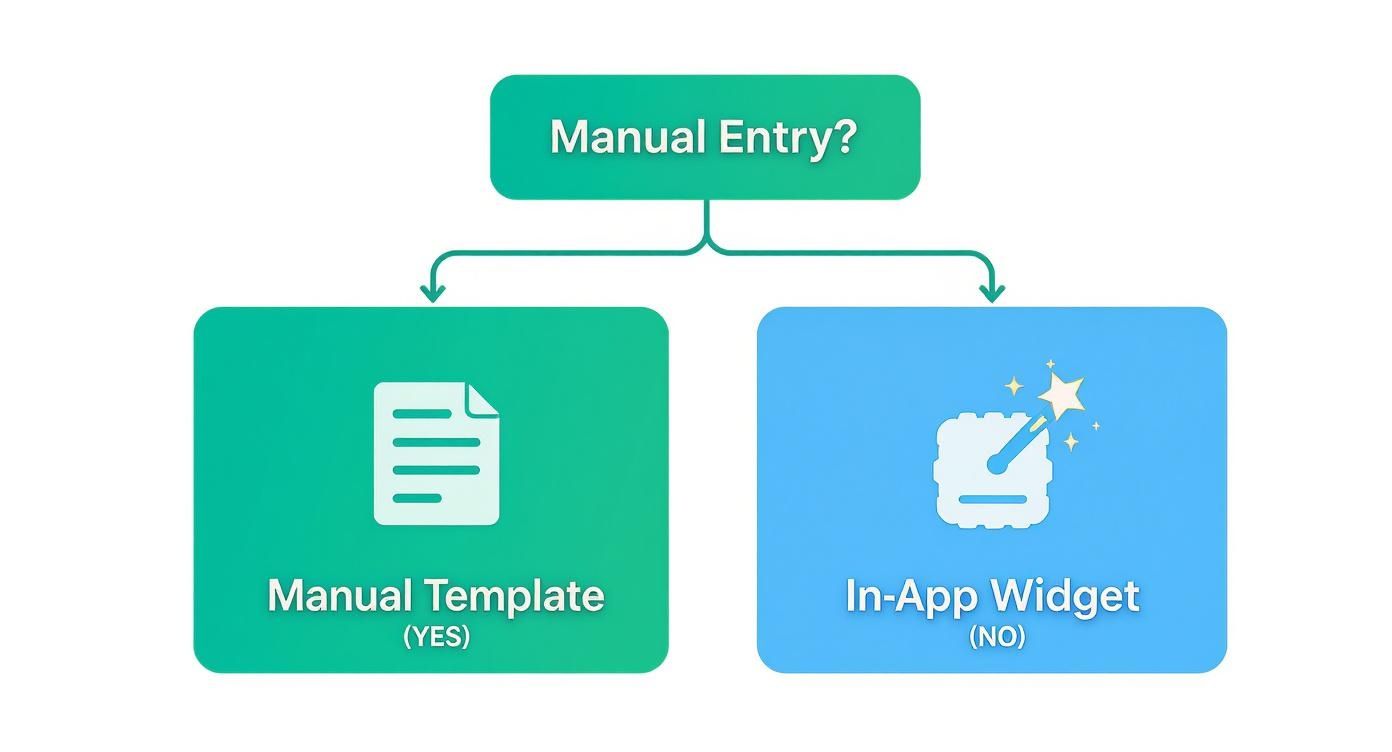
The key takeaway? While manual templates give you structure, in-app widgets are what really unlock powerful automation and smart routing.
Creating Smart Routing Recipes
The goal here is to build a system that organises itself. Think of it like creating digital mail routes for your feedback. With a tool like HappyPanda, you can create simple “if this, then that” rules that do all the heavy lifting for you.
Here are a few practical automation recipes you can get running in minutes:
- Critical Bugs Straight to Slack: Set up a rule that if a bug report comes in with “Critical” severity, it immediately pings a dedicated
#critical-bugsSlack channel. Your on-call engineer sees it instantly, no delays. - UI Issues to the Frontend Team: Create a filter that scans for keywords like “UI,” “button,” “CSS,” or “layout” in the bug summary. If it finds a match, the ticket is automatically assigned to your frontend project board in Linear or Jira.
- Mobile Bugs to the Mobile Team: If the automatically captured environment data shows the OS is “iOS” or “Android,” route that ticket directly to the mobile development backlog. Simple as that.
These automations transform your bug tracker from a messy pile into a perfectly organised workflow. For a deeper dive, our guide on how to improve your software defect tracking has even more advanced strategies.
Leveraging Webhooks for Custom Actions
Sometimes, you need to trigger workflows that live outside your main project management tools. That’s where webhooks come into play. A webhook is basically a notification that one app sends to another when something specific happens.
Webhooks are the glue of the modern development stack. They let you connect your bug reporting workflow to virtually any other service, creating a completely custom and automated triage process that fits your team’s exact needs.
For instance, you could configure a webhook to:
- Fire whenever a bug is reported on your checkout page.
- Send the report data over to a custom script you’ve written.
- That script could then automatically pause a related ad campaign or create an incident in a status page service.
To really put bug fixes on the fast track, exploring the benefits of AI in software testing can drastically improve how you detect bugs and streamline reporting. AI can help predict a bug’s severity or even suggest the right team for the job, making your automation rules even smarter.
By combining a solid bug reporting template with intelligent routing, you save your managers hours of manual work and make sure every issue gets the right eyes on it, fast.
Got Questions? We’ve Got Answers
Even with the slickest templates, rolling out a new bug reporting process will stir up a few questions. Getting everyone on the same page takes a minute, and it’s totally normal to hit a couple of snags. We’ve gathered some of the most common queries we hear from teams just like yours.
Think of this as your cheat sheet for smoothing out the wrinkles, handling those weird edge cases, and making sure everyone—from your least technical team member to your lead developer—is speaking the same language.
What’s the Most Important Field in a Bug Report?
If you could only keep one field, make it steps to reproduce. No question. While everything else adds useful flavour, a bug that can’t be reproduced can’t be fixed. It’s as simple as that.
A developer can usually puzzle out a vague title or guess the expected outcome. What they can’t do is pull a bug out of thin air without a clear map to find it. That’s why a numbered, step-by-step list isn’t just nice to have—it’s the absolute, non-negotiable core of any bug report worth its salt.
A bug report without clear reproduction steps is like a treasure map with no “X.” You know there’s gold somewhere, but good luck finding it.
How Much Detail Is Too Much?
It’s a fine line between being helpful and just creating noise. Your goal should be concise yet complete. Here’s a solid rule of thumb: provide just enough detail for a developer to understand and reproduce the issue without having to circle back and ask you for more info.
Ditch the long, rambling paragraphs. Let formatting do the heavy lifting for you:
- Use bullet points for your observations.
- Stick to numbered lists for the reproduction steps.
- Make key terms or error messages pop with bold text.
Just stick to the facts. What happened? What did you see? Avoid guessing at the cause unless you’re a developer with a solid theory. The template is your guide, so trust the fields and fill them out with what you know.
What If a Bug Is Intermittent or Hard to Reproduce?
Ah, the ghost in the machine. Intermittent bugs are infuriating, but they still need to be logged. When you run into one, the game changes from perfect reproduction to providing maximum context.
Even if the steps aren’t 100% reliable, report them. Make a note of the reproducibility rate (e.g., “This seems to happen about 1 in every 5 attempts”). This is also where you need to be extra diligent about attaching logs and session recordings. In-app widgets are brilliant for this, as they can automatically capture the application’s technical state right when the bug happens, often revealing patterns a human would never spot.
Ready to stop chasing down vague bug reports and start squashing issues faster? HappyPanda brings your bug reporting template to life with an in-app widget that automatically captures console logs, network requests, and user steps. You can get started in minutes and give your developers the clear, actionable reports they’ve always dreamed of. Start your free trial at HappyPanda.